
Laser welding with handheld units frequently produces porosity, burn-through and defective weld beads when wire feeding is improperly adjusted. Standardized wire feeding setup procedures and well-matched parameters deliver dramatic improvements to welding stability and final weld quality. This practical guide compiles step-by-step operation rules, parameter matching schemes and fault fixes dedicated to handheld laser welding wire feeding, allowing operators to finish commissioning rapidly and maintain consistent high-output welding.
What Is Wire Feeding in Handheld Laser Welding — And Why It Matters
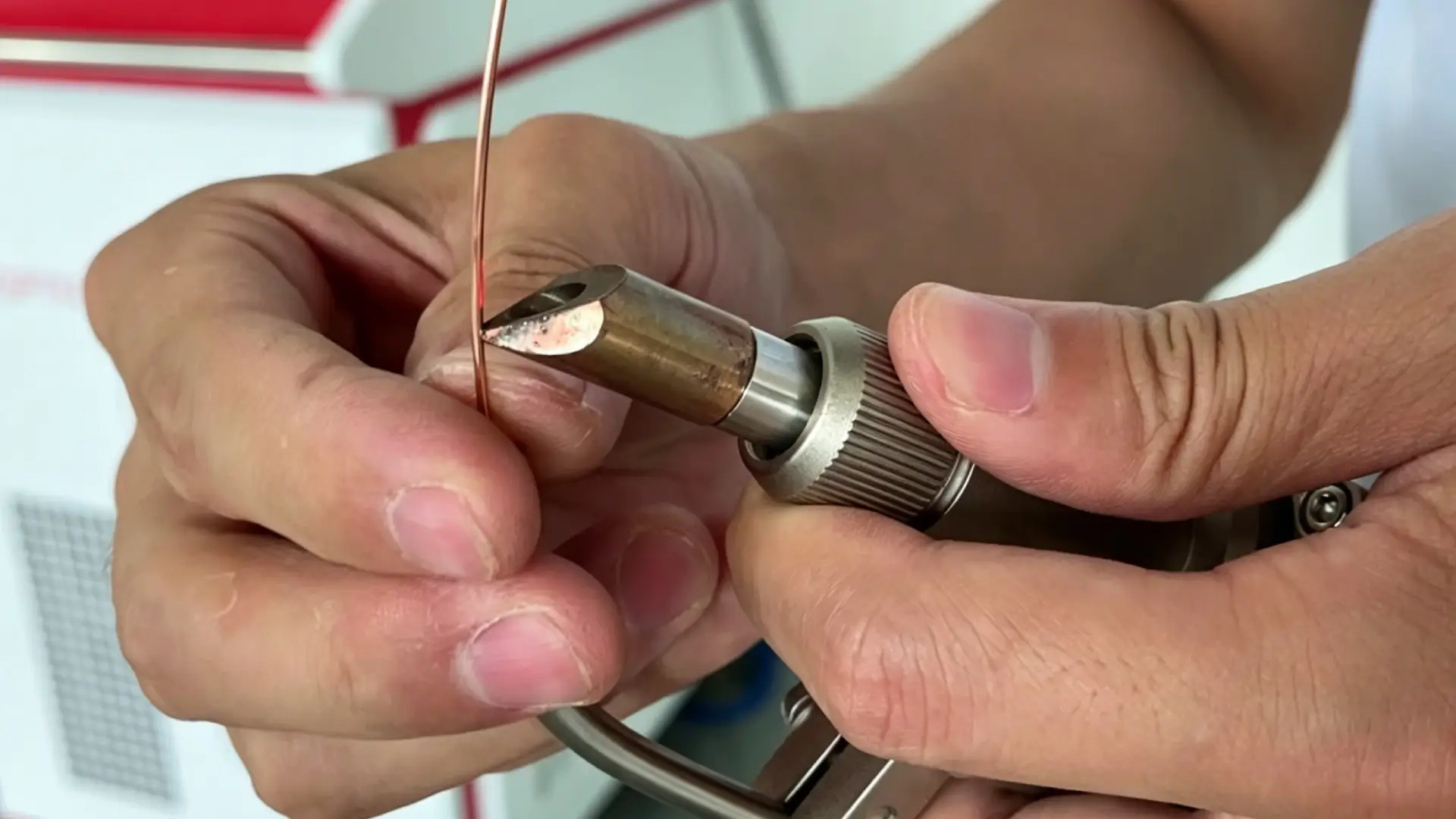
Wire feeding does one thing: it puts filler material right where the weld pool needs it.
You feed a thin metal wire — 0.8 mm to 1.6 mm in diameter — into the Laser interaction zone as you weld. The wire melts into the joint. It adds volume, bridges gaps, and shapes the bead.
Here’s why that matters in practice:
- Gap tolerance: Joints with gaps between 0.2 mm and 0.5 mm need filler wire. Without it, you get lack of fusion or burn-through.
- Bead quality: Wire builds a fuller, more uniform seam. That’s critical on stainless steel and aluminum where appearance counts.
- Joint strength: Lap joints, outside corners, and load-bearing parts need the extra material volume. Wire is what delivers that.
- Real-world fit-up: Parts don’t always come fixtured the way you’d want. Wire feed covers that inconsistency. It gives you a cushion when fit-up isn’t perfect.
No filler wire means zero room for error on fit-up. That’s the reality of handheld fiber Laser Welding on production floors.
Choosing the Right Filler Wire: Diameter, Material, and Compatibility
Wire selection isn’t guesswork. There’s a logical order to it. Get it wrong, and you waste material, time, and welds.
Start with this one rule — it applies to every material and thickness: filler wire diameter must be smaller than the base metal thickness. Thin plate gets thin wire. That’s it. No exceptions if you want pool control without burn-through.
Diameter by Thickness — Quick Reference
| Base Metal Thickness | Recommended Wire Diameter |
|---|---|
| 0.8–1.6 mm | 0.8–1.0 mm |
| 1.6–3.2 mm | 1.6–2.4 mm |
| 3.2–4.8 mm | 2.4–3.2 mm |
Not sure which size to pick? Go one size finer. A thinner wire gives you more control at lower heat input. That’s what handheld Fiber Laser Welding requires.
Match Wire Grade to Base Metal
Material compatibility is non-negotiable. The wrong alloy brings corrosion risk, cracking, or full joint failure.
- Carbon steel → ER70S-2 / ER70S-6 — target tensile strength around 70 ksi (483 MPa), matching the base material grade
- Stainless steel → ER308L / ER309L / ER316L — match the chemistry first, then check corrosion resistance and dissimilar metal joint needs
- Aluminum → ER4043 for 6xxx series; ER5356 for higher strength applications
One Critical Note for Handheld Laser Welders
Use solid core wire only. Flux-core wire (FCAW) doesn’t work with handheld laser welding systems. It creates feed inconsistency, wire jams, and compatibility failures. Check your wire feeder attachment specs before buying any laser welding consumables.
The selection sequence: base metal grade → thickness → AWS designation → confirm solid wire compatibility.
Step 1 — Mechanical Assembly: Connecting the Wire Feeder to Your Laser Welder
The connection sequence matters more than most people realize. Connect wire feeders in the wrong order — power before signal, or gas before ground — and you get problems that look like calibration issues. They’re wiring problems. Follow this order every time.
Before you touch a single cable, confirm all of these:
– Main power switch is OFF
– Emergency stop is pressed
– Power cord is unplugged from the wall
The Connection Order (Do Not Skip Steps)
1. Signal/control cable first. Plug the control cable between the wire feeder and the Laser welding machine. Most handheld fiber laser welding machines use a dedicated multi-pin connector. Find the port labeled “Wire Feeder.” Push the connector all the way in, then lock the retaining screws with a screwdriver. A loose signal line creates irregular feed behavior. That’s one of the hardest faults to track down later.
2. Power/drive cable second.
Connect the feeder’s power cable to the machine’s matching port. Push until the connector seats solid, then lock the knob or clip. On most machines, the wire feeder activates only after the main unit powers on. That’s your confirmation this connection is good.
3. Gas line third. Connect the shielding gas hose (6 mm OD quick-connect or M16×1.5 threaded fitting) to the machine’s gas inlet. Run the other end to the argon bottle. Target pressure: >0.2 MPa. Target flow rate: 15–20 l/min for Stainless steel and aluminum. Check for leaks before moving on.
4. Ground clamp last (before power-on). Clamp the workpiece ground lead onto clean, bare metal on the Welding table or workpiece. No paint, no scale. A poor ground creates arc instability that looks just like wire feed problems.
5. Power on.
Plug in the main power cord and flip the machine switch. The wire feeder panel should light up with no alarm indicators. See a red light or hear a beep? The power or signal connection needs rechecking. Don’t proceed until it’s clear.
Drive Roll and Wire Guide Assembly
Electrical connections confirmed? Now set up the mechanical feed path.
Match the drive roll groove to your wire diameter. The groove size is stamped right on the roll — 0.8, 1.0, 1.2, or 1.6 mm. A 1.0 mm wire in a 1.2 mm groove slips. A 1.0 mm wire in a 0.8 mm groove crushes and jams. There’s no workaround.
To swap drive rolls:
1. Open the feeder cover and lift the pressure arm
2. Remove the drive roll retaining screw
3. Install the correct-size roll and re-tighten the screw
4. Lower the pressure arm — spring tension should create resistance as you pull wire by hand, but not enough to stop it
Install the wire spool with the spool hub aligned to the positioning pin. Feed wire from the bottom of the spool into the inlet guide. Keep hold of the wire end as you load it. Let go and the free end springs loose, tangling the entire spool.
Connect the wire conduit. Insert the conduit into the feeder outlet guide and lock it down. Take the opposite end and insert it into the welding torch rear seat. Before tightening, check that the wire centerline lines up with the torch nozzle center. A misaligned conduit makes the wire rub the inner wall. You’ll catch it during feed tests — listen for a faint scraping sound.
Quick Verification Before Moving to Step 2
Press the manual feed button. The drive roll should rotate without resistance. Wire should exit the torch nozzle clean — no hesitation, no sideways wobble. Roll spinning but no wire at the nozzle end? The conduit is either reversed or not seated all the way. Pull it out, check for directional markings (FEEDER / TORCH), and reseat it before testing again.
Step 2 — Installing Drive Rolls: Matching Groove Size to Wire Diameter
Drive roll selection is a precision decision, not a close-enough one. The groove stamped on that roll must match your wire diameter — same number, full stop.
Roll type by wire type: – Solid wire (which is all you’re running in a handheld laser setup) → V-groove roll – Flux-cored or metal-cored wire → knurled or dual-groove roll. Not relevant here, but worth knowing so you don’t grab the wrong one off a shared shelf.
Setting tension — the wood-block method:
1. Release all tension on the pressure arm first
2. Feed wire against a block of wood
3. Increase tension in small steps until the wire just slips
4. Go one-half turn past that slip point — then stop
That’s your baseline. Not tighter. Not looser.
Why this matters: Too much tension deforms the wire. That leads to arc instability and burnback. Too little tension, and the wire slips at random. That mimics bad parameter settings. You end up chasing a feed problem that looks like a tuning problem — and it wastes your diagnostic time.
Position the inlet guide tube close to the drive rolls without touching them. Back it off 1/8 in after contact. The wire tracks straight into the groove. Side-to-side wobble stops before it reaches the torch.
One maintenance step that’s easy to skip: dirty or worn drive roll surfaces kill feed consistency. Scrub them with a wire brush before each session. This matters most in high-volume work. A worn groove is a slow, invisible problem. Feed gets erratic long before you spot any visible damage — so don’t wait for obvious signs to check it.
Step 3 — Loading the Welding Wire Spool and Threading Through the Feeder
The spool goes on first. Everything else follows from that.
Align the spool hole with the positioning pin on the hub before you push it down. That pin stops the spool from spinning loose on the axle during feed. Miss the alignment, and the spool rotates on its own. Your wire feed turns unpredictable right from the first pass.
Once seated, secure with the locking nut in this axle order: flat washer → spool → spring → flat washer → nylon-lock nut. The spring controls brake tension. Tighten clockwise to increase drag. Loosen counterclockwise to reduce it. Your target: after you release the trigger, the spool coasts 12–50 mm before stopping. Less than that, braking is too tight and the motor strains. More than that, the spool overruns and the wire tangles.
Wire direction matters. Feed from the bottom of the spool into the inlet guide. Top-feed creates extra bends before the wire even reaches the drive roll.
Threading Sequence
- Clip the end. Release 80–100 mm of wire. Cut the bent or kinked tip with diagonal cutters — you need a clean, flat cross-section. A hooked end catches on every liner joint it hits.
- Insert into the inlet guide. Push the trimmed end 20–40 mm into the brass inlet nozzle. Keep one hand on the spool. Don’t let go.
- Feed through the drive rolls. Push the wire through until it clears the drive roll exit by at least 10–15 mm. Then lower the pressure arm.
- Jog the wire through. Press the manual feed button. The wire should advance through the liner and exit the nozzle tip at 15–25 mm. Trim it back to 10–15 mm before welding.
Keep the torch cable in a gentle curve — minimum 200–300 mm bend radius. A 90° kink raises feed resistance right away. The wire stutters during jog? Check the cable routing first before touching any other setting.
Step 4 — Setting Up the Wire Feeding Tube and Nozzle on the Welding Gun
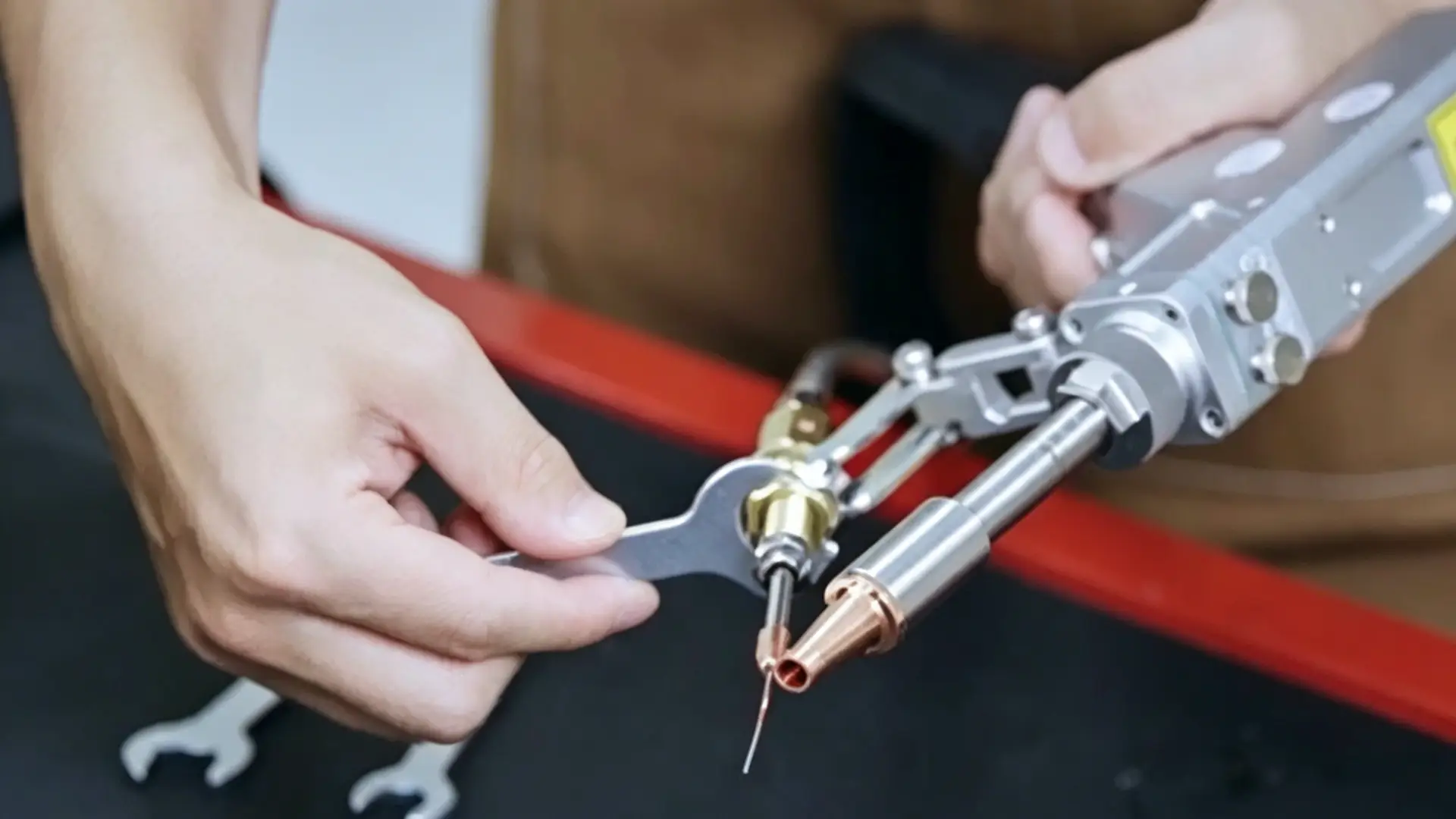
The copper feeding tube and nozzle position controls everything that follows. Get this wrong, and no amount of parameter tuning saves you.
Preparing and Installing the Wire Feeding Tube
Start with tube selection. The copper tube inner diameter should be 0.1–0.3 mm larger than your wire diameter. Running 1.0 mm wire? Use a 1.1–1.3 mm ID tube. Too tight and the wire binds. Too loose and the wire loses direction control.
Before insertion, cut the tube end flat and deburr it. Add a small 0.2–0.3 mm chamfer at the tip. That chamfer stops the wire from catching on the tube edge and scratching the nozzle guide hole.
To install:
1. Loosen the locking bracket screw and clear the guide hole of any debris
2. Slide the tube in from the rear — keep radial clearance at ≤0.1–0.2 mm
3. Leave 20–40 mm of free overhang beyond the bracket for fine position adjustment
Setting the 1–2 mm Nozzle Gap
Position the copper nozzle tip 1–2 mm from the laser welding nozzle exit face. This number isn’t arbitrary:
- Too close (<1 mm): The nozzle sits inside the spatter and plasma zone. Tip temperature rises 50–100°C higher, cutting service life by 30–50%
- Too far (>2 mm): Wire free-extension increases, entry angle shifts by ±2–3°, and porosity risk climbs
- 1–2 mm maintained: Nozzle lifespan improves by 20–30% compared to a 0.5 mm gap setup
Use a feeler gauge to verify. You should feel slight resistance — not scraping.
Centering the Wire in the Nozzle
Jog wire forward 5–10 mm past the nozzle tip. Look straight down the nozzle axis. The wire should sit centered in the bore.
Copper nozzle bore sizing by wire diameter:
| Wire Diameter | Recommended Bore ID |
|---|---|
| 0.8 mm | 0.9–1.0 mm |
| 1.0 mm | 1.1–1.3 mm |
| 1.2 mm | 1.4–1.6 mm |
| 1.6 mm | 1.8–2.0 mm |
Keep eccentricity ≤0.1–0.15 mm. At ≥0.25 mm offset, melting efficiency drops 35%. The laser energy density zone no longer lines up with the wire center. You end up raising power or feed speed just to hold the same deposition volume — and that’s wasted energy fighting a setup problem.
Once alignment is confirmed, tighten the bracket screw to 1.5–3 N·m (M4–M5 hardware). Run a cold wire feed for 30–60 seconds and listen. Clean feed, no scraping, stable exit position — you’re ready for Step 5.
Step 5 — Setting the Wire Feeding Angle and Position Relative to the Laser Beam
Angle is the variable most welders underestimate. A position that’s just a few degrees off can ruin three passes in a row before you catch it.
The wire doesn’t just need to reach the weld pool. It needs to enter at the right angle, from the right side, at the right lateral position. All three factors work together. Change one, and the other two stop compensating.
The Angle Range That Works
Keep the wire between 30° and 45° relative to the workpiece surface for handheld laser welding on thin plate. That range is the practical sweet spot — not a guess, not a rough estimate.
Here’s what happens outside that window:
- Below 30° (wire too flat): The wire tip skims across the weld pool surface instead of entering it. You get lack of fusion, surface humping, and more spatter. Even a small lateral tremor shifts the droplet landing point off the seam centerline.
- 30°–45° (the recommended zone): The wire end sits deep inside the heat zone without punching into the pool. Droplet transfer is smooth — liquid bridge mode — and continuous. You can track the wire tip against the seam by eye, which matters a lot on a handheld setup.
- Above 60° (wire too steep): The droplet falls straight down into the pool. Impact disturbance goes up. The surface bead gets rougher. The wire surface starts reflecting laser energy back — up to 50% reflectivity at steep angles. That cuts effective heat input and increases spatter damage to the nozzle tip.
For thicker plate in fixed-fixture setups, 40°–60° works. But for handheld fiber laser welding, stay closer to 30°–45°. That zone gives you more room for error.
Position: Lateral, Longitudinal, and Axial
Getting the angle right means nothing if the wire is in the wrong position relative to The laser beam.
Lateral position — stay on the centerline. The wire must line up with the weld seam in the vertical plane. Lateral offset is the most damaging position error:
| Wire Diameter | Lateral Offset | Melting Efficiency Loss |
|---|---|---|
| 2.0 mm | 0.25 mm | ~30% |
| 1.0–1.2 mm | 0.25 mm | ~36% |
Keep lateral deviation to ≤0.1–0.15 mm. Go past 0.25 mm, and you lose more than a third of your melting efficiency. There’s no recovering from that mid-pass.
Longitudinal position — wire goes in front. Feed wire from the leading side of the laser beam (the direction of travel). This puts the wire tip at the front edge of the melt pool, where liquid bridge transfer mode takes over. The fill stays continuous, smooth, and low-porosity.
Feed from behind the beam? Droplets fall loose into a disturbed pool. The surface gets rough. Porosity risk goes up. There’s no good reason to run trailing wire on a handheld setup.
Position the wire tip 0.5–1.0 times the laser spot diameter ahead of the beam center. For a typical 1.5 mm spot, that’s 0.8–1.5 mm forward. That puts the wire end right at the hot leading edge of the pool — where the liquid bridge forms without disruption.
Axial position — keep the stick-out short.
Wire extension beyond the nozzle tip: 10–15 mm. That’s long enough for the wire to preheat in the heat zone. It’s also short enough to stop the wire from contacting the base metal before the laser gets there.
Adjustments by Joint Type
The base angle and position rules hold across all joints. The fine-tuning shifts based on joint geometry.
Butt joint (I-groove or V-groove): – Thin plate, small gap (≤0.2 mm): 30°–40°, wire centered on the seam line – V-groove or wider gap: 35°–50°, wire aimed deeper into the groove root – Leading position, offset ≤0.1–0.15 mm from centerline
Fillet / T-joint:
– 40°–60° relative to the horizontal plate — the steeper angle drives metal into the corner
– Wire lines up with the bisector of the two plates, aimed at the root
– In wobble mode, keep the wire tip fixed on the joint centerline — don’t let it follow the beam oscillation to the edges
Lap joint:
– 30°–45° relative to the top plate surface — shallow enough to avoid burning the top plate edge
– For plate ≥2 mm needing more fill: 45°–55°
– Wire tip aimed at the overlap interface, biased toward the top plate edge
The Alignment Check Before You Strike an Arc
Angle and position are set. Do this before triggering the laser:
- Jog the wire forward until the tip sits 10–15 mm past the nozzle
- Look straight down the torch axis — the wire tip should land on the seam centerline
- Check from the side — confirm the angle reads between 30° and 45° against the workpiece surface
- Press manual feed and watch the wire advance — no sideways drift, no scraping sound
Either check fails? Adjust the tube bracket position before welding. Fixing alignment cold takes 30 seconds. Fixing it after a bad pass takes far longer.
Step 6 — Configuring Wire Feed Speed to Match Laser Power and Travel Speed
Wire feed speed is the last dial you touch — but it controls everything you see in the finished bead.
The logic is simple: laser power and travel speed decide how big and hot the melt pool gets. Wire feed speed decides how much metal fills it. These three variables are linked. Change one, and the other two need to respond.
Start here — your baseline for 0.8–1.0 mm wire on thin stainless (1.0–1.5 mm plate):
- Laser power: 30–45% of rated output
- Travel speed: 10–20 mm/s
- Wire feed speed: 2.5–3.0 m/min as your center-point starting value
Set that middle value first. Then adjust in 0.2–0.3 m/min increments while watching the pool — not before.
How the Three Variables Move Together
Don’t chase individual settings. Focus on the relationships:
| Scenario | What You See | Wire Feed Adjustment | Secondary Adjustment |
|---|---|---|---|
| Travel speed ↑ 10–15 mm/s → 15 mm/s | Bead gets narrow, lean | ↑ 20–30% (→ 3.6–4.0 m/min) | If still lean, ↑ power 5–10% |
| Power ↑, travel unchanged | Pool grows deeper, bead sinks a bit | ↑ 10–20% | Hold travel speed |
| Travel speed ↓, power unchanged | More heat per mm, pool widens | ↑ 10–20% to fill; if bead piles up, reverse | — |
| Wire ↑ 30–40% (→ 4.0+ m/min) | Metal stacking at pool leading edge, spatter increases | Pull back ↓ 10–20% | ↑ travel speed 20–30% to flatten |
The rule that saves you diagnostic time:
– Travel speed up 10% → try wire feed up 10–15% first
– Power up 10% → try wire feed up 10–20% first
– Wire feeder motor getting loud or wire slipping at times → stop pushing feed further. Drop travel speed or power instead
Reading the Bead in Real Time
You don’t need instruments. You need to know what to look for.
Wire feed too fast:
– Bead crowns high — excess reinforcement, blunt weld toes
– Metal stacks at the leading edge of the pool
– Spatter increases. The pool looks blocked and hard to read
– Fix: increase travel speed 10–20% first. If the bead stays high, reduce wire feed 10–20%
Wire feed too slow:
– Bead sinks, goes concave, or shows a dish shape
– Undercut appears along the fusion line
– Fix: increase wire feed 10–20%. If undercut stays, drop travel speed a touch. This gives the pool more time to fill
The bead sits flush. Reinforcement is even. The toes wet out with a clean edge. That’s your confirmed working speed. Lock it in before you change anything else.
Pre-Weld Checklist: Surface Prep, Shielding Gas, and Grounding
Three things ruin a laser weld before you ever pull the trigger: contaminated metal, bad shielding gas, and a loose ground. Sort all three before you start.
Surface Prep
Wipe the joint area with acetone, MEK, or isopropyl alcohol — at least 25–50 mm from the seam on both sides. Use a clean, lint-free rag. Wipe twice. If the cloth still picks up residue on the second pass, wipe again.
Then grind. Remove all rust, mill scale, and paint down to bright metal across at least 25 mm from the weld centerline. No dark spots. No moisture.
Skip this step and hydrogen gets into the melt pool. That brings porosity. On higher-strength steels, you also get cracking in the HAZ.
Shielding Gas
Use argon at ≥99.99% purity. Set regulator outlet pressure to ≥0.3 bar. Set flow to 15–18 L/min.
Before you start welding, run through this quick check:
– Leak-test every fitting
– Confirm no hose kinks
– Check the nozzle is clear of spatter buildup
Damaged O-rings create turbulent flow. That pulls in ambient air and adds porosity to your weld.
Grounding
Clamp straight onto the workpiece. Clean the contact spot down to bare metal — grind off paint or scale within 20–30 mm of the jaw footprint.
A bad ground raises contact resistance. Arc flicker follows. So does excess spatter and uneven penetration. The clamp needs to sit tight and closed on flat, clean metal. No slack in the lead.
Material-Specific Wire Feed Settings: Stainless Steel, Aluminum, and Carbon Steel
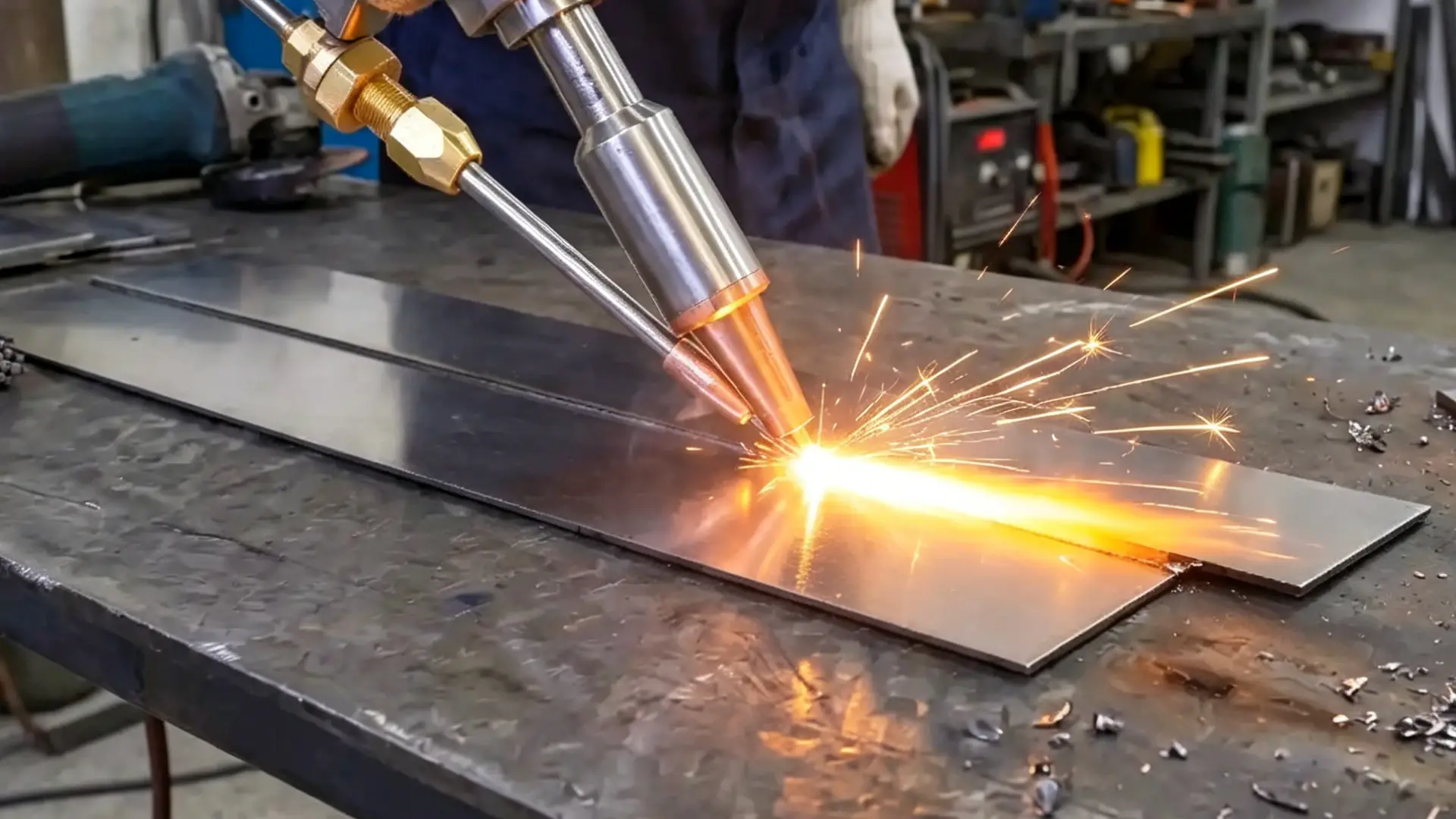
Three metals. Three different setups — not three versions of the same problem. Most operators treat them that way. That’s the mistake.
Stainless Steel: Tight Parameters, Clean Results
Stainless steel rewards precision. Sloppy setup shows up fast. For 1.0–1.5 mm plate, run 0.8–1.0 mm wire at 15–18 mm/s feed speed. Set peak power to 30–45% of rated output and wobble width to 2.5–3.0 mm. Those numbers keep the heat-affected zone narrow. The bead surface stays flat with controlled reinforcement.
Travel speed is your fine-tuning lever. Faster travel gives you a narrower, brighter bead. Slower travel widens the pool — useful for covering small fit-up gaps. Bead looks off? Don’t touch feed speed first. Adjust travel speed and watch what changes.
Aluminum: Prioritize Feed Smoothness
Aluminum puts more stress on your wire delivery system than on your parameter settings. For 1.0–2.0 mm plate, use 1.0–1.6 mm wire, feed at 10–15 mm/s, and push peak power to 50–85%. Shielding gas must be 100% argon — no CO₂, no mixed gas. CO₂ contaminates the weld and burns off alloying elements.
The real issue is the liner. Aluminum wire is soft. It kinks, birdnests, and jams inside standard steel liners. Switch to a PTFE or polymer liner for aluminum wire. Long feed distance? Use a spool gun instead.
For wire grade: ER4043 handles most 6xxx series applications. It runs steady at these speeds without feed issues.
Carbon Steel: The Forgiving One
Carbon steel gives you room to work. For 1.5–2.5 mm plate with a handheld fiber laser welding machine, start at 1.0–1.2 mm wire, 10–12 mm/s feed speed, and 40–70% peak power with 3.0–4.0 mm wobble width. That power window is wider than stainless. You get more margin to work with when fit-up isn’t perfect.
Need to bridge a gap or add reinforcement? Two moves:
– Increase feed speed to 12–15 mm/s and raise peak power to the upper range (60–70%)
– Drop travel speed a notch to deposit more metal per millimeter
Both moves increase bead volume. Don’t make both changes at once — pick one, read the bead, then decide what’s next.
| Material | Wire Diameter | Feed Speed | Peak Power |
|---|---|---|---|
| Stainless (1.0–1.5 mm) | 0.8–1.0 mm | 15–18 mm/s | 30–45% |
| Aluminum (1.0–2.0 mm) | 1.0–1.6 mm | 10–15 mm/s | 50–85% |
| Carbon Steel (1.5–2.5 mm) | 1.0–1.2 mm | 10–12 mm/s | 40–70% |
Troubleshooting Common Wire Feeding Problems
Wire feeding problems fall into three categories: inconsistent feed, burnback, and porosity. Each one has a clear diagnostic path. Tackle them one step at a time — don’t adjust multiple settings at once.
Inconsistent or Stuttering Wire Feed
Start with the drive roll. The groove size stamped on the roll must match your wire diameter — a 0.9 mm wire in a 1.3 mm groove slips every time. Check the stamp, not your memory.
Next, check tension. Grip the wire at the nozzle exit with a gloved hand while triggering the feeder. The drive roll should slip against light resistance — not crush the wire flat. Visible compression marks on the wire surface mean tension is too high. High tension deforms the wire, spikes liner friction, and causes birdnesting at the drive roll.
Then lay the torch cable straight on the floor and jog the wire again. Feed smooths out right away? The cable had a kink. Check along the liner for hardened flat spots. Those sections are physically damaged — replace them, don’t try to straighten them.
Burnback and Wire Sticking
Burnback means the wire melts faster than the feeder delivers it. Raise feed speed in 5–10% increments while keeping laser power constant. Burnback stops within two adjustments? Feed speed was the problem. Burnback continues past a 20% increase? Drop laser power by 5–10% instead.
Also check stick-out length. Keep wire extension at 10–15 mm. Past 20 mm, the wire tip hits full laser intensity before the pool forms. It melts in open air and burns back to the nozzle.
Porosity and Ragged Bead Edges
Run shielding gas at 15–20 L/min and confirm it with a flowmeter at the nozzle — not just at the regulator. Porosity still showing up? Increase flow by 5 L/min and run a 50 mm test bead. Fewer pores and a cleaner surface edge means the original flow was too low.
Gas checks out fine? The problem is surface contamination. Weld identical passes on a cleaned half and an uncleaned half of the same plate using the same settings. Clean side shows far fewer pores? Stop chasing settings and start cleaning the metal.
Conclusion
Wire feeding for handheld laser welding isn’t complicated. But every detail adds up. The wrong wire diameter wastes material. A misaligned feed angle ruins your bead. Mismatched speed and power settings turn a clean joint into a porous mess. Get those three variables right. Everything else follows.
You now have the full picture. From mechanical setup and drive roll selection to material-specific configurations for stainless steel, aluminum, and carbon steel — that’s a repeatable system. You can run it on your first real weld.
So close this tab, open your machine, and run a test pass. Dial in your wire feed speed against your laser power. Check your angle. Adjust once. Weld better.


0 Comments