
MAXWAVE RF CO₂ LASER MARKING MACHINE
Get Clear, Detailed Marks on Non-Metals with an RF CO₂ Laser Engraver
- Clear, Detailed Marking: Fine Text · Logos · QR Codes
- Efficient Batch Marking: Galvo Scanning · Array Layouts
- Automatic Variable Coding: Serial Numbers · Date Codes
- Ink-Free Marking: No Ink · No Labels · Less Waste
- Multi-Material Marking: Wood · Leather · Acrylic · Paper
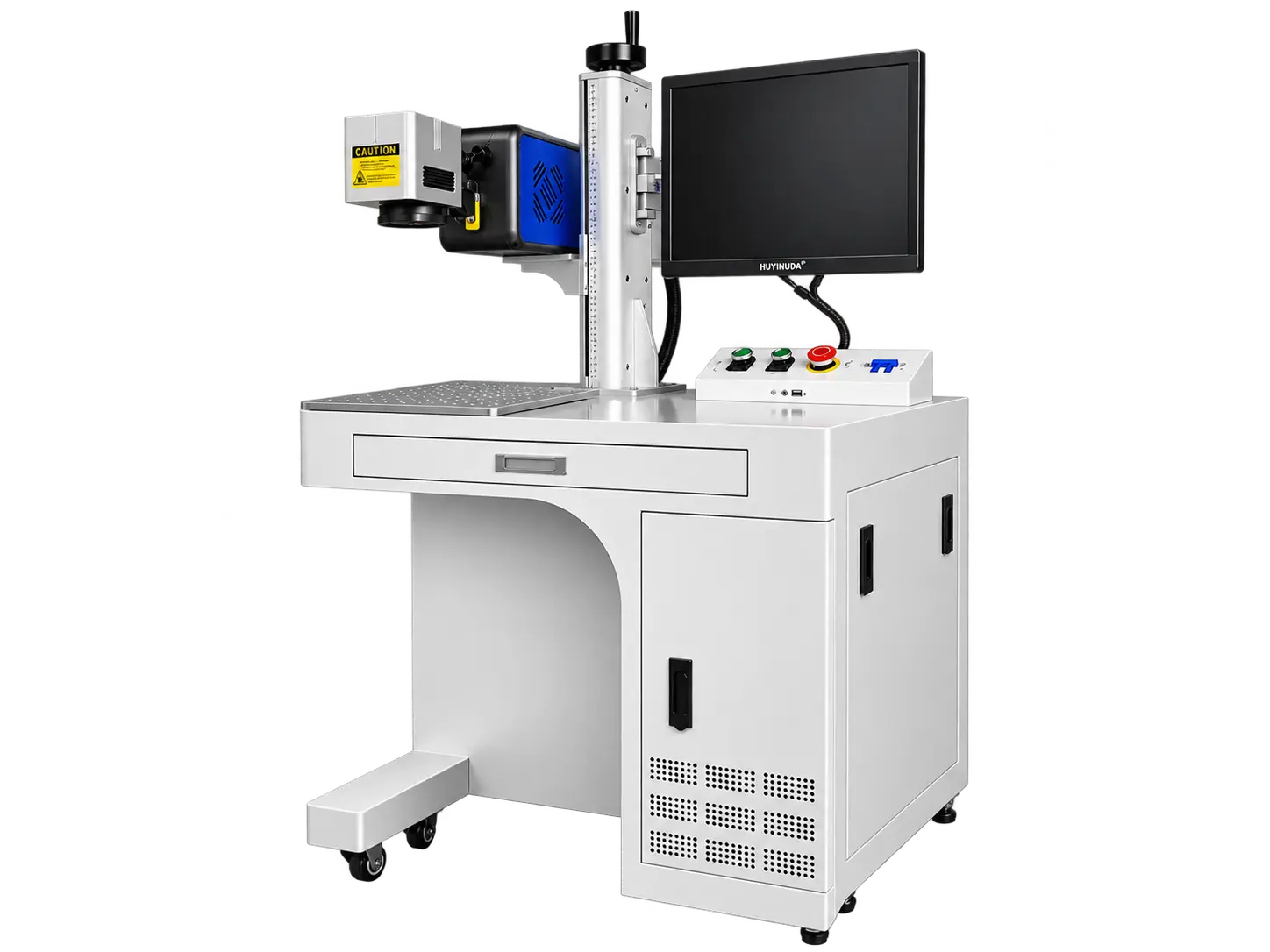
Adjust the Height, Mark the Product, Repeat the Job
Place your product on the worktable, adjust the marking height, and prepare your design in EZCAD. The MaxWave RF CO₂ Laser Marking Machine makes it practical to handle different product sizes, mark detailed graphics, and repeat the same job across multiple pieces.
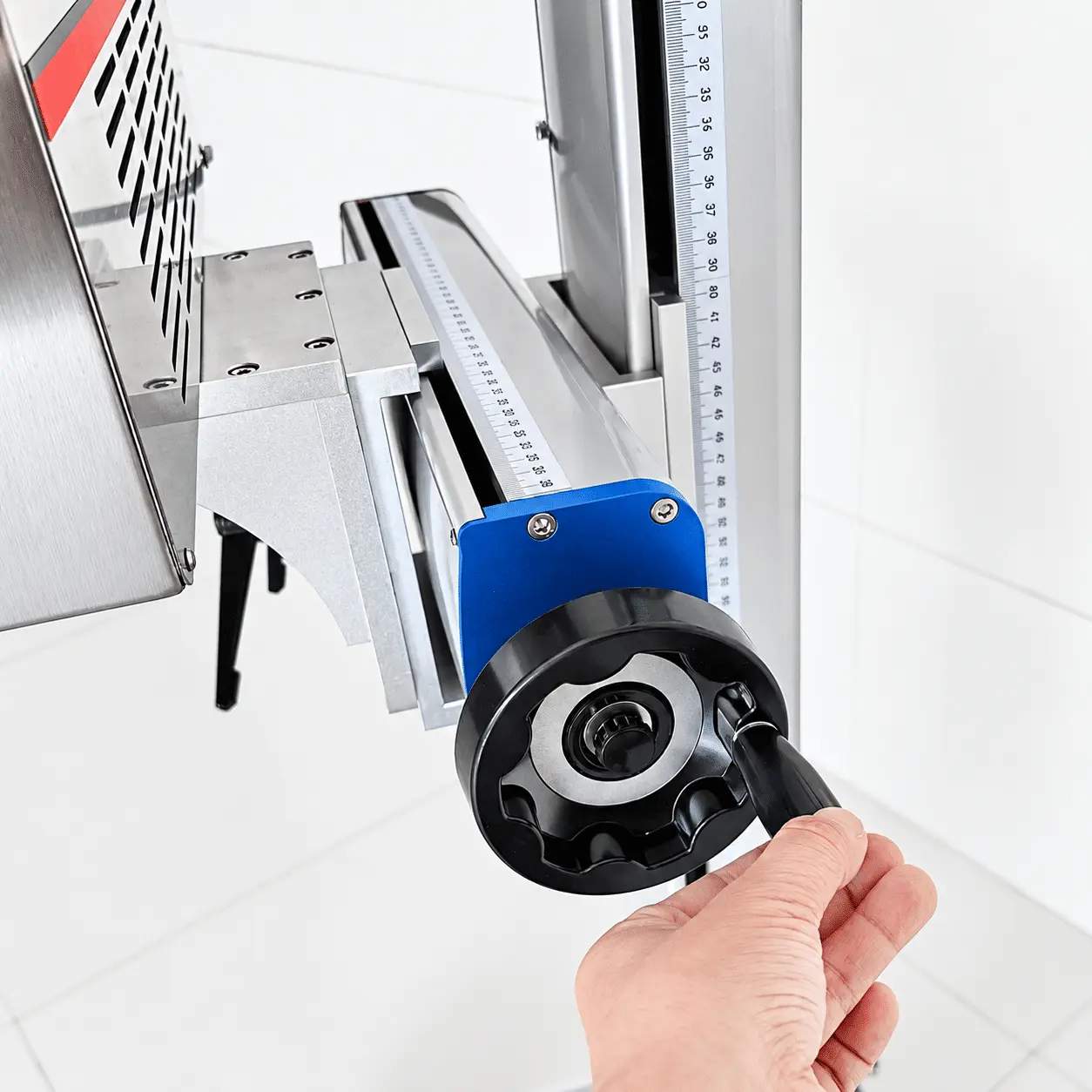
01
Adjust for Different Product Heights
Use the lifting handle to adjust the marking head height for different products.
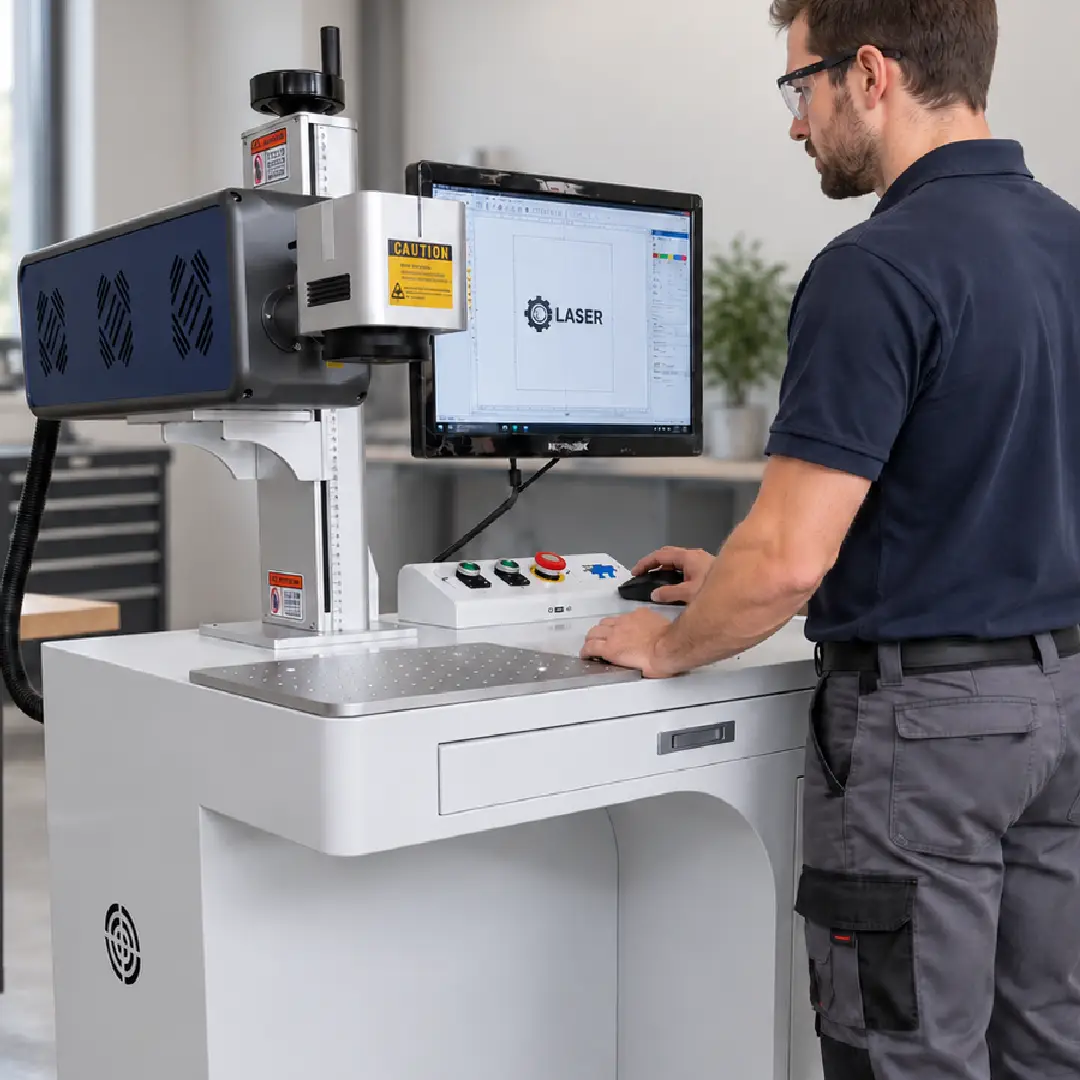
02
Import Designs and Start Marking
Import logos or graphics into EZCAD, set parameters, and start marking.
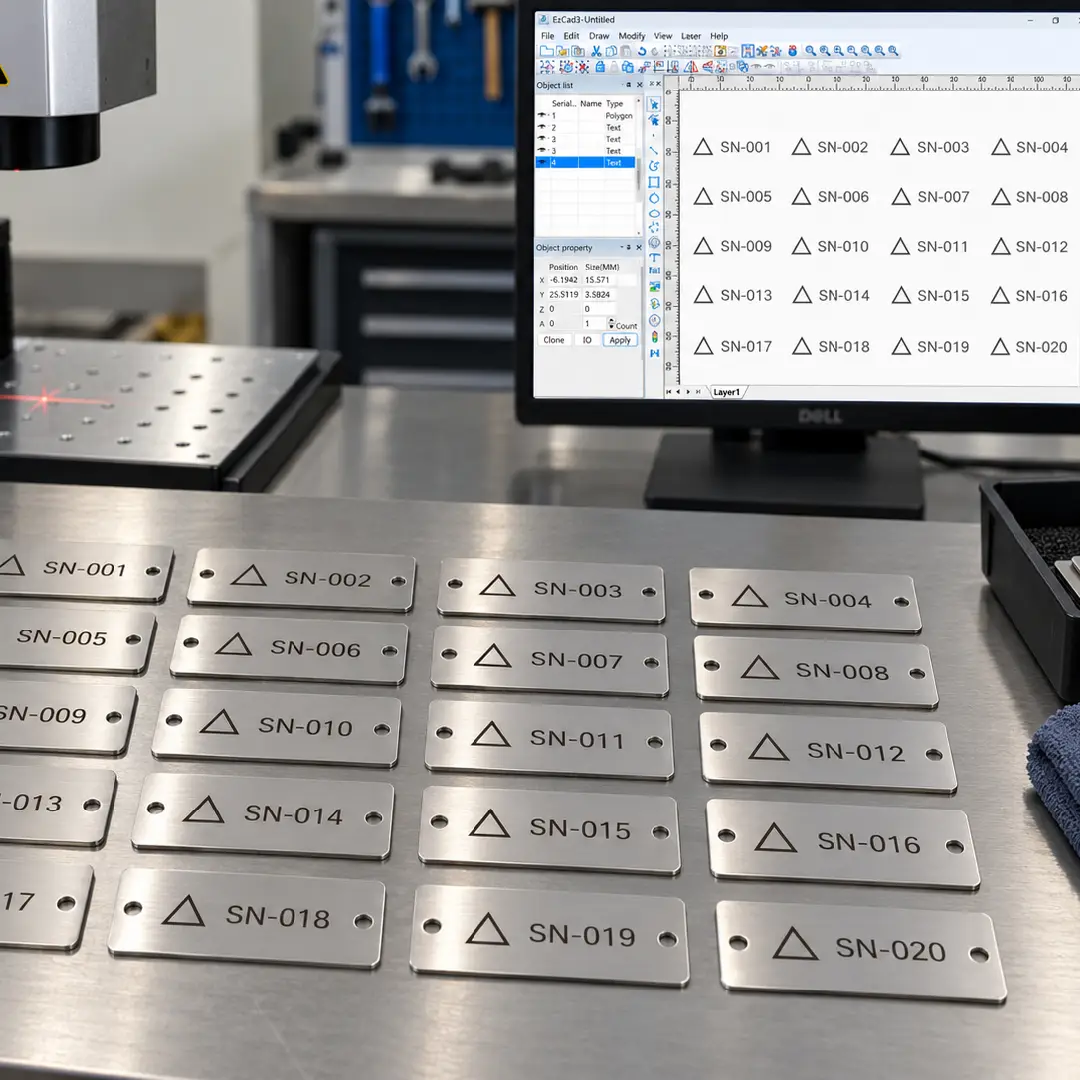
03
Save Designs for Repeat Jobs
Reuse saved designs, array layouts, and automatic serial numbering to simplify batch marking.
What Can You Mark & Engrave with an RF CO₂ Laser Engraver?
From product logos and serial numbers to packaging codes and personalized gifts, the MaxWave RF CO₂ Laser Engraver handles everyday marking and engraving on non-metal products. With 30W, 40W, and 60W options, it supports both custom orders and repeat production jobs.
WHAT DO YOU WANT TO ENGRAVE?
COMMON MATERIALS / PRODUCTS
SUPPORTED
TYPICAL WORK
3D RF CO2 Laser Engraving & Cutting Examples
Explore laser processing examples across denim, leather, wood, and acrylic—from faded patterns and detailed engraving to decorative cutouts and custom shapes.
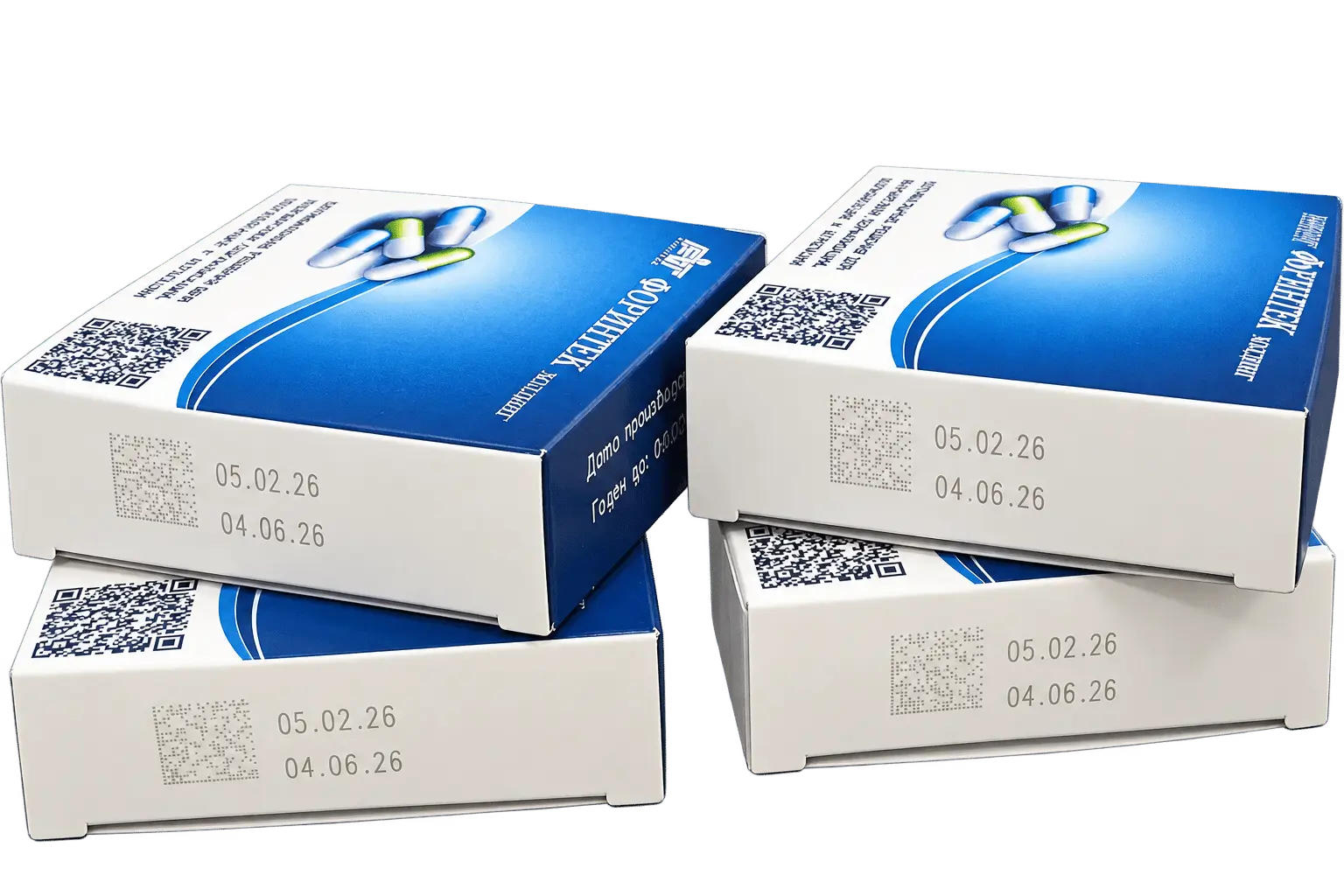
SAMPLE 01
Packaging Date & Batch Coding
PAPER PACKAGING · DATE CODES · BATCH NUMBERS
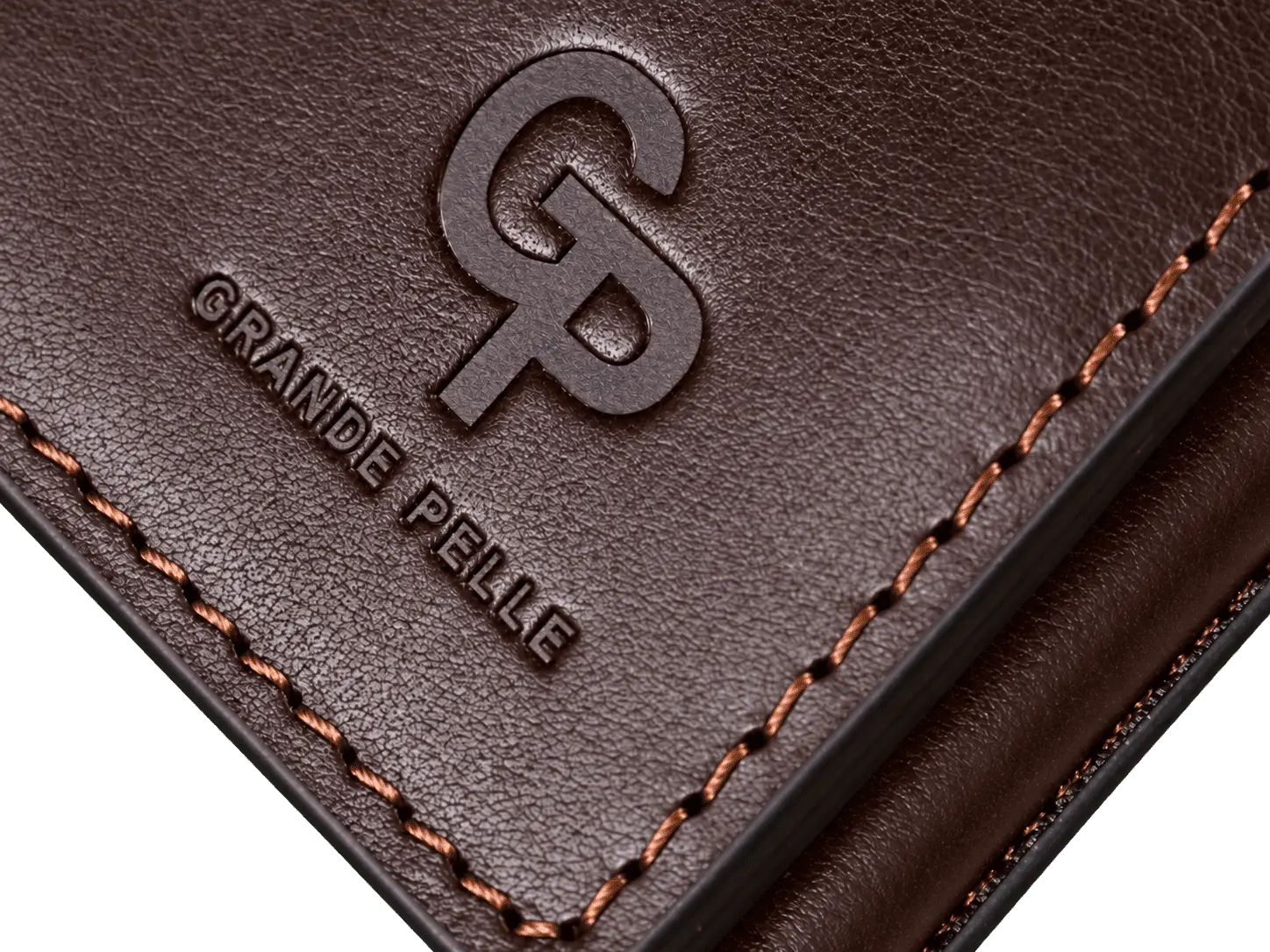
SAMPLE 02
Leather Logo Engraving
LEATHER · BRAND LOGOS · FINE LETTERING
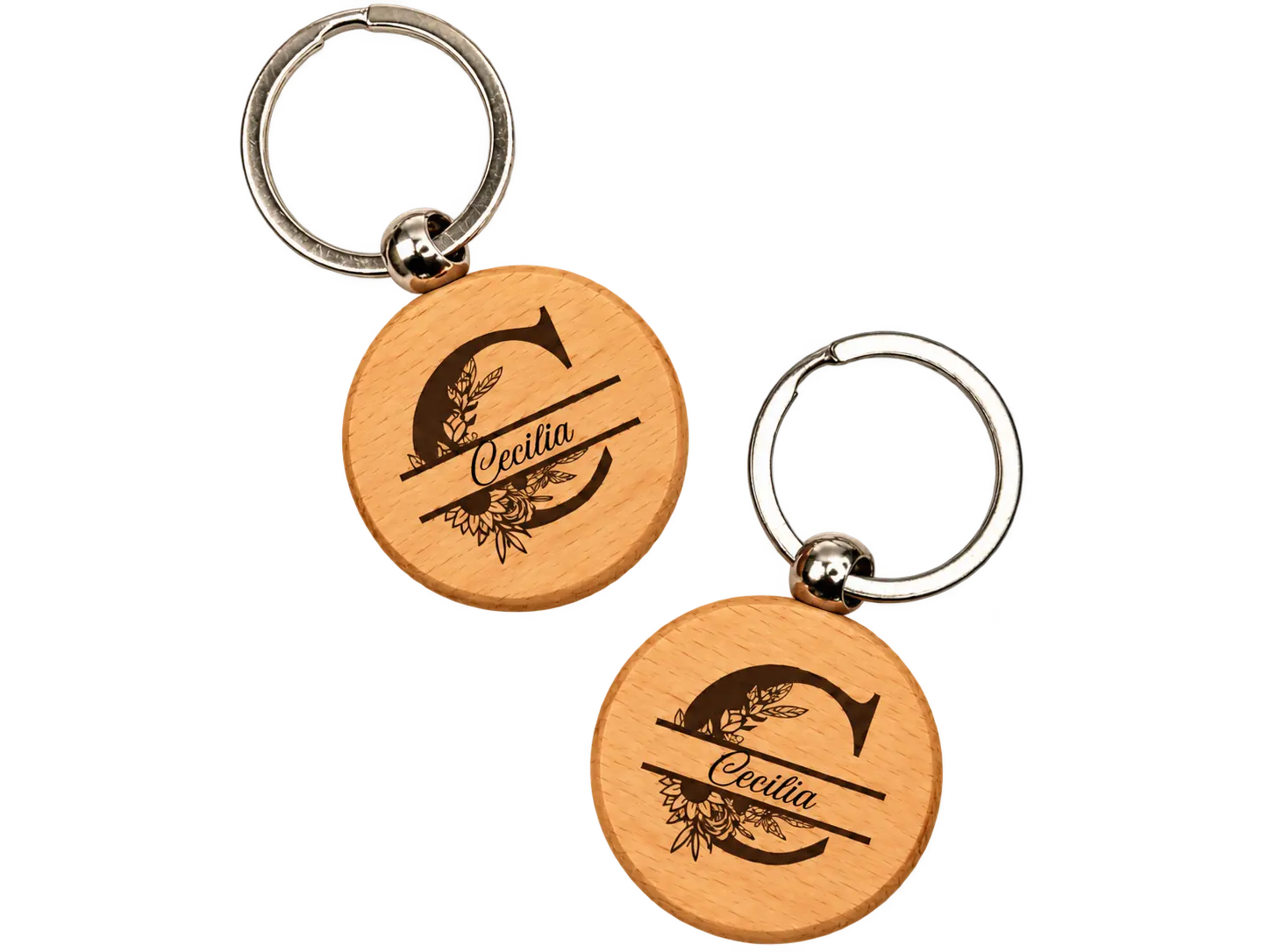
SAMPLE 03
Personalized Wood Engraving
WOOD · NAMES · CUSTOM DESIGNS
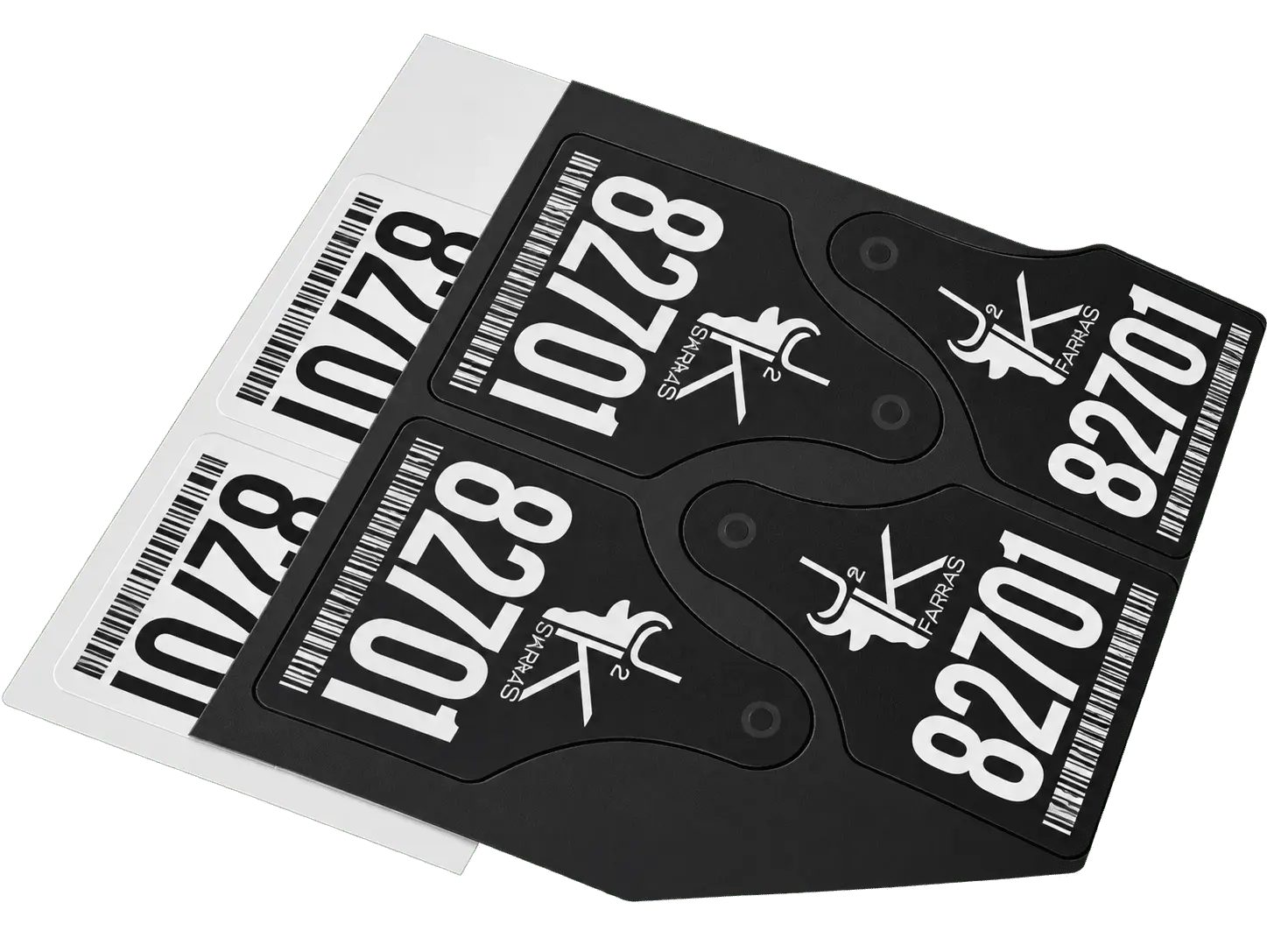
SAMPLE 04
Acrylic QR Code & ID Marking
ACRYLIC · QR CODES · SERIAL NUMBERS
Where This RF CO₂ Laser Engraver Fits
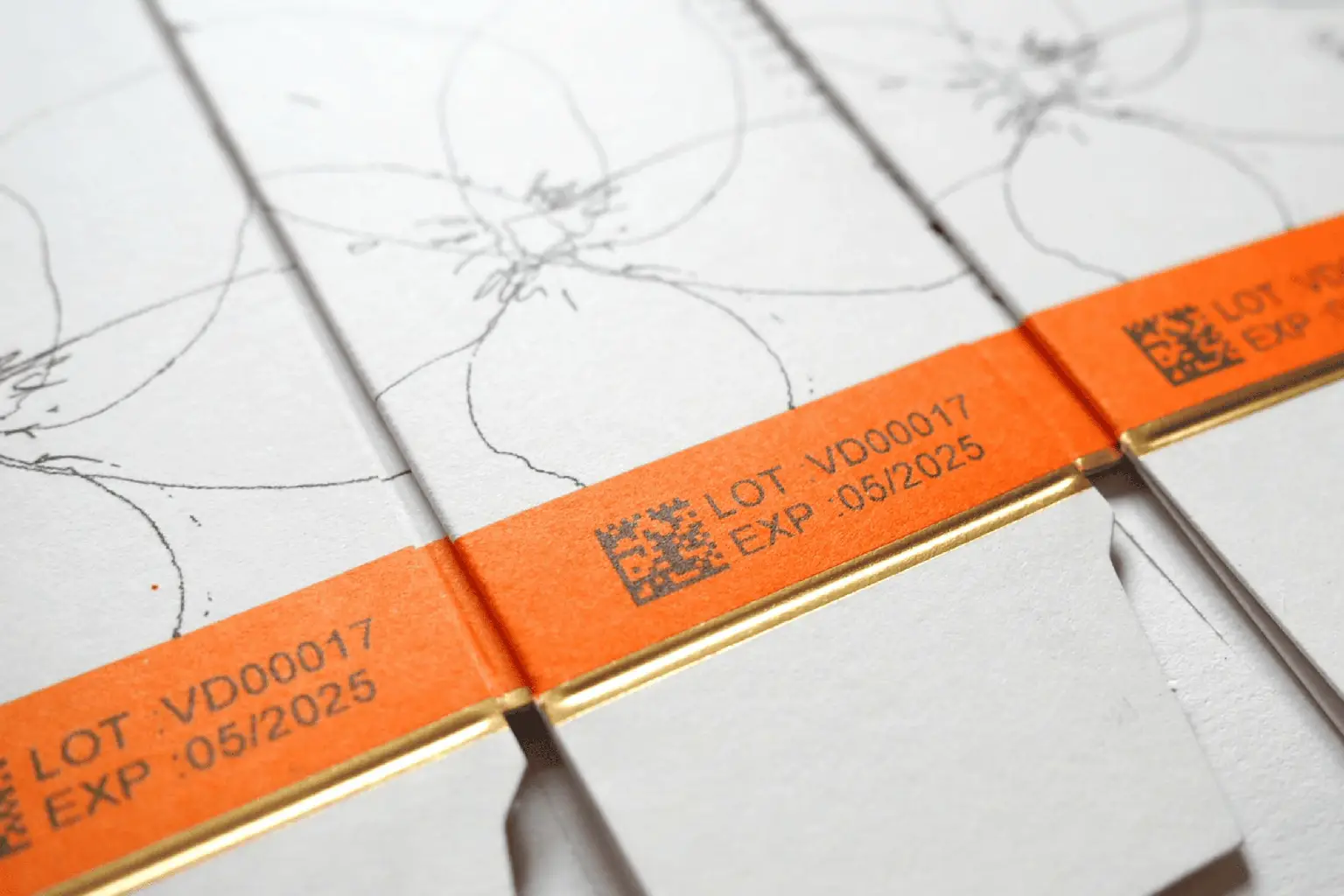
Packaging & Label Manufacturers
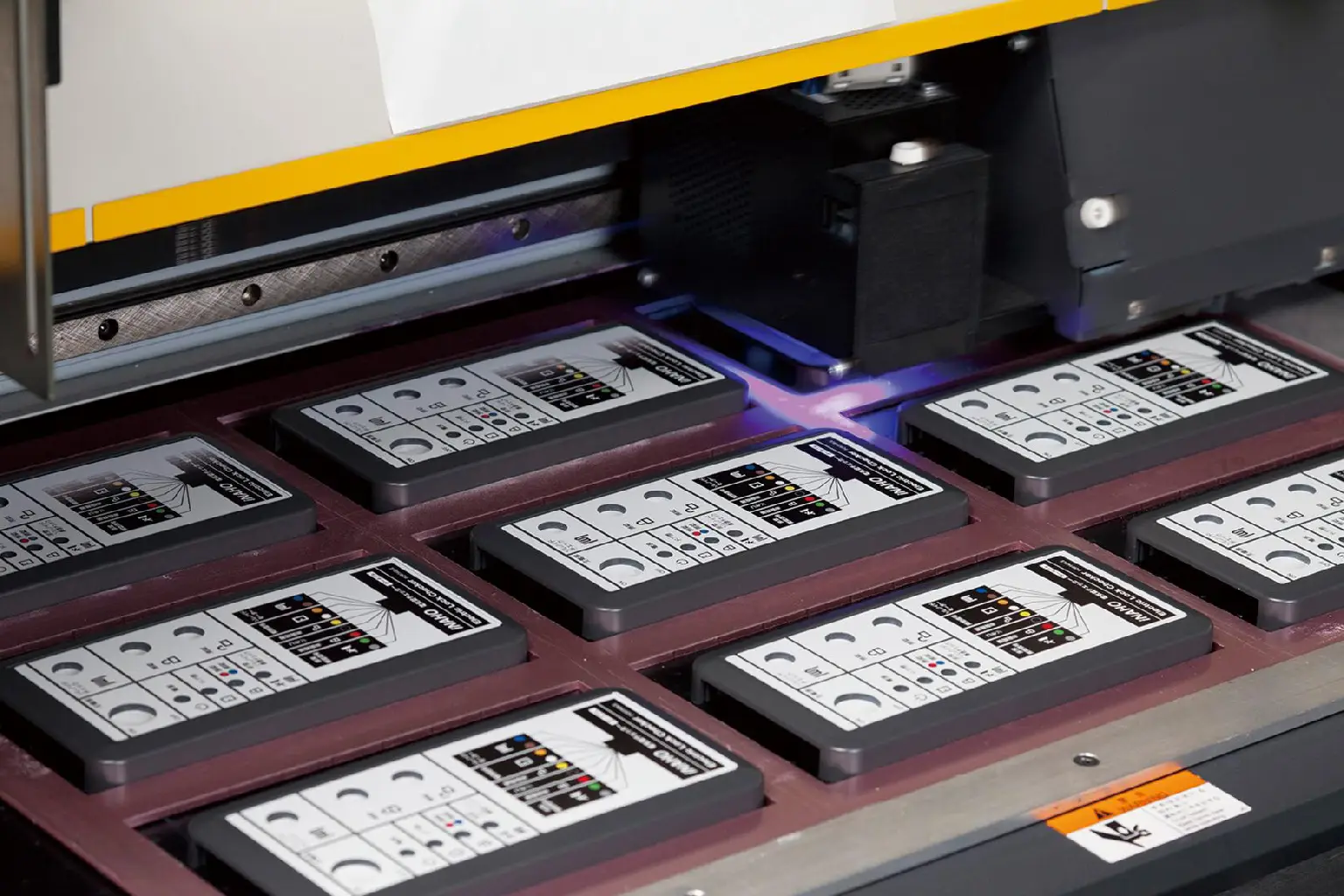
Consumer Product Manufacturers

Industrial Tag & Nameplate Makers
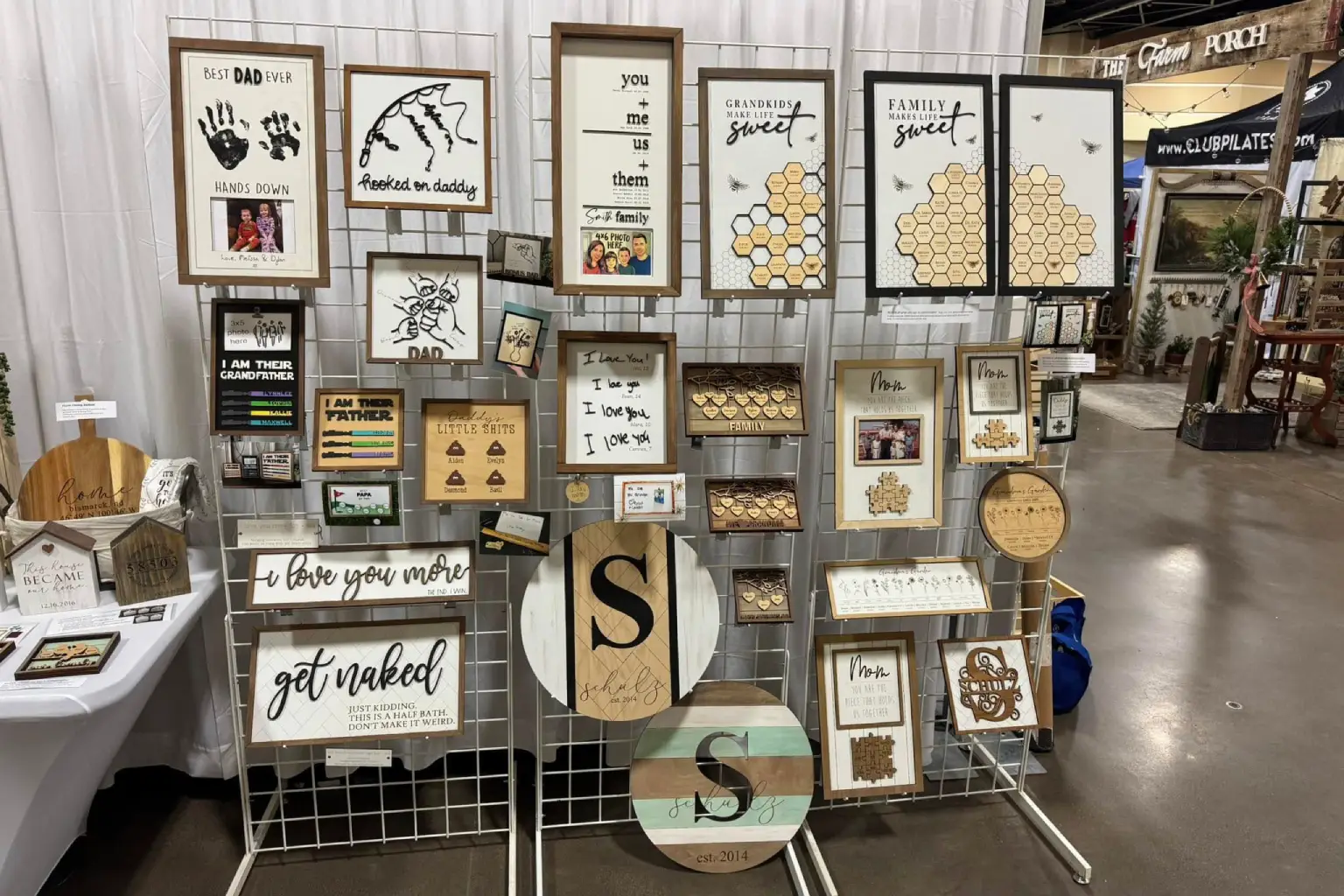
Custom Marking & Engraving Shops
3D RF CO2 LASER TECHNOLOGY
What Makes This 3D RF CO2 Laser Engraver Different?
Built with 3D dynamic focusing, a Coherent RF CO2 laser source, dedicated marking software, and an industrial workstation, MaxWave helps manufacturers handle detailed engraving and cutting jobs with greater flexibility.
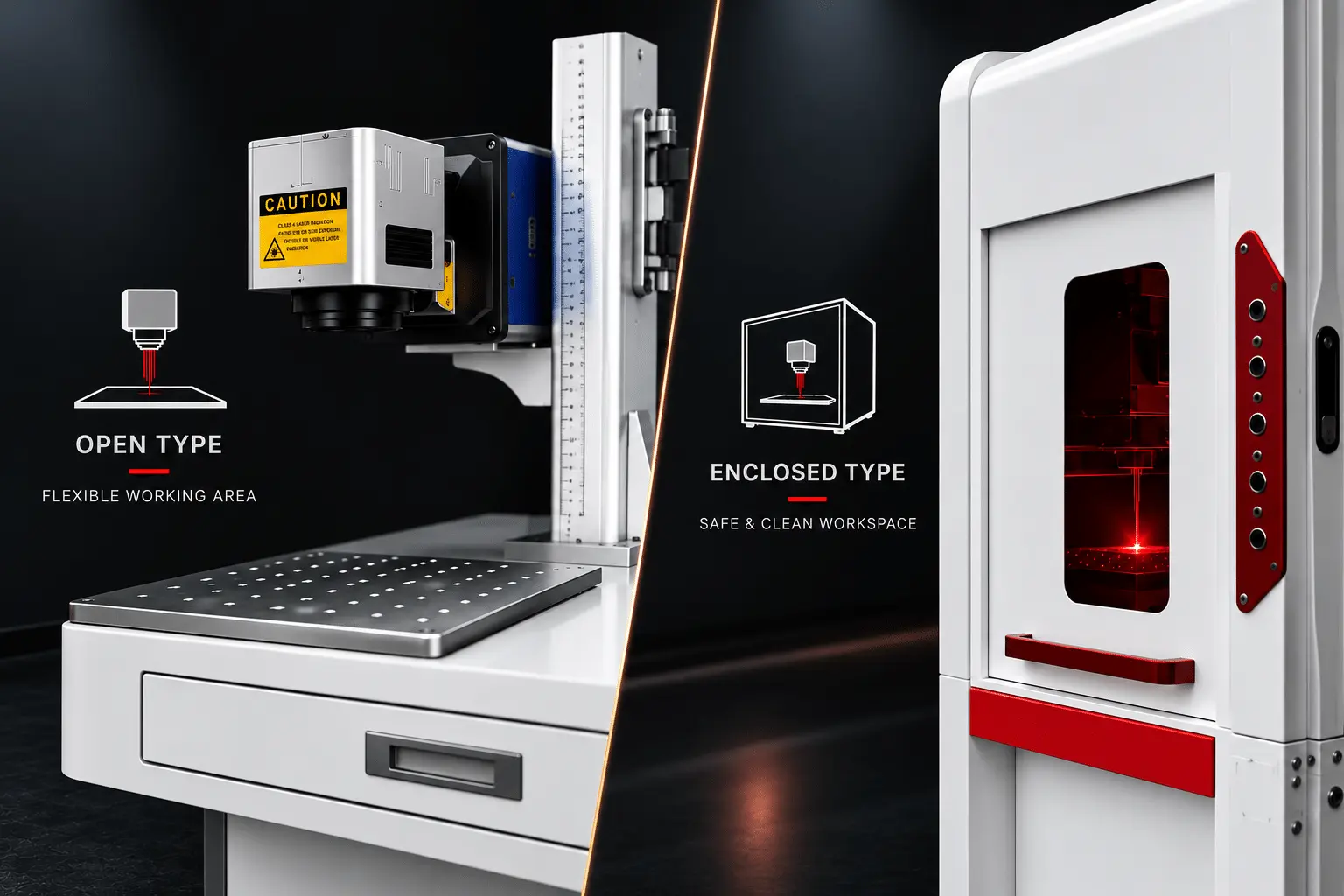
Portable & Cabinet-Style Machine Options
Choose a machine layout that fits your workshop. The 30W reference offers a portable setup, while the 60W model is available in standard open-type or optional cabinet-style configurations.
60W STYLE Open-Type · Cabinet Option
CABINET Wheeled Design
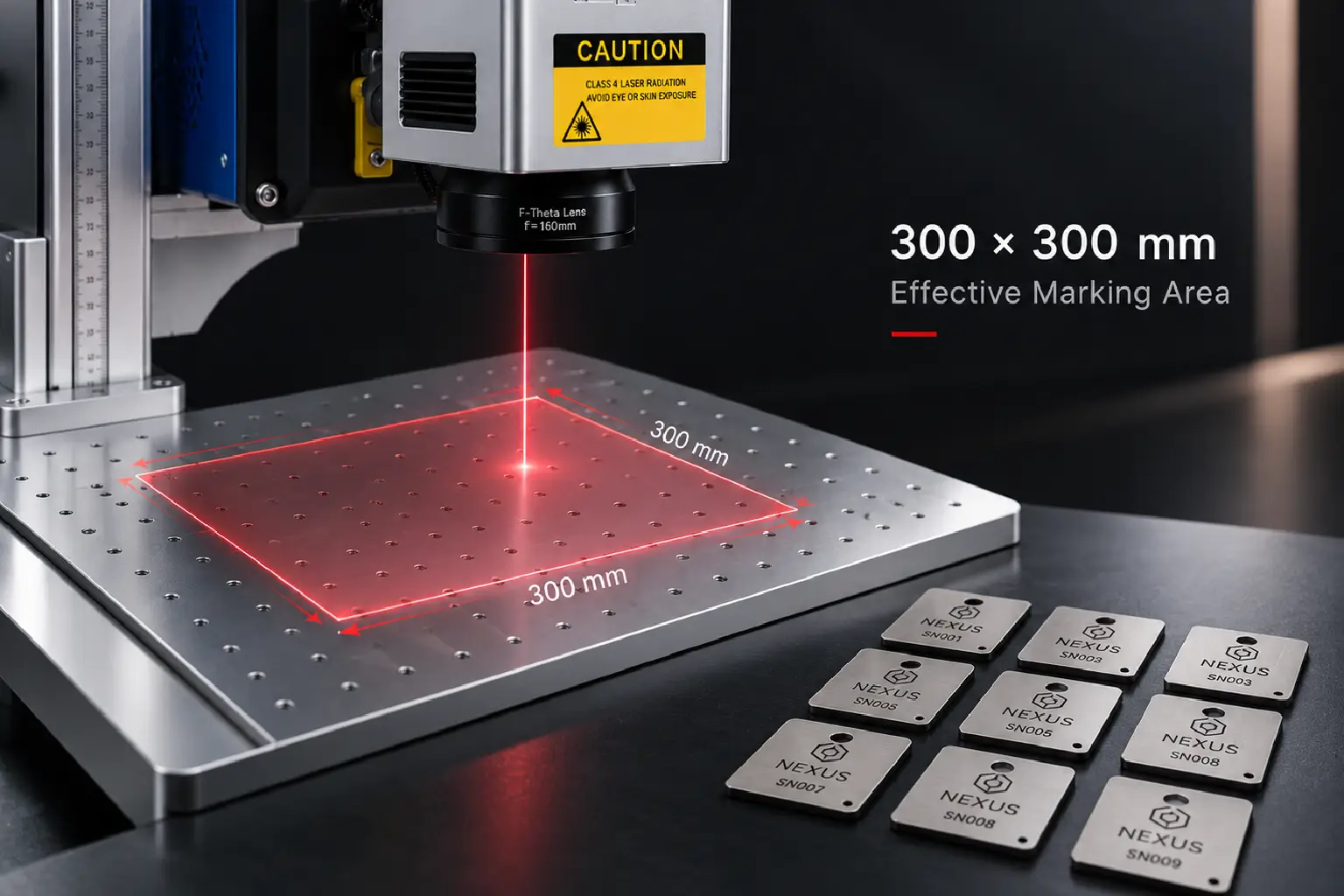
Marking Area Matched to Your Products
60W AREA 300 × 300 mm
FOCUSING F-theta Field Lens
Choose the Right Power for Your Engraving Job
Compare the 30W, 40W, and 60W RF CO₂ Laser Engraver options based on your marking tasks, engraving needs, materials, and daily production workload.
POWE
BEST FOR
TYPICAL CLEANING JOBS
WHY CHOOSE IT
30W
Everyday Marking
Small Logos · Product Labels · Light Engraving
A practical choice for basic marking and small custom orders.
40W
Versatile Daily Work
Leather Logos · Wood Engraving · Custom Tags
A middle-power option for varied marking and engraving tasks.
60W
Higher-Demand Engraving
Wood Engraving · Acrylic Marking · Repeat Jobs
More available laser power for demanding jobs and repeated production.
PRODUCT ENGRAVING METHOD COMPARISON
RF CO₂ Laser Engraver vs Traditional Product Marking Methods
Compare inkjet coding, adhesive labels, and RF CO₂ laser marking to see how direct marking can reduce consumables and simplify everyday product identification.
Inkjet Coding
Fast In-Line Coding
Prints variable codes on moving production lines.
Ongoing Ink Supplies
Requires ink refills and sometimes solvents.
Printhead Maintenance
Regular cleaning helps maintain print quality.
Adhesive Labels
Flexible Printed Labels
Supports detailed text and full-color graphics.
Extra Application Step
Labels must be applied manually or by machine.
Recurring Label Supplies
Label stock and adhesive materials need replenishment.
RF CO₂ Laser Engraver
Direct Product Marking
Mark logos, text, and codes on compatible surfaces.
No Ink or Labels Needed
Mark without ink refills or adhesive label consumables.
Easy Repeat Engraving
Reuse EZCAD files and automatically update serial numbers.
ENGRAVING POSSIBILITIES
Explore What You Can Make with a 3D RF CO2 Laser Engraver
From personalized leather goods and fabric accessories to wooden crafts, acrylic displays, and decorative products, explore the engraving, marking, and cutting possibilities of MaxWave 3D RF CO2 laser technology.
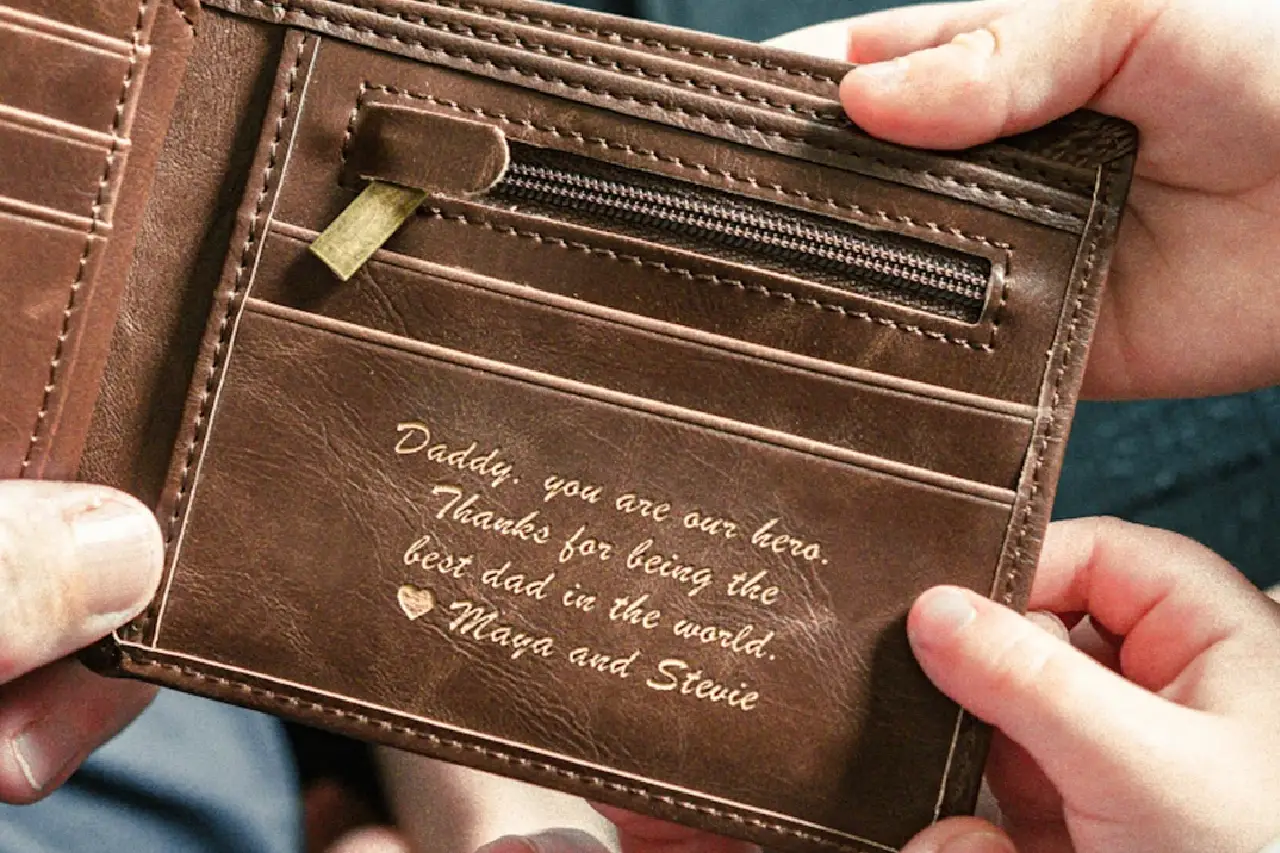
Engraved Leather Belts
LEATHER · MONOGRAMS · INITIALS
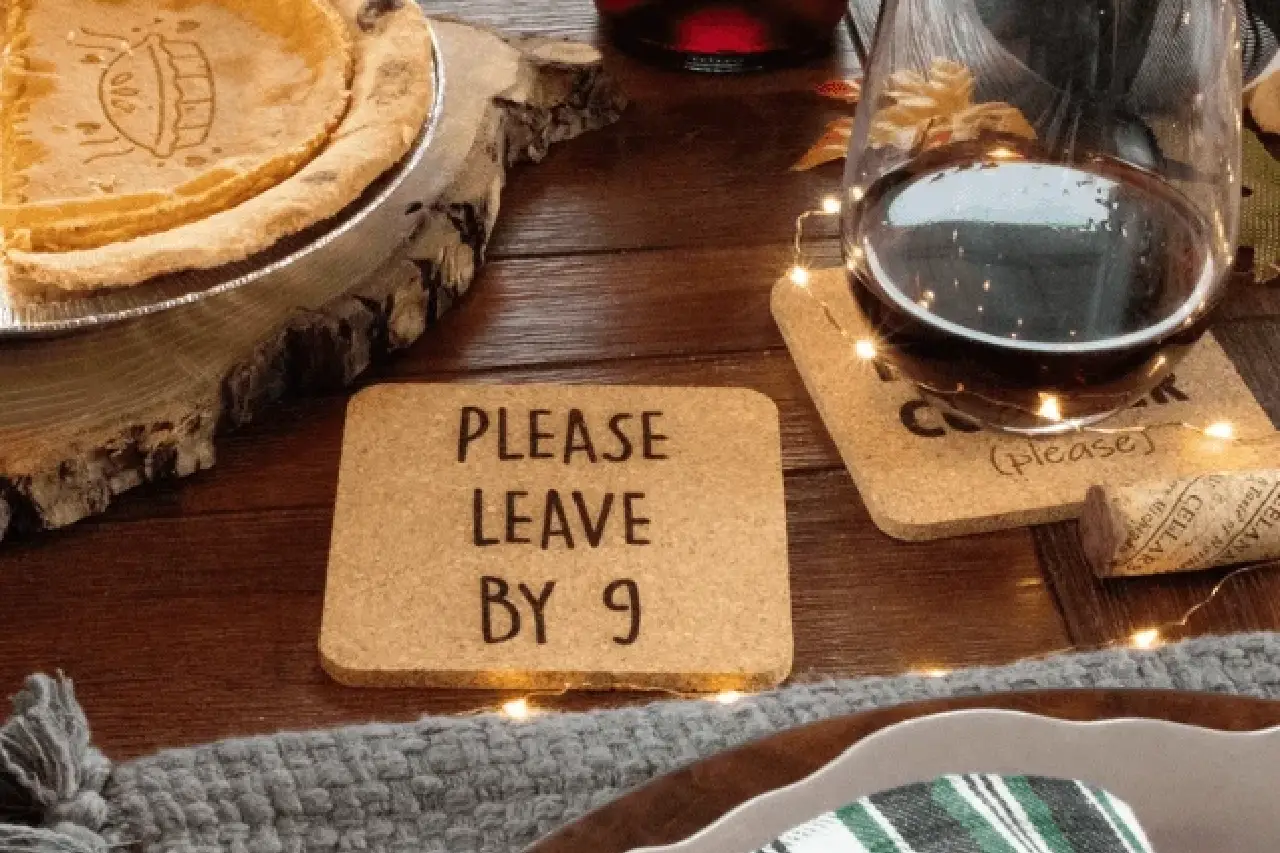
Custom Wooden Coasters
MONOGRAMS · DATES · DECORATIVE ARTWORK
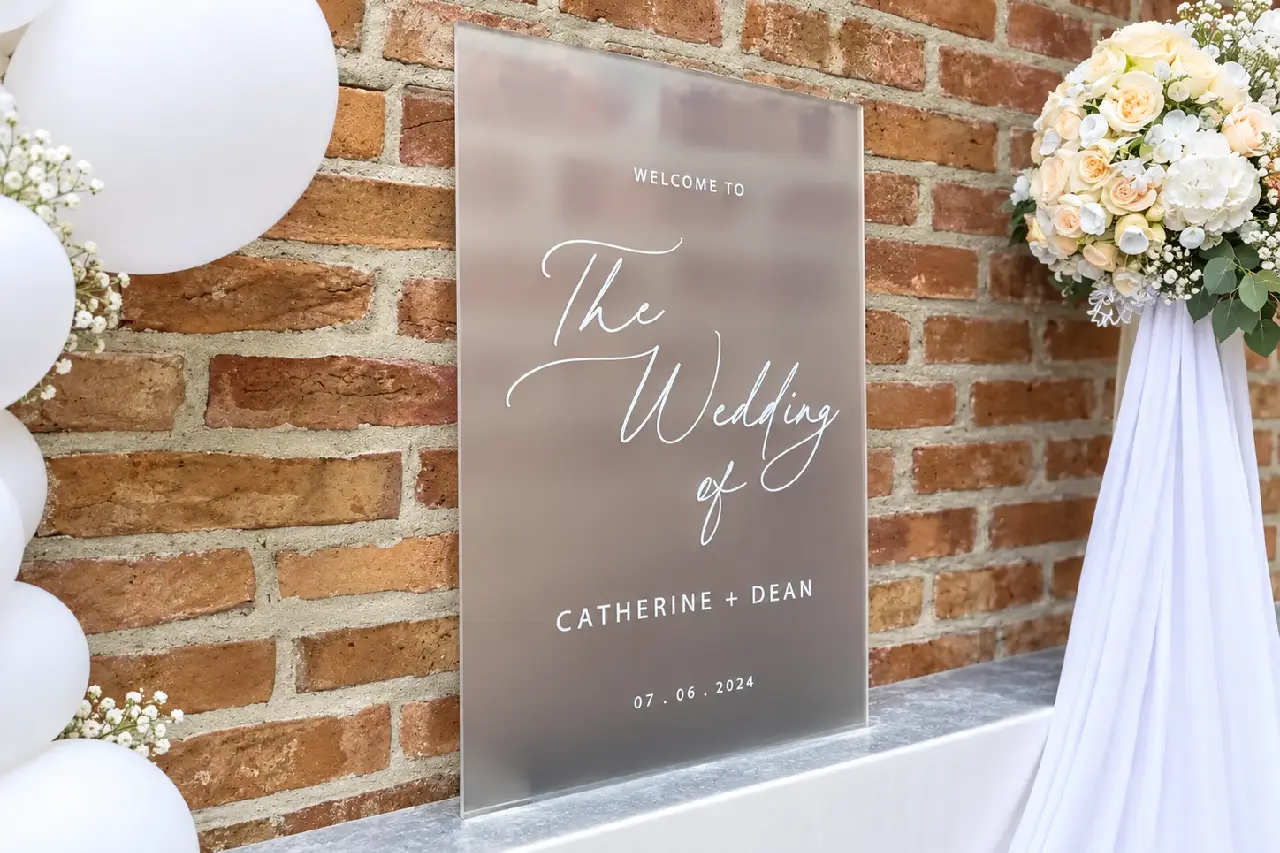
Frosted Acrylic Engraving
ACRYLIC · FROSTED TEXT · GRAPHICS
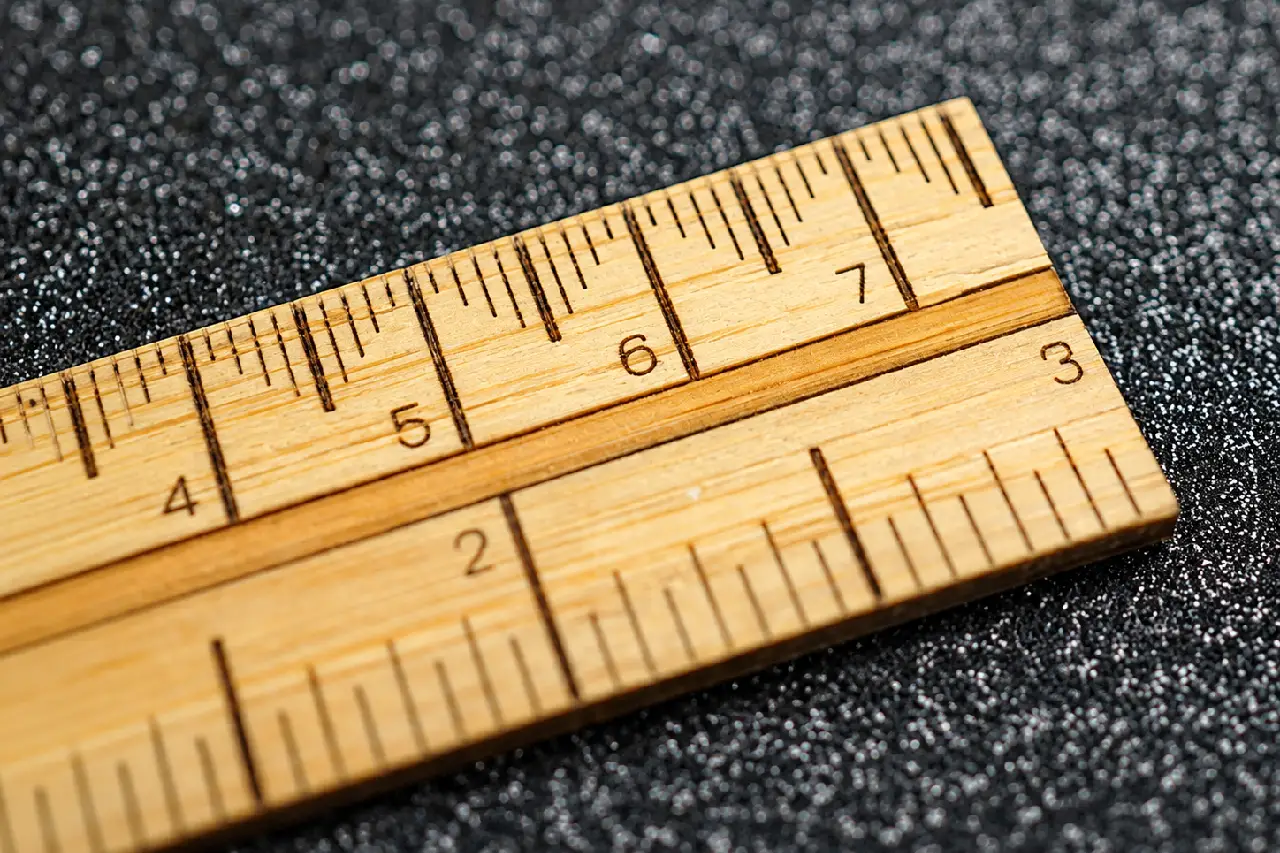
Bamboo Ruler Scale Marking
BAMBOO · SCALE LINES · NUMBERS
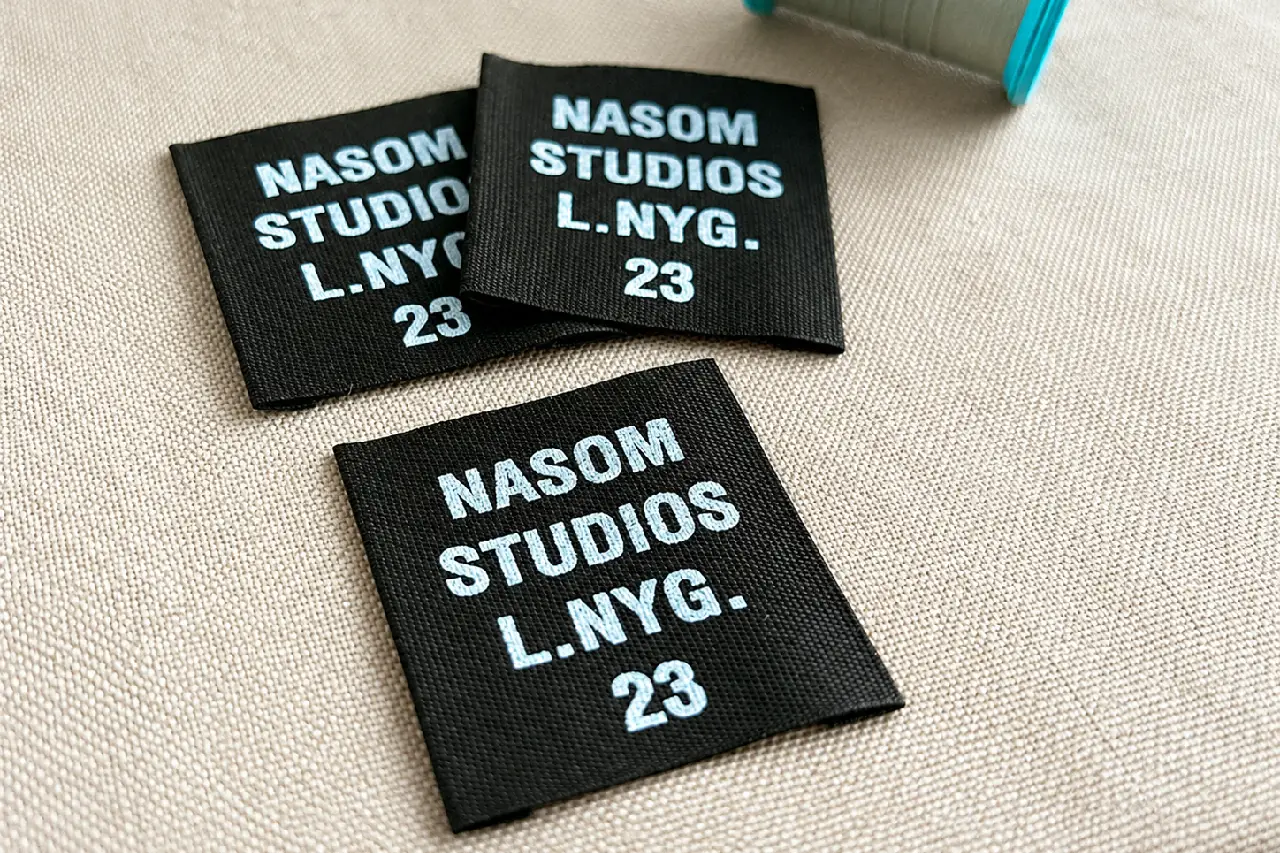
Fabric Brand Label Marking
FABRIC · BRAND LOGOS · TEXT
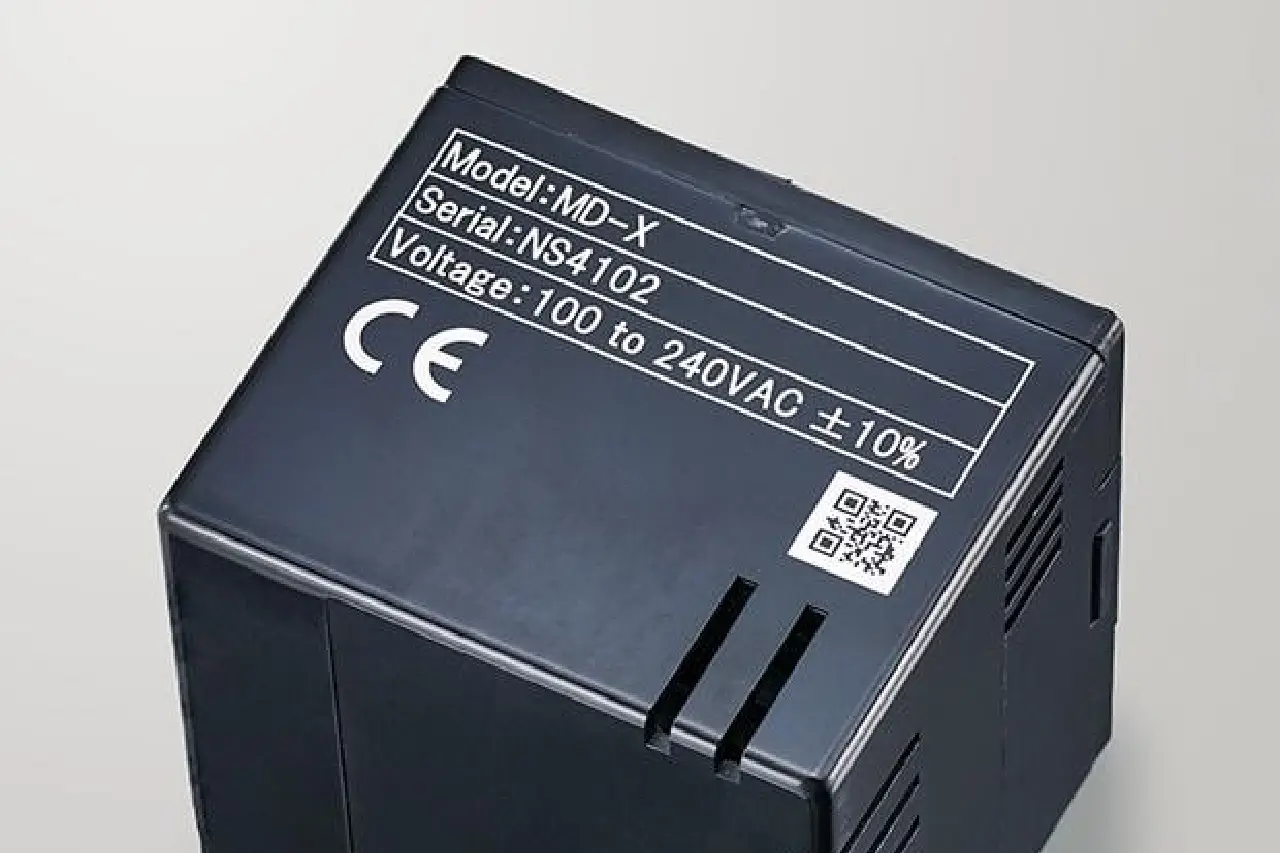
Plastic Housing Identification
PLASTIC · MODEL NUMBERS · SYMBOLS
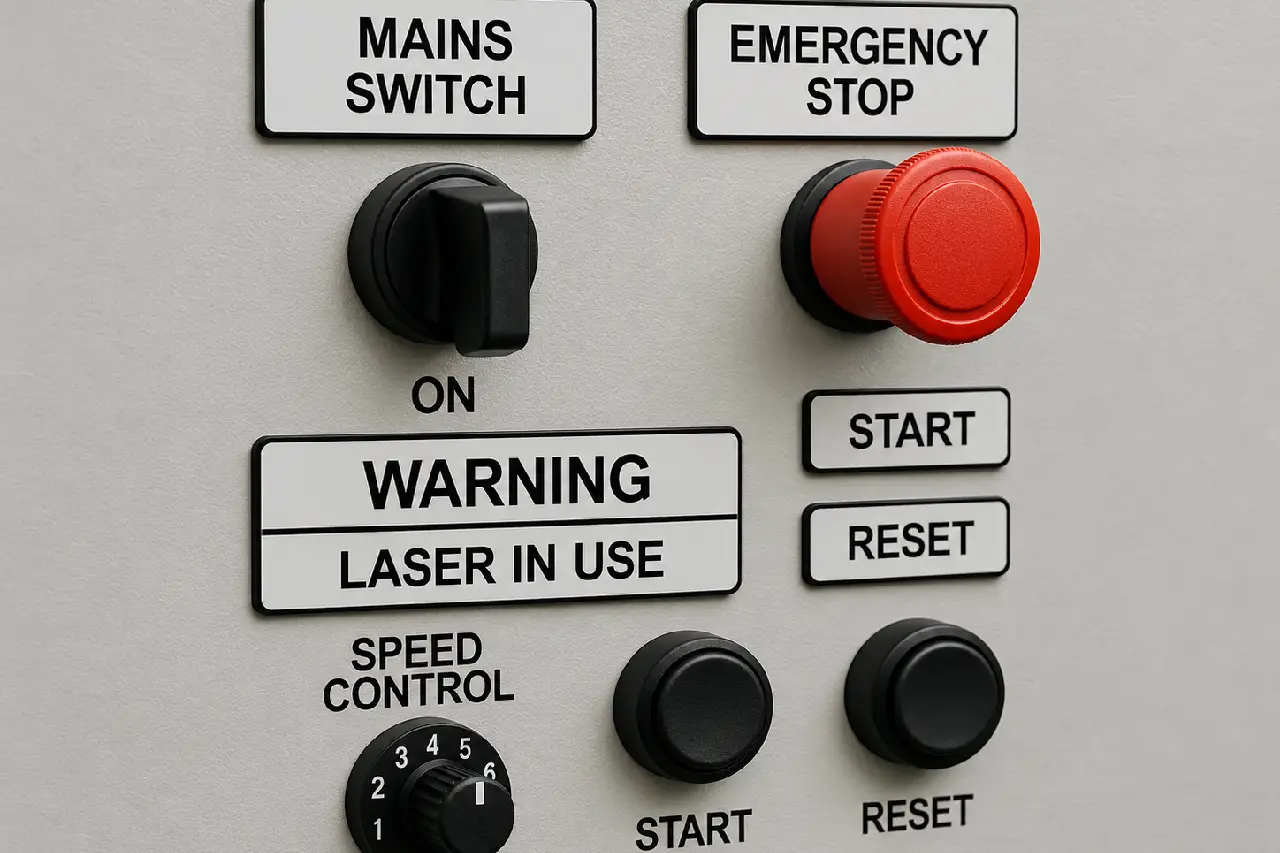
Coated Metal Panel Marking
COATED METAL · SYMBOLS · LABELS

Cork Notebook Cover Engraving
CORK · BRAND MARKS · DECORATIVE ART
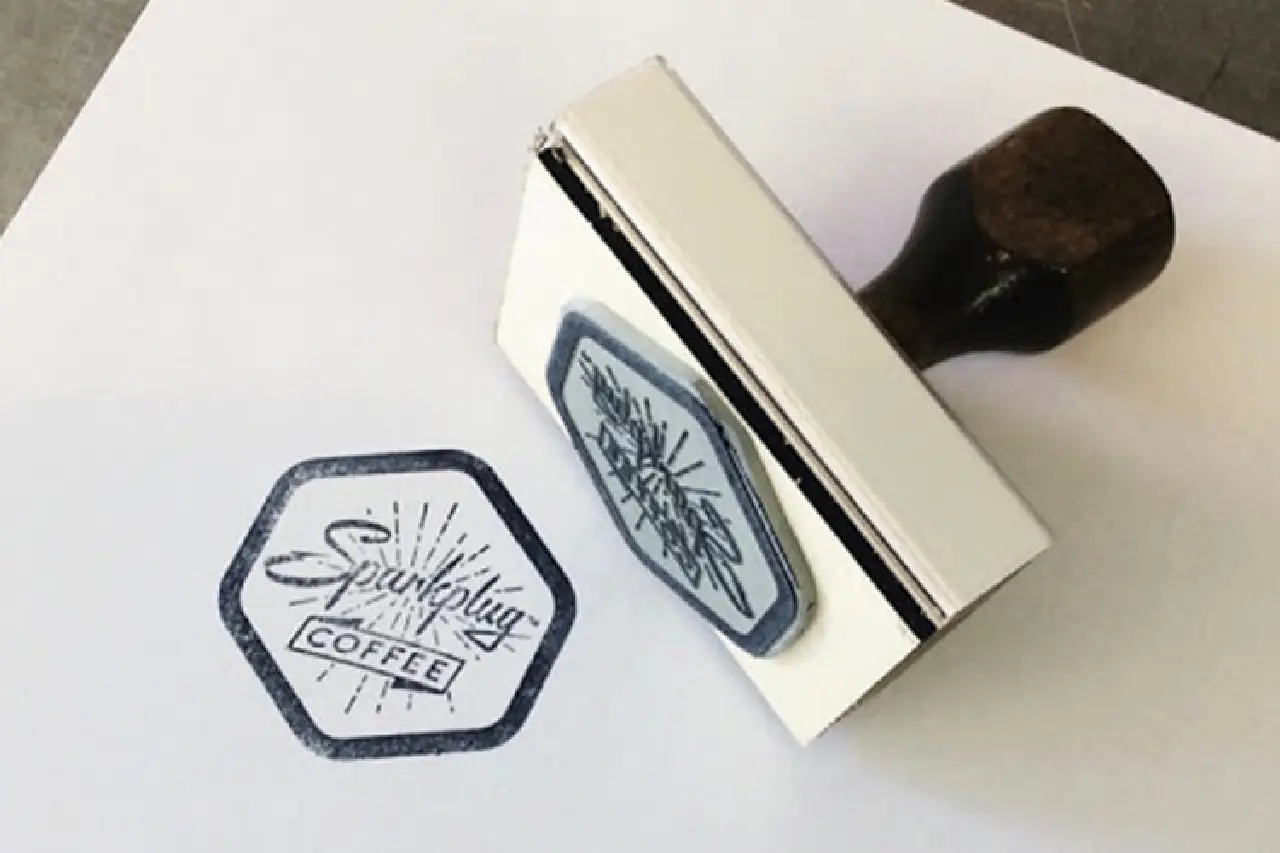
Rubber Stamp Engraving
STAMP RUBBER · RAISED TEXT · LOGOS
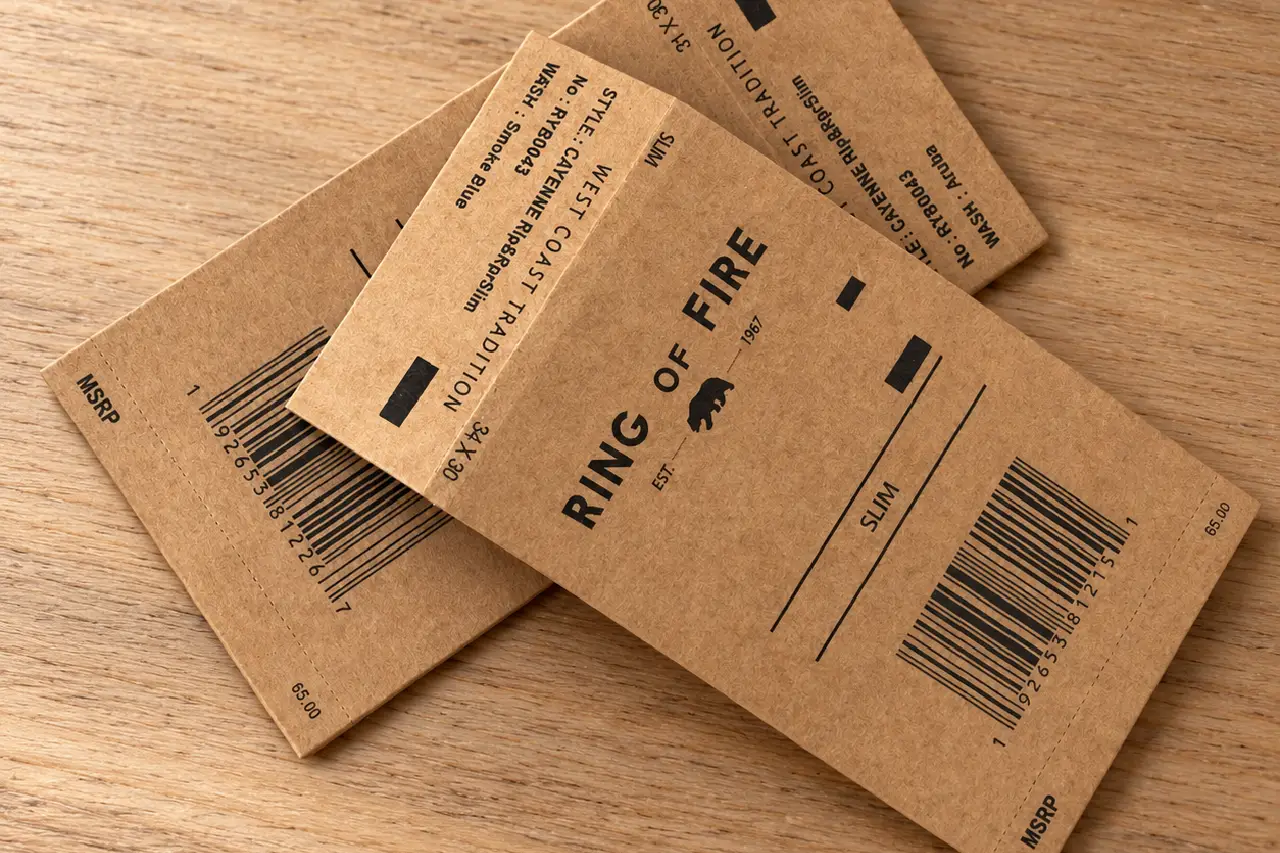
Custom Paper Hang Tags
SKU CODES · PRODUCT NAMES · BRAND TEXT
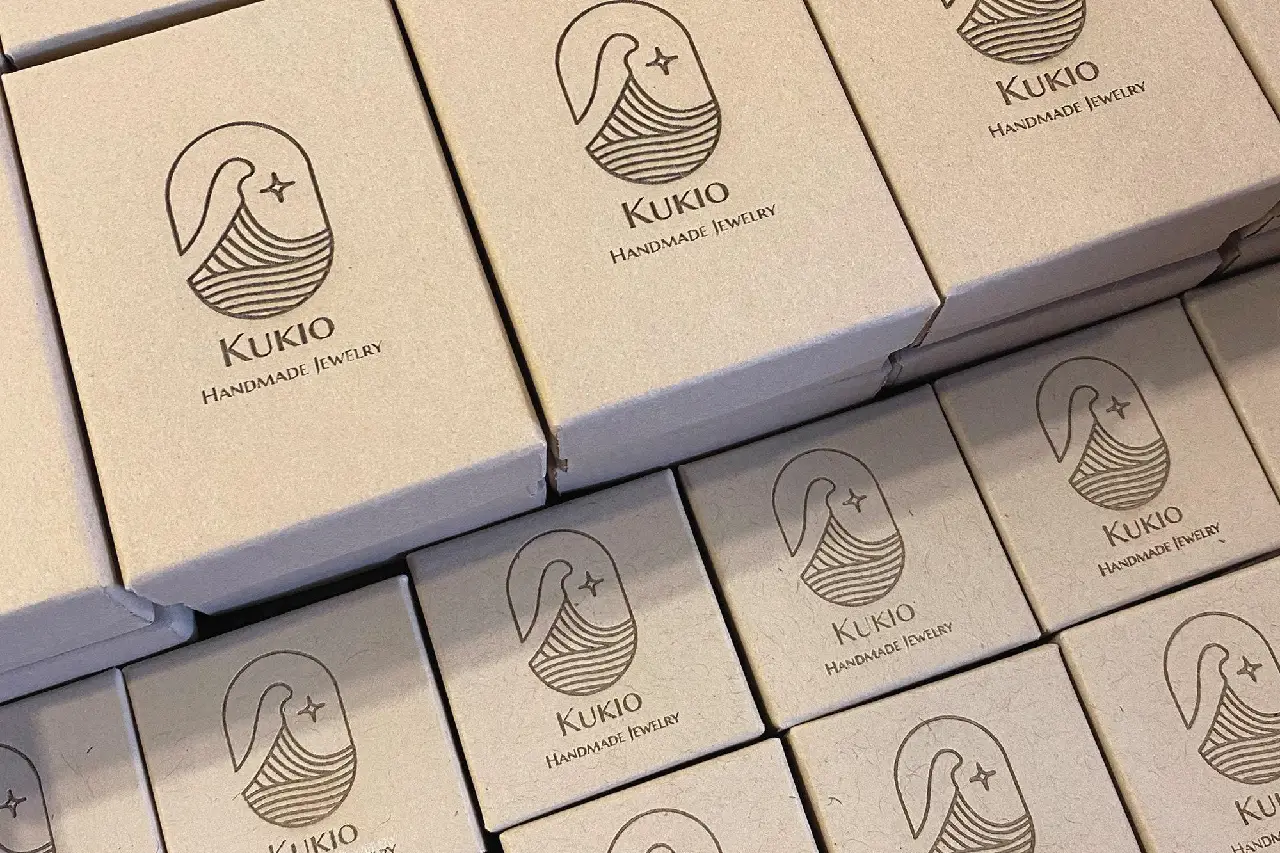
Laser-Marked Kraft Packaging
BRAND MARKS · BATCH CODES · PRODUCT DETAILS
FREE SAMPLE TEST
See Your Actual Marking Results Before You Buy
Send us your material details, product photos, and artwork. We’ll test suitable RF CO₂ laser marking settings, show you the results, and recommend a 30W, 40W, or 60W configuration based on your application.
01
Share Your Product & Artwork
Material · Product Size · Logo / QR Code
02
Choose the Right Test Setup
30W / 40W / 60W · Field Lens · Focus Height
03
Mark & Record the Sample
Logo / Code Marking · Close-Up Photos · Test Video
04
Review Before Ordering
Mark Clarity · Surface Finish · Recommended Model
WHAT YOU’LL RECEIVE
A Clear Result Before You Order
Sample Marking Results
Review logo details, text clarity, and surface finish on the tested material.
Real Marking Video
Watch the RF CO₂ Laser Engraver process the sample and see the finished result.
Recommended Configuration
Get a suggested 30W, 40W, or 60W model and marking setup for your application.
PACKAGE & CONFIGURATION
Know What’s Included with Your RF CO₂ Laser Engraver
Explore the RF CO₂ laser source, galvo scanning system, EZCAD software, and adjustable workstation, along with maintenance requirements and configuration options for 30W, 40W, and 60W models.
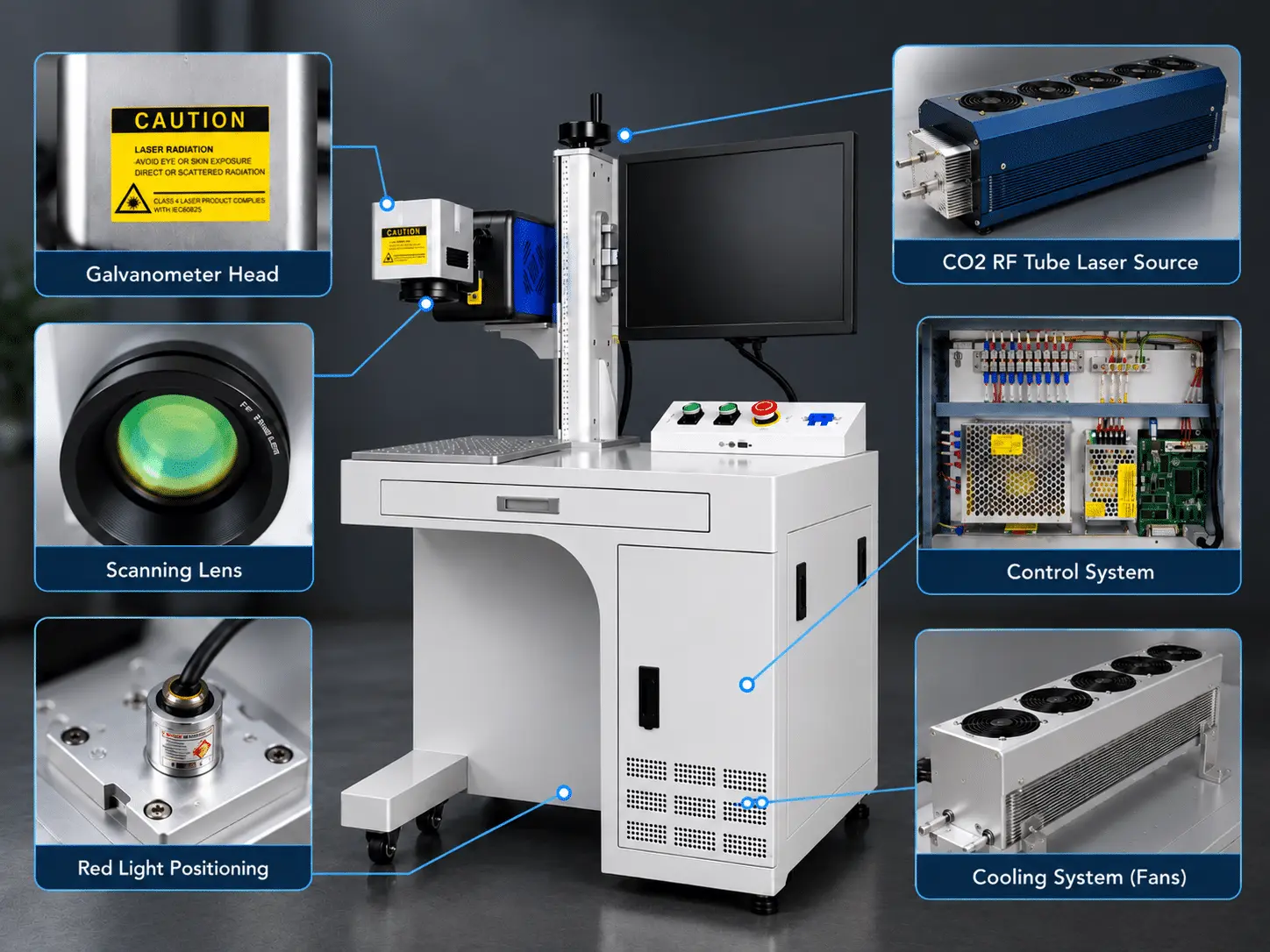
01 Included With the Machine
RF CO2 Laser Engraver
30W, 40W, or 60W configuration for non-metal marking and engraving.
Metal RF CO2 Laser Source
RF laser output for detailed marking, logos, and engraving on compatible materials.
Sino Galvo & F-theta Lens
Fast beam scanning and focusing within the configured marking area.
BJJCZ Controller & EZCAD Software
Supports artwork import, marking parameters, array layouts, and variable text.
Adjustable Lifting Column
Raises or lowers the marking head to accommodate different product heights.
Working Platform
Provides a stable surface for positioning products during marking and engraving.
Routine Care & Maintenance
Laser Source & Cooling
Check cooling performance according to the selected laser configuration.
Optical Lens Care
Inspect optical components for dust and contamination, following approved maintenance procedures.
Worktable Maintenance
Keep the working platform clean and remove processing debris regularly.
Software & File Backup
Save EZCAD layouts and back up marking files for future production.
03 Optional Configuration
Laser Power Selection
Choose 30W, 40W, or 60W based on your materials and engraving requirements.
Marking Area Selection
Select a compatible F-theta lens based on your product dimensions.
Machine Enclosure Options
Discuss available open-type or enclosed configurations for your workspace and safety needs.
Fume Extraction System
Add a suitable smoke extractor to help remove fumes and particles during processing.
MAINTENANCE & CONSUMABLES
Simple Daily Care. No Complicated Cooling System.
Routine care mainly means keeping the optics clean, the work area clear and the cooling vents free of dust. The air-cooled design removes water-chiller maintenance, keeping everyday upkeep simple.
ITEM
AFTER USE
WEEKLY
SERVICE / REPLACE WHEN
F-theta Lens & Optics
Check for dust or residue after shutdown
Inspect accessible optical surfaces
Scratched, damaged, or heavily contaminated
Sino Galvo Head
Keep the exterior clean
Check scanning accuracy and abnormal noise
Distorted marking or scanning faults
Lifting Column & Worktable
Remove dust and engraving debris
Check height adjustment and platform stability
Loose, damaged, or difficult to adjust
RF Laser Cooling System
Check for alarms, leaks, or blocked vents
Inspect cooling flow or ventilation based on configuration
Overheating, low flow, or cooling failure
Fume Extraction (Optional)
Check suction and remove collected debris
Inspect filters and ducting
Clogged filters or weak airflow
EZCAD & Connections
Save marking files and shut down properly
Back up files and inspect external cables
Repeated connection errors or damaged cables
No Ink Refills · No Adhesive Labels · No Routine Glass Tube Replacement
3D RF CO2 LASER ENGRAVER OPERATION
From Artwork to Finished Engraving
See how the MaxWave 3D RF CO2 Laser Engraver works—from importing artwork and setting processing parameters to positioning materials and engraving with the 3D dynamic focusing system.
RF CO₂ LASER ENGRAVER WORKSPACE SETUP
Prepare Your Workspace for RF CO₂ Laser Engraving
Before installation, prepare a stable work area, suitable power supply, EZCAD computer, fume extraction, and the required cooling system. Allow enough space to position products and adjust the marking head height.
BEFORE SHIPMENT
Power · Work Space · EZCAD · Fume Extraction · Cooling · Laser Safety
01 Power Supply & Computer Setup
Prepare a properly grounded power supply and a compatible computer with EZCAD software and USB connectivity.
02 Worktable Space & Height Adjustment
Provide a stable work area with enough room to load products and adjust the lifting column for different heights.
03 Fume Extraction for Non-Metal Marking
Arrange effective local fume extraction when marking wood, leather, acrylic, paper, and other compatible materials.
04 RF Laser Cooling Setup
Confirm your model’s cooling requirements. For water-cooled configurations, check coolant flow, temperature, and connections before operation.
05 Laser-Safe Working Area
Provide suitable beam protection, restricted access, CO₂ laser safety eyewear, and fire prevention measures.
RF CO₂ LASER ENGRAVER SUPPORT
Support for Your RF CO₂ Laser Engraver After Delivery
From machine setup and EZCAD training to focus adjustment, marking parameters, and troubleshooting, MaxWave provides technical guidance to help you operate and maintain your RF CO₂ Laser Engraver.
01
SETUP GUIDANCE
Get Your RF CO₂ Laser Engraver Ready for Work
Installation & Setup Guidance
Get guidance on machine positioning, power connections, USB control, and cooling requirements.
EZCAD & Operator Training
Learn artwork import, marking settings, height adjustment, and basic operation through manuals and training videos.
02
ENGINEER SUPPORT
Technical Help for Your Daily Marking Jobs
Focus & Marking Area Adjustment
Get help setting the correct focal height and marking area for different products.
Material Marking Parameters
Receive advice on power, speed, and fill settings for wood, leather, acrylic, and other compatible materials.
EZCAD & Variable Coding Support
Get help with logos, QR codes, array layouts, and automatic serial numbering.
Remote Troubleshooting
Share photos or videos for remote assistance with marking quality, software, and machine faults.
03
ONGOING SUPPORT
Keep Your RF CO₂ Laser Engraver Running Reliably
RF Laser & Optics Maintenance
Get maintenance guidance for the RF laser source, F-theta lens, and galvo system.
Cooling System Assistance
Receive cooling checks and maintenance advice based on your selected machine configuration.
Spare Parts Assistance
Get help identifying compatible lenses, control components, and replacement parts.
Warranty & Service Support
Receive technical service and warranty assistance according to your confirmed equipment terms.
Technical Specifications
Main Configuration
Laser Source
Davi D60, 60W RF CO2 laser
Wavelength
10.6 μm
Field Lens
300 × 300 mm marking area
Controller
BJJCZ Original controller
Software
EZCAD
Galvanometer
Sino CO2 galvanometer
Cooling
Water cooling
Machine Style
Open type standard machine / enclosed cabinet optional
Optional Accessory
Small dust extractor / fume purifier (+ USD 500)
Technical Parameters
Machine Model
60W CO2 Laser Marking Machine
Laser Type
RF CO2 laser
Laser Power
60W
Laser Wavelength
10.6 μm
Marking Area
300 × 300 mm
Minimum Line Width
Up to 800–2000 standard characters/second
Ross Weight
0.012 mm
Minimum Character
0.05 mm
Repeat Precision
±0.003 mm
Beam Quality
M² < 1.2
Beam Size
1.8 ± 0.2 mm
Beam Divergence
7.5 ± 0.5 mrad
Power Stability
±5%
Input Voltage of Laser
48 VDC
Input Current
≤20 A
Operating Temperature
5–40 ℃
Cooling Requirement
Water cooling, flow rate >4 L/min recommended
Communication Interface
USB
Graphic Formats
PLT, BMP, JPG, PNG, DXF and more
MaxWave 3D RF CO2 Laser Engraver FAQs
Choosing a 3D RF CO2 Laser Engraver for your production line? From dynamic focusing and material compatibility to laser power selection, explore answers to common questions about engraving quality, cutting capabilities, and choosing the right machine for your applications.
What Is the Advantage of 3D Dynamic Focusing?
What Materials Can This Laser Engraver Process?
It supports marking and engraving on denim, leather, textiles, wood, MDF, acrylic, and other compatible non-metal materials. Cutting and perforation capabilities depend on material type, thickness, laser power, and processing settings.
Which Laser Power Should I Choose: 100W, 150W, or 250W?
The right power depends on your material, thickness, engraving depth, and production requirements. MaxWave can help compare the J1, J2, and J3 configurations based on your processing needs and sample test results.
Expand Your Production with 3D RF CO2 Laser Engraving
From denim fading and leather decoration to textile cutouts, wood engraving, and acrylic designs, the MaxWave 3D RF CO2 Laser Engraver helps manufacturers take on a wider range of non-metal processing jobs. With 3D dynamic focusing and 100W, 150W, and 250W options, you can choose a system that fits your materials, designs, and production needs.
Ready to Expand Your Laser Processing Capabilities?
Find the Right Laser Machine for Your Needs
Tell us what you want to make — we’ll recommend the best machine for you.
- Not sure which machine to choose? We’ll help you
- Easy to use — even for beginners
- Fast reply within 12–24 hours