
Your laser welder just threw a thermal protection error and shut itself down. Production stops. The clock starts ticking. You’re staring at a Machine that could mean anything — a clogged fan, a failing chiller, a damaged protective lens. And there’s no clear way to tell which one without tearing the whole setup apart.
Here’s the thing: Laser welder overheating is not a single problem. It’s a category of problems. They all look the same on the surface, but each one needs a different fix. Restart the wrong way, and a 10-minute fix turns into a $3,000 repair bill.
This guide cuts through that uncertainty. You get a clear, step-by-step diagnostic framework that pinpoints your exact failure point fast. Plus, a prevention system that stops the thermal alarm from becoming a regular part of your workday.
What Laser Welder Overheating Really Means
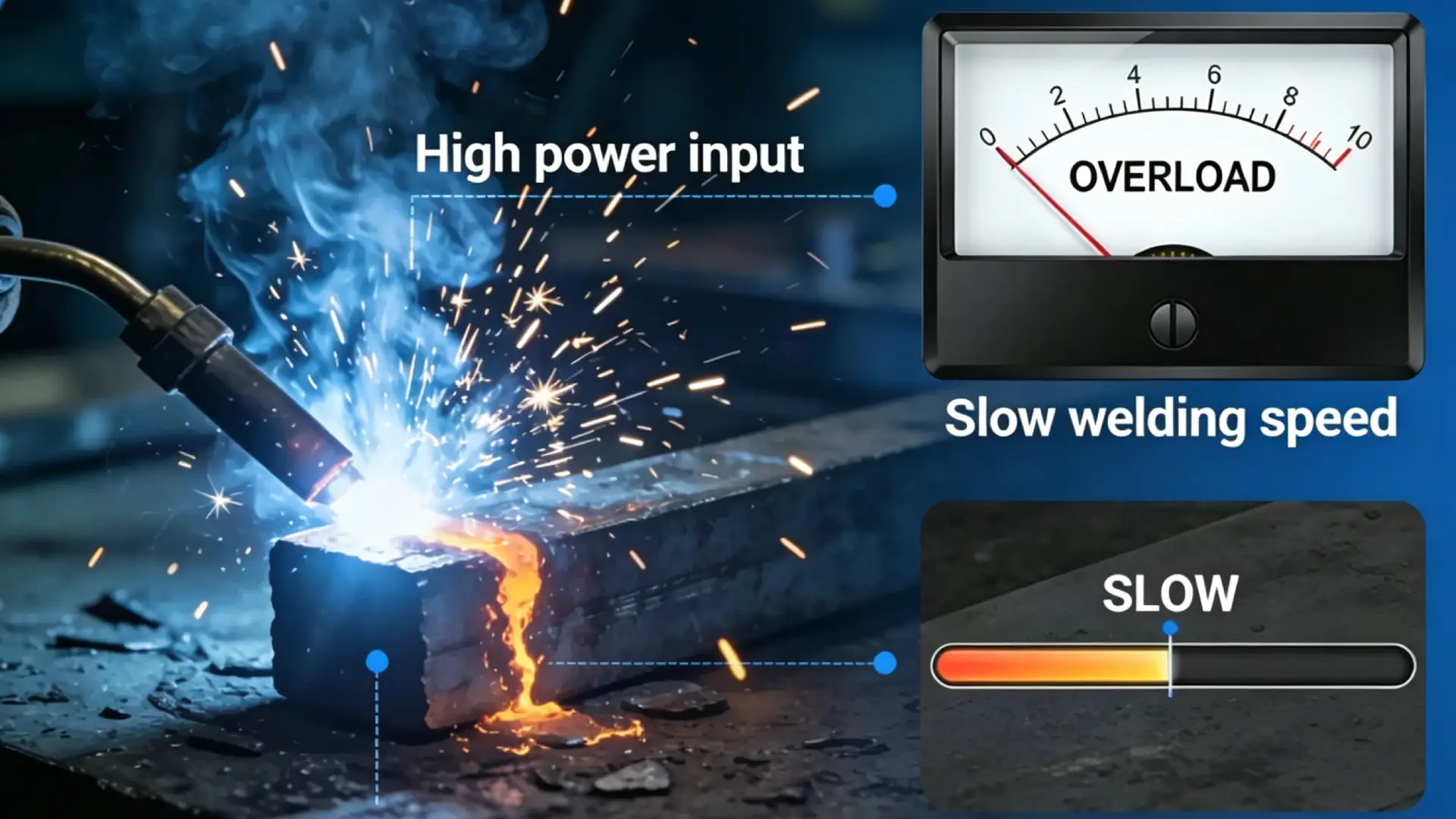
Three different alarms. Three different fixes. All of them show up as “overheating.”
That’s the trap. Your fiber laser welder throws a thermal protection error. It doesn’t tell you what failed — it tells you a threshold got crossed somewhere. Where that somewhere is changes everything about how you respond.
Three distinct failure locations:
- Welding head / copper nozzle — Heat builds up around the nozzle, protective lens, or focusing optics. A hot copper mouth or burn marks on the lens are your first clues.
- Laser source / main cabinet — The internal electronics run too hot. This points to electrical faults, control board issues, or blocked internal ventilation.
- Chiller / cooling loop — The coolant circuit can’t shed heat fast enough. Pump failure, low coolant level, or high ambient temperature are the common culprits.
Why misdiagnosis happens so often: a contaminated protective lens looks like power loss. A misaligned beam that strikes the nozzle wall looks like a source problem. A moisture-contaminated gas line looks like chiller failure.
Each one triggers the same alarm. Each one needs a different response.
Quick Triage: Pinpoint Where Your Laser Welder Is Overheating First
Three zones. That’s all you need to check. Every laser welder overheat — every single one — traces back to one of three locations: the Welding head and copper nozzle, the laser source and main cabinet, or the chiller and cooling loop. Get the zone right first. The rest of the diagnosis falls into place on its own.
Here’s how to read the machine in under two minutes.
Zone A: The Copper Nozzle — Your Fastest Physical Indicator
Wait 3–5 seconds after the alarm triggers, then approach the copper nozzle. Look for two things: visible discoloration or smoke, and radiant heat you can feel from 3–5 cm away — no touching needed.
See either one? Run the free-space split test. Point the welding head at open air or an energy block and fire for 2–3 seconds.
- Nozzle heats up fast — under 3 seconds → The problem is inside the optical path. The protective lens or focusing lens is burned or contaminated.
- Nozzle stays cool in free space, but gets hot on the workpiece → Heat is bouncing back from the material. High-reflectivity metals — copper, aluminum, brass — are the usual suspects.
While you’re here, check these three parameters first. They cause most copper nozzle overheating:
- Red light centering — An off-center red pilot beam means your actual laser is hitting the nozzle wall. The copper goes from cool to untouchable in seconds.
- Scan width — Keep oscillation below 5 mm. Most shops run around 3 mm. Push it wider than the nozzle’s internal diameter and the laser cuts into the nozzle wall with every pass.
- Focal point at zero — A focal point set above or below zero scatters the beam inside the nozzle. That creates diffuse heat with nowhere to go.
One more variable worth checking: welding angle. A 90° vertical approach sends spatter and plasma straight back into the nozzle — maximum heat load, zero margin for error. A 30°–60° angle, around 45° works well for most jobs, deflects that energy away and drops nozzle surface temperature by a clear margin.
Zone B: The Laser Source — Read the Alarm Code First
The copper nozzle feels normal, but the control panel is throwing TEMP / WATER / OVERHEAT / COOLANT / FAN error codes? Stop looking at the welding head. The problem is upstream.
Common alarm code logic across major laser sources:
- Raycus “Water Temp High / High Temperature Protection” — This triggers when coolant exceeds 30–35°C, or when a module temperature sensor crosses its set limit. Start with these three suspects: chiller output temperature running too high, chiller capacity too low, or workspace ambient temperature too high.
- IPG “INTLK / COOLANT TEMP HIGH / OVER TEMP” — Coolant or internal module temperature has crossed the set threshold. The laser will cut power or shut off output. Check the actual chiller temperature, coolant concentration, and whether filters or lines are blocked — even a partial blockage causes this.
- Max / Maxphotonics TEMP / PUMP / FAN alarms — Laser power has dropped to 20–50% of the set value, or the unit won’t fire at all. Internal thermal protection has kicked in. Also check the internal fans — dust-blocked heatsinks trigger over-temperature warnings even when water temperature reads normal.
The fast rule: Alarm code shows WATER, TEMP, or COOLANT → cross-reference with your chiller display right away. Chiller reads normal? The fault sits inside the laser source — internal water circuit, cold plate contact, or a temperature sensor that has drifted out of calibration.
Zone C: The Chiller — Three Numbers Tell the Story
Pull up the chiller display and read three values in order:
- Supply (outlet) temperature — Standard setpoint is 20–26°C. Most shops run 23 ±2°C.
- Return temperature — Should run 1–5°C above supply. A delta above 8–10°C means the cooling load is beating the circuit’s capacity, or flow rate has dropped.
- Active alarm codes — High Temp, Low Flow, Sensor Error. Each one points a different direction.
| Chiller Reading | Laser Source Alarm | What It Means |
|---|---|---|
| Outlet >30°C and climbing | Yes — welder and/or laser source both overheating | Chiller capacity problem: dirty condenser, ambient >35°C, blocked airflow |
| Normal (23–26°C) | Yes — “Module Over Temp / High Temp” | Internal laser circuit issue or temperature sensor fault |
| “Low Flow / Flow Error” alarm | Welding head also heating up | Full cooling loop flow failure — check filters, kinked lines, pump |
Check Zone C last. The chiller display either backs up your Zone A or Zone B diagnosis — or it sends you in a new direction. Either way, you leave with a clear answer, not a guess.
Cause #1: Handheld Head & Copper Nozzle Overheating — 4-Step Diagnosis
Copper nozzle overheating has four causes — and three of them are invisible until you know what to look for.
Work through these steps in order. Skip one and you’ll spend an hour fixing the wrong thing.
Step 1: Free-Space Emission Test — Is the Laser Hitting the Nozzle Wall?
Drop power to 10–15% of rated output. Point the head at open air, at least 100 mm from any surface. Fire in short pulses — 0.3–0.5 seconds each, with 3-second gaps between shots. Run 5–10 shots total.
Then check the nozzle with an insulated glove.
- Warm but close to room temperature: The optical path is clean. Your overheating comes from the welding process itself — reflected energy, spatter, or a high-reflectivity base material.
- Hot to the touch within seconds (>50–60°C): The laser is hitting the nozzle wall before it reaches the workpiece. Two culprits: beam misalignment, or a contaminated protective lens scattering energy into the copper.
Use the tape test to confirm. Place a strip of clear tape flat across the nozzle exit. Fire one 0.5-second pulse at 10–15% power.
- Sharp, centered, circular burn hole — alignment is good.
- Offset hole, oval shape, or a faint burn ring (ghost halo) around the main hole — the beam runs off-center. It clips the inner wall with every shot.
A contaminated protective lens makes this worse fast. At 1,500W, a 3–5% absorption spike from lens fouling pushes 45–75W of heat into the optics. That’s enough to scatter energy against the nozzle wall and push temperatures into the danger zone within minutes.
Step 2: Check the Three Parameters That Cause Most Nozzle Overheating
Red light centering. Run a low-power pilot beam onto white paper or tape. The dot should sit dead-center in the nozzle opening — deviation ≤ 0.1–0.2 mm. Beyond 0.3 mm, the actual laser clips the inner wall at full power. Adjust via the X/Y set screws. Re-run the tape test after every 1/8–1/4 turn.
Oscillation width. Keep scan width at ≤ 60–70% of your nozzle’s inner diameter. On a standard Ø8 mm nozzle, that means ≤ 5 mm — leaving at least 1.0–1.5 mm clearance on each side. Push to 6–7 mm and the beam at maximum sweep sits less than 0.5 mm from the wall. Any slight misalignment and it makes contact.
Focal point at zero. A 2 mm defocus on a 150 mm field lens expands the beam diameter by 30–50% at the nozzle exit. Add oscillation and any leftover misalignment, and part of every pulse clips the copper. Use the dot method on a test piece to confirm your true zero. Hold the error within ±0.5 mm.
Step 3: Welding Angle — The Variable Most Operators Ignore
Holding the gun vertical feels natural. It also sends spatter and plasma straight back into the nozzle exit — maximum heat load, zero margin.
Tilt to 30°–60° (45° works for most applications). At that angle, the melt pool plume and spatter deflect forward along the weld seam instead of back into the nozzle. Field measurements show a 20–40% drop in average heat flux at the nozzle face.
Also: keep your travel speed steady at 3–8 mm/s. Every extra second you pause over one spot adds the equivalent of another full thermal cycle. On a short 20–30 mm weld, back-and-forth passes trap the nozzle in a continuous high-temperature zone. There’s no recovery time between pulses.
Step 4: High-Reflectivity Materials — Why the First Few Seconds Are the Most Dangerous
Polished aluminum reflects 85–92% of near-infrared laser energy before a melt pool forms. Brass runs 70–80%. Pure copper hits 80–90%.
That gap — before the surface absorbs enough energy to build a stable melt pool — is where nozzle temperature spikes hardest. The reflected energy has to go somewhere. A large share of it goes straight back up into the nozzle.
Practical fix: Start on a tack or a pre-roughened spot. A wire-brushed or lightly oxidized surface cuts reflectivity by 15–30% at the point of ignition. That shrinks the dangerous startup window and stops nozzle temperatures from spiking before you’ve even moved.
Cause #2: Laser Source or Machine Cabinet Overheating & Auto Shutdown
The welding head is fine. The copper nozzle is cool. And the machine still won’t run.
Zone A checks out clean — so the problem is upstream. It’s either in the laser source itself or the cabinet housing its electronics. This is where most operators lose time. The fix isn’t visible. You can’t see a hot circuit board the way you can see a scorched nozzle.
Two distinct failure paths can cause this. Work through them in order.
Path 1: The Chiller Isn’t Keeping Up
Pull up the chiller display. You need three numbers.
Outlet temperature. Normal operating range is 20–26°C. Most setpoints land around 22–24°C. That’s cold enough to pull heat out, but warm enough to stay above the dew point and prevent condensation inside the laser module. Your readout sits at 28–30°C or climbing? Thermal protection on the laser source will trigger. That’s not a malfunction. The machine is doing what it’s supposed to do.
Supply-to-return delta (ΔT). Healthy cooling circuits run a 3–5°C spread between outlet and return. A delta above 7–8°C means the circuit absorbs more heat than it can shed. Cooling capacity is losing to load. A delta near zero points to something else — flow rate is too high, or coolant is bypassing the heat exchanger altogether.
Flow rate. Most fiber laser sources require 10–20 l/min depending on rated power. Your flow meter reads below 80–90% of the manufacturer’s minimum? You’re in the danger zone. Partial blockages don’t trigger a flow alarm right away. They just let module temperatures creep up until the source cuts power or shuts down.
Capacity math matters here. A 6 kW fiber laser source needs a chiller rated for at least 6 kW of cooling capacity — and closer to ≥7.2 kW at high duty cycles. A 1–2 kW source pairs with a 1.5–2.0 kW chiller. That chiller should pull outlet temperature back to setpoint within 3–5 minutes after full-load operation. Yours takes longer than 10 minutes? Cooling capacity is the problem — not a sensor fault.
Chiller reads normal but the laser source still alarms? Check inside the source itself. Look for:
- Air pockets trapped in the cold plate circuit
- Scale buildup on the heat exchanger surface
- Degraded thermal interface material between the laser modules and cooling plate
All three create localized hot spots — even when bulk water temperature looks normal on the display.
Path 2: Cabinet Ventilation Is Failing
Coolant loop checks out. Temperatures and flow are within range. But the machine cabinet is still throwing an overheat alarm.
Dust-clogged intake filters are the most common cause — and the most overlooked. Filter media packed with particulate pushes internal cabinet temperature 10–15°C above ambient. In a summer shop at 35°C, that drives internal air past 45–50°C. Most control electronics are rated for continuous operation below 70°C surface temperature. Sustained heat above that threshold doesn’t just trigger alarms. It speeds up component aging and causes unplanned failures down the line.
Measurable check: Use an infrared thermometer or temperature logger at the cabinet’s inlet and exhaust vents. A healthy differential runs 5–10°C. Exhaust running 15°C or more above inlet with restricted airflow? Clean or replace the filter now — not at the next scheduled maintenance.
One installation factor that makes everything worse: your chiller sitting next to the laser cabinet with exhaust and intake facing each other. The chiller pulls in pre-heated air with every cycle. Air temperature inside that gap can run 5–10°C above shop floor temperature. In summer, that alone pushes a marginal cooling setup past its limit.
Keep at least 0.5–1.0 m of clearance around all four sides of the chiller. Also check that the cabinet’s exhaust air isn’t looping back into the chiller intake.
Cause #3: Dirty or Damaged Protective Lens Causing Internal Heat Buildup
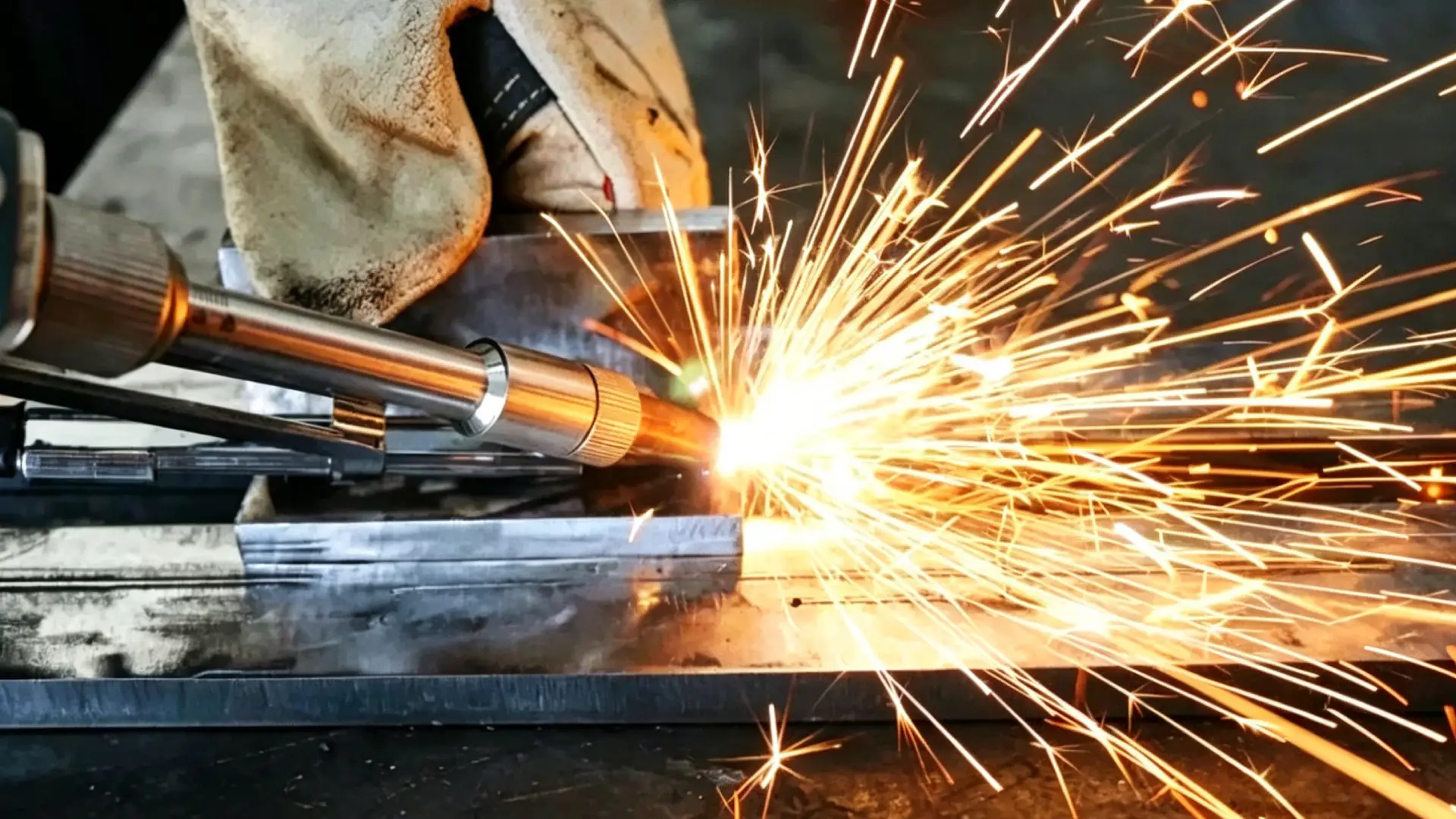
A clean quartz protective lens transmits more than 99.5% of the laser energy passing through it. A contaminated one absorbs 10–30% of that same energy — and the machine won’t tell you which situation you’re in. It just shows up as bad Weld Quality, a thermal alarm, or both.
That’s what makes this failure mode expensive. It doesn’t look like a lens problem. It looks like a power problem.
Here’s the actual physics. Metal spatter, smoke residue, or oil mist lands on the lens surface and forms an uneven contamination layer. Those particles absorb laser energy instead of transmitting it. A black spot just 0.1–0.2 mm in diameter creates a localized energy density 3–10 times higher than the surrounding area. On a 3 kW machine, that’s enough to push lens surface temperature past 300–600°C at the contamination point. The coating cracks. A small crater burns in. Absorption gets worse with every pulse. The damage builds on itself.
The beam doesn’t pass through clean either. Contamination scatters the beam mode — energy that should concentrate at the focal point spreads outward instead. The weld gets shallower. Porosity goes up. The operator sees underperformance and assumes the laser source is weak. They raise power. That speeds up the burn-out.
One fiber laser manufacturer tracked the root causes of premature protective lens failure across their install base:
- 45% — micro-spatter entering through the nozzle, creating central burn holes
- 30% — moisture or oil in the assist gas condensing as a uniform haze across the lens
- 20% — fingerprint oils and salt contamination from improper handling
- ~5% — actual manufacturing defects or end-of-life wear
Almost all of them follow the same chain: contamination → absorption → localized thermal buildup → coating failure. Manufacturing defects are a minor factor by comparison.
How to Check and Clean the Protective Lens
Inspection standard. Use a white background and angled cold-light illumination. A 5–10× magnifier helps. Look for these specific defects:
- Black spots or point deposits — Any spot larger than 0.05–0.1 mm is a potential heat source. On machines above 3 kW, replace the lens rather than cleaning and continuing.
- Radiating or star-shaped cracks — The lens has already taken severe thermal shock. Continued use spreads cracks under cyclic heat stress. Replace it now.
- Coating discoloration, white patches, iridescent rings, or blistering — Coating integrity is gone. Absorption in these zones is much higher than normal. This is a replacement job, not a cleaning job.
- Uniform haze or gray film — This is often moisture or oil condensation. Try cleaning 1–2 times with proper technique. The haze doesn’t clear after that? Replace the lens.
The cleaning sequence. Work in a low-dust area. Don’t talk or breathe over the lens surface.
- Use an anti-static air bulb to blow loose particles off the surface first. Wiping over hard particles scratches the coating — and scratches become the next thermal accumulation point.
- Fold a lint-free cloth or lens paper into a small pad. Put a few drops of anhydrous ethanol or isopropyl alcohol on it — enough to wet the surface, not enough to soak through the edges.
- Wipe in one direction. Start from the center and draw straight outward, or go from one side to the other in a single pass. No back-and-forth. Never reuse the same contact surface on the cloth.
- Let the lens air-dry or use a clean air bulb. Inspect under light. Spots remain after two attempts? The coating is burned — replace the lens, don’t keep cleaning it.
What not to use: paper towels, cotton swabs, fabric cloths, acetone, or industrial-grade alcohol with impurities. These either scratch the coating or break it down at a chemical level. Either outcome creates the next failure point.
When Cleaning Isn’t Enough — Replacement Criteria
Some lens conditions are past the point of recovery. A lens that looks clean but needs replacement keeps heating from the inside — no matter how well you maintain it.
Replace it right away if you find any of the following:
| Defect | Why It Can’t Be Cleaned |
|---|---|
| Central burn pit (even 0.1–0.2 mm) | Coating is gone at the highest-intensity zone of the beam — it expands fast under load |
| Coating delamination or peeling (even 1–2% of surface area) | Heat moves back toward the focusing lens and into the laser source |
| Radial cracks or chipped edges | Crack tips concentrate both stress and heat — catastrophic failure risk |
| Persistent haze after repeated cleaning | Coating has broken down; no amount of cleaning brings transmission back |
Replacement frequency depends on your actual workload:
- High-power (>6 kW) cutting with heavy spatter: every 1–2 weeks, or every 40–80 hours in extreme conditions
- Mid-power (2–6 kW) standard fabrication with clean shielding gas: every 1–3 months
Treat the protective lens as a consumable — not a component. Regular replacement costs far less than the alternative: a lens that burns through to the focusing optics and turns a $15 part into a $400 repair.
One more practical rule: your lens temperature monitoring reads above 60°C? Stop and inspect. Past that threshold, thermal cracks spread fast. The lens won’t degrade slowly. It fails all at once.
Cause #4: Incorrect Process Parameters Driving Thermal Overload
Most thermal alarms don’t come from broken equipment. They come from correct equipment running the wrong numbers.
Power too high. Travel speed too low. Duty cycle pushed past what the cooling system can handle. The machine runs fine — until it doesn’t. Nothing looks wrong when it shuts down. That’s what makes this failure mode so expensive to diagnose.
The physics are simple. Laser heat input follows one relationship:
Q ≈ P ÷ v (J/mm)
Where P is laser power in watts and v is travel speed in mm/s.
Cut your travel speed in half without touching power, and heat input per millimeter doubles. Every time. No exceptions.
Here’s what that looks like on a real machine:
| Travel Speed | Power | Heat Input | Risk Level |
|---|---|---|---|
| 40 mm/s | 2,000W | ~50 J/mm | Acceptable for 1–3 mm carbon steel |
| 20 mm/s | 2,000W | ~100 J/mm | Elevated — inspect coolant temperature |
| 10 mm/s | 2,000W | ~200 J/mm | High — water-cooled head temperature rises 30–50°C; thermal protection triggers if inlet water exceeds 25°C or flow drops below 3 L/min |
That 10 mm/s scenario isn’t theoretical. It happens during slow corner passes, thick-plate bridging, and any situation where an operator drops speed to “improve penetration” without adjusting power to match.
Duty Cycle: The Number Nobody Watches Until It’s Too Late
A water-cooled Laser Welding head is rated to dissipate 1.5–3 kW of continuous thermal load — this varies by chiller capacity and head design.
Push duty cycle from 40% to 80% in a 10-minute window, and average heat input into the cooling circuit doubles. The chiller output temperature starts at a comfortable 23°C. It climbs toward the 30–35°C alarm threshold within 5–10 minutes. Not because anything broke. Because the math stopped working in your favor.
A practical duty cycle reference by material:
- Carbon steel, 1–2 mm: ≤50–60% duty cycle. After 30–60 seconds of continuous arc, pause 10–20 seconds.
- Stainless steel, 1–3 mm: Segment welds every 200–400 mm. Wait 10–30 seconds between segments. Stainless holds heat hard — what feels fine at the start of a long seam becomes a thermal problem 600 mm in.
- Aluminum alloy, 2–4 mm: ≤60–70% duty cycle. High conductivity moves heat fast through the base material. But the welding head still takes a beating at the 250–350 A current levels aluminum demands. Increase coolant flow to ≥4 L/min.
Multi-Pass Welding and the Stacking Heat Problem
Single-pass numbers are manageable. Multi-pass without cooling intervals is where thermal overload turns dangerous.
Pack adjacent weld passes closer than 10–20 mm with no cooling gap, and the base material ahead of the torch has already climbed to 100–150°C before the arc or laser reaches it. That’s not starting from ambient. That’s starting from preheat — and every pass after that builds on top of an already-hot baseline.
Push far enough, and localized zones hit 300–400°C. At that point, radiant heat from the workpiece drives up the temperature of the welding head, protective lens, and copper nozzle on its own — separate from whatever the laser itself is putting out. On laser welding setups, this secondary radiant load pushes lens surface temperatures past the coating’s thermal limit. That limit sits around 70–90°C.
The fix: use a jump-welding sequence. On long multi-pass structures, weld segments 1–3–5 first, then return for 2–4–6. This spreads heat across the structure rather than stacking it in one continuous zone.
High-Reflectivity Materials: The Startup Window Is the Danger Zone
Polished aluminum reflects 85–92% of near-infrared laser energy before a stable melt pool forms. Brass runs 70–80%. That reflected energy doesn’t disappear — a portion comes back into the welding head. It raises protective lens temperature 20–40°C above normal operating values during the startup phase alone.
Running long seams on high-reflectivity material? Segment your passes:
- Keep each segment to 150–300 mm
- After each segment, stop and let coolant outlet temperature drop below 30°C before continuing
- Your chiller reading above 30°C at the outlet means the next segment starts with an already-reduced cooling margin
One practical starting trick: roughen or oxidize the initial contact point before firing. A wire-brushed surface cuts initial reflectivity by 15–30%. That shrinks the dangerous startup window and keeps nozzle temperature from spiking before the melt pool stabilizes.
Immediate Actions: Your Laser Welder Triggered a Thermal Protection Error
Stop welding. Right now. Release the trigger, pull back from the workpiece, and let the laser go quiet.
That’s step one — and it matters more than anything else in this section.
Every second of continued output after a thermal alarm adds heat into a system that’s already past its limit. The welding head climbs. The laser source climbs. The protective lens was likely already running hot. It absorbs more energy with every pulse. A $15 lens problem becomes a $400 focusing optics problem. A cooling issue becomes a control board issue. The machine makes your problem worse on its own — while you’re still holding the trigger.
Here’s the exact sequence to run the moment that alarm fires.
The 4-Step Immediate Response
Step 1 — Stop all laser output. Now. Release the trigger or disengage the foot pedal. Don’t fire one more tack. Don’t try to finish the joint. The thermal protection system tripped for a reason. Continuing output pushes temperatures higher inside a part of the machine that’s already telling you it can’t keep up.
Step 2 — Keep the chiller running. Do not cut main power.
Cutting power is the mistake that turns a fixable situation into a repair job. The chiller is still pulling heat out of the system. Shut it off and that process stops. Coolant temperature stagnates. The welding head and laser source keep cooking on residual heat with nowhere for it to go. Leave the chiller on. Let it do its job.
Step 3 — Do not restart the machine right away.
The alarm light going dark does not mean the machine is cool. Temperature sensors reset faster than actual component temperatures drop. A sensor can clear its alarm threshold in under a minute. The optical components, cold plates, and laser modules behind it may still be running 10–15°C above safe operating temperature. Restart into that condition and you’re not recovering — you’re speeding up the damage.
Cooling wait times depend on what the chiller display reads:
| Chiller Outlet Temp at Alarm | Minimum Cooling Wait | Condition to Resume |
|---|---|---|
| 30–35°C (mild overheat) | 5–10 minutes, chiller running | Outlet stable at ≤28–30°C |
| ≥35–40°C (severe overheat) | 15–30 minutes, chiller running | Outlet stable at ≤28–30°C |
| ≥40°C + ambient >32°C | ≥30–45 minutes, full system rest | Outlet ≤28°C, cabinet cooled |
The chiller outlet still reads above 32–35°C after 30 minutes of continuous cooling? The cooling system itself has a problem. Stop troubleshooting on your own and contact your equipment provider.
Step 4 — Wait for temperatures to drop, then check before restarting.
Don’t eyeball it. Don’t guess. Run through this checklist before touching the power switch:
- Chiller outlet temperature back within manufacturer range — target 26–28°C, with alarm threshold at 30–35°C, so confirm you’re at least 3–5°C below the trip point
- All temperature-related alarms cleared from the control panel — no active codes, no codes refreshing
- Coolant level at ≥70–80% of tank capacity; flow rate meets manufacturer minimum (≥3–5 L/min for 1–1.5 kW sources; ≥8–10 L/min for mid-power)
- No kinked hoses, no bubbles in the return line, no visible leaks at any connection point
- Protective lens inspected — no burn spots, no yellowing, no visible cracks. A contaminated lens re-absorbs energy and triggers the next alarm within minutes of restart
- No burnt smell, no discoloration on cables or housing, no scorched marks around the welding head
The Correct Restart Sequence
Once all conditions above are confirmed:
- Start the chiller first. Run it standalone for 3–5 minutes. Confirm outlet temperature is stable, flow is normal, no alarms appear.
- Power on the laser source. Let the system complete its self-diagnostic. Watch for any temperature-related error codes before they clear.
- Test at reduced power on scrap material. Run 1–2 minutes at 50–60% of rated power with short pulse intervals. No alarms, no abnormal sound, no odor? Return to normal production.
Stop and Call the Manufacturer
Some overheat conditions can’t be fixed on the shop floor. Call your equipment provider — don’t keep cycling power — if any of these apply:
- The alarm fires on startup, before any welding begins, with chiller temperature and flow both reading normal. This points to a sensor fault or temperature monitoring board failure. Normal temperature signal voltage at room temperature should read 2.5 V on a 5 V reference. Readings that drift sharply or jump at random under stable conditions point to a hardware fault.
- Alarm returns within minutes of restart after confirming lens condition, water temperature, and flow are all within range.
- Three or more thermal alarms in a single shift, even if all of them self-cleared. That kind of frequency isn’t bad luck — it’s a mismatch between your thermal load and your cooling capacity.
- Any combination of overheat alarm + unstable power output + burning odor or unusual noise from inside the cabinet. That’s internal damage already in progress.
Forced restarts under those conditions don’t save time. semiconductor pump modules running above their design temperature — above 35–40°C — can lose 30–50% of rated service life based on standard laser industry degradation models. Five minutes of cooling time now could save you a full laser source replacement later.
Laser Welder Overheating Prevention: Maintenance Schedule by Frequency
Thermal protection alarms don’t come out of nowhere. They build — shift by shift, week by week — from small neglected checks. Each one seems too minor to matter. Then the machine stops mid-job.
The schedule below turns that slow accumulation into a managed system. Three frequencies. Clear actions. Specific numbers to hit.
Every Shift: Stop Today’s Problem Before It Starts
Chiller temperature and coolant level — check both, every time.
Target outlet temperature: 22°C ±1°C. Shop ambient above 35°C? Overheat risk goes up fast. Coolant level below 70–80% of tank capacity? You’re already losing cooling margin. Visible bubbles in the return line mean there’s a leak somewhere — find it before the next arc fires.
Red light centering through the copper nozzle.
Run a low-power pilot beam through the nozzle exit at every startup. The spot needs to clear the center hole without touching the edges. Deviation greater than 10–15% of nozzle diameter? Stop and adjust. At high duty cycle, contact with the inner wall burns the protective lens and nozzle within minutes.
Wipe down the copper nozzle — three times per shift.
Before startup, mid-shift, end of shift. Check for spatter buildup, deformed aperture, blackened edges. Normal nozzle service life runs about one month. High-reflectivity materials or high-power continuous welding cuts that to one to two weeks.
Verify your process parameters against the job card.
Long seams at full power with no cooling intervals aren’t a technique — they’re a scheduled thermal alarm. Keep continuous welding runs to 40–60 seconds, then pause 10–20 seconds. Most thermal alarms aren’t equipment failures. They’re cooling systems pushed past what they were built to handle.
Every Week: Catch What Daily Checks Miss
Protective lens inspection — clean or replace, no in-between.
Hold the lens at an angle under strong light. Any burn spots, coating discoloration, or scratch marks? It comes out. A damaged lens drops transmission by 1–3% and raises heat absorption at the front optics — you’ll see it in your alarm frequency before you see it visually. Under normal conditions, plan for replacement every 7–15 days. Heavy spatter or high-reflectivity work shortens that to 3–7 days.
Water hose connections and quick-fit fittings.
Look for moisture trails, rust staining, or salt deposits around every joint. Any bend sharper than 90°? Straighten it or reroute the line. A partial flow restriction won’t trigger a flow alarm right away. It just lets module temperatures drift upward until thermal protection fires — with no obvious cause to trace back.
Chiller air filter — blow it clear.
Run a compressed-air purge on the condenser intake filters every week. Dusty environments need this every two to three days. A clogged filter pushes return temperature 2–3°C above setpoint under stable load — that’s the number to watch. Fan running at full speed with coolant still struggling to drop? The filter and condenser fins need attention now, not next month.
Monthly and Quarterly: System-Level Protection
Coolant replacement — every three months, maximum six.
Use distilled or deionized water. No tap water. Target conductivity: below 5–20 μS/cm depending on your equipment spec. Tap water minerals build scale on cold plates and block flow in laser modules. That’s the kind of slow damage that makes a 6 kW chiller perform like a 4 kW unit during peak production.
Full water circuit flush — every three to six months. Drain the old coolant. Run a cleaning solution or softened water through the full loop — chiller, hoses, welding head cooling jacket, all of it. Flush with fresh deionized water, then refill. Focus on laser modules, copper fittings, and any narrow-diameter sections — scale builds there first.
A two-hour flush every quarter costs almost nothing. Replacing a cold plate that ran at reduced efficiency for six months costs a lot more. The system won’t warn you loudly — it just raises your thermal alarm frequency one degree at a time until something fails.
Copper Nozzle Selection & Upgrade: How the Right Nozzle Reduces Overheating Risk
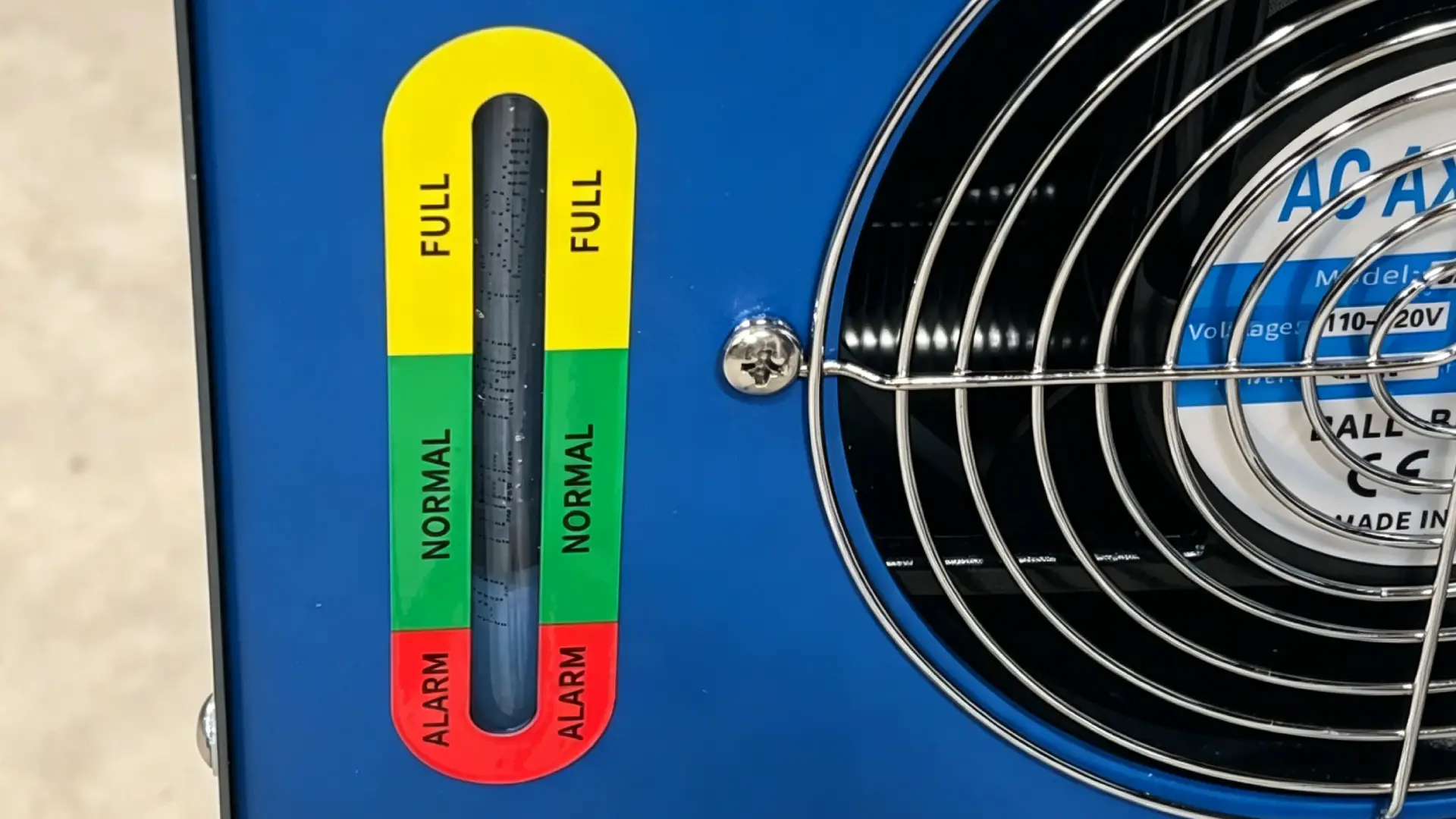
The nozzle at the end of your welding head isn’t just sitting there doing nothing. It’s a thermal management decision built in metal — and the wrong one makes every overheating problem worse.
Material matters more than most operators ever check. Pure copper (red copper) conducts heat at 380–400 W/m·K. Brass runs 100–120 W/m·K. That’s a 3–4× gap in how fast heat moves away from the tip. On high-power jobs or high-reflectivity materials — aluminum, brass, copper alloys — a brass nozzle traps heat right at the tip. Tip temperatures run 20–30% higher than a red copper nozzle under the same conditions. You’ll see it in the color first: normal gold shifts to deep blue-purple bands near the aperture. That color change means the nozzle has been sitting above 250–300°C long enough to soften the base material and hurt its own heat-transfer ability. Chrome-plated red copper nozzles take this further. Field data shows a 30°C drop in working temperature compared to standard copper on high-reflectivity stainless and aluminum.
Inner diameter is the variable nobody checks — until the nozzle is already burning. The rule is straightforward: nozzle inner diameter ≥ oscillation width + 1.0–1.5 mm clearance. Run a 5 mm scan width through a 5.5 mm nozzle and the beam clips the inner wall at full sweep. The nozzle doesn’t just get warm. The upper body and lock ring run hotter than the tip itself. That’s Zone 3 in the heat distribution pattern. It’s also the most dangerous reading you can get.
Nozzle shape changes the heat load based on joint type:
- Flat/butt welds — Use a standard round or light-taper red copper nozzle. A larger inner diameter gives full shielding gas coverage and keeps convective cooling steady across the nozzle face.
- Fillet and corner welds — Go with a long-taper or oval-mouth nozzle. It shifts the aperture 0.2–0.4 mm away from peak reflection zones and cuts down spatter re-entry.
- Internal corners / tight structures — A long-neck, narrow-taper red copper nozzle works best here. Keep the inner diameter ≥ oscillation width + 1.2 mm. This keeps the nozzle wall clear of the reflected energy path.
Replace the nozzle before it fails, not after. A deformed aperture — even 0.02–0.05 mm out of round — throws the shielding gas flow off to one side. One side of the nozzle loses convective cooling. That’s how a geometry problem turns into a thermal alarm. Spatter buildup on the inner wall acts like a localized black-body coating. It pulls in reflected heat faster than clean copper and blocks gas flow at the same time. Clean the inner wall with a brass brush every hour of operation. Chrome-plated nozzles cut down spatter adhesion and keep the nozzle running clean for longer stretches between maintenance.
Conclusion
Overheating doesn’t announce itself with one clear cause. It builds — a neglected lens here, a blocked fan there, a duty cycle pushed past its limit. By the time the thermal alarm goes off, the damage is already happening.
The good news? Every cause in this guide is diagnosable and fixable. With the right maintenance routine, most are preventable. You don’t need to be a laser technician to stay ahead of these problems. You just need a system in place.
Start with the triage checklist. Work through the six causes one by one. Then set up a preventive maintenance schedule now — not after your next unplanned shutdown.
Laser welder cooling system failure keeps coming back even after following these steps? That’s a sign something deeper needs attention. Contact MaxWave’s technical support team for a direct diagnosis. Fix it now before a small problem turns into a costly one.

0 Comments