
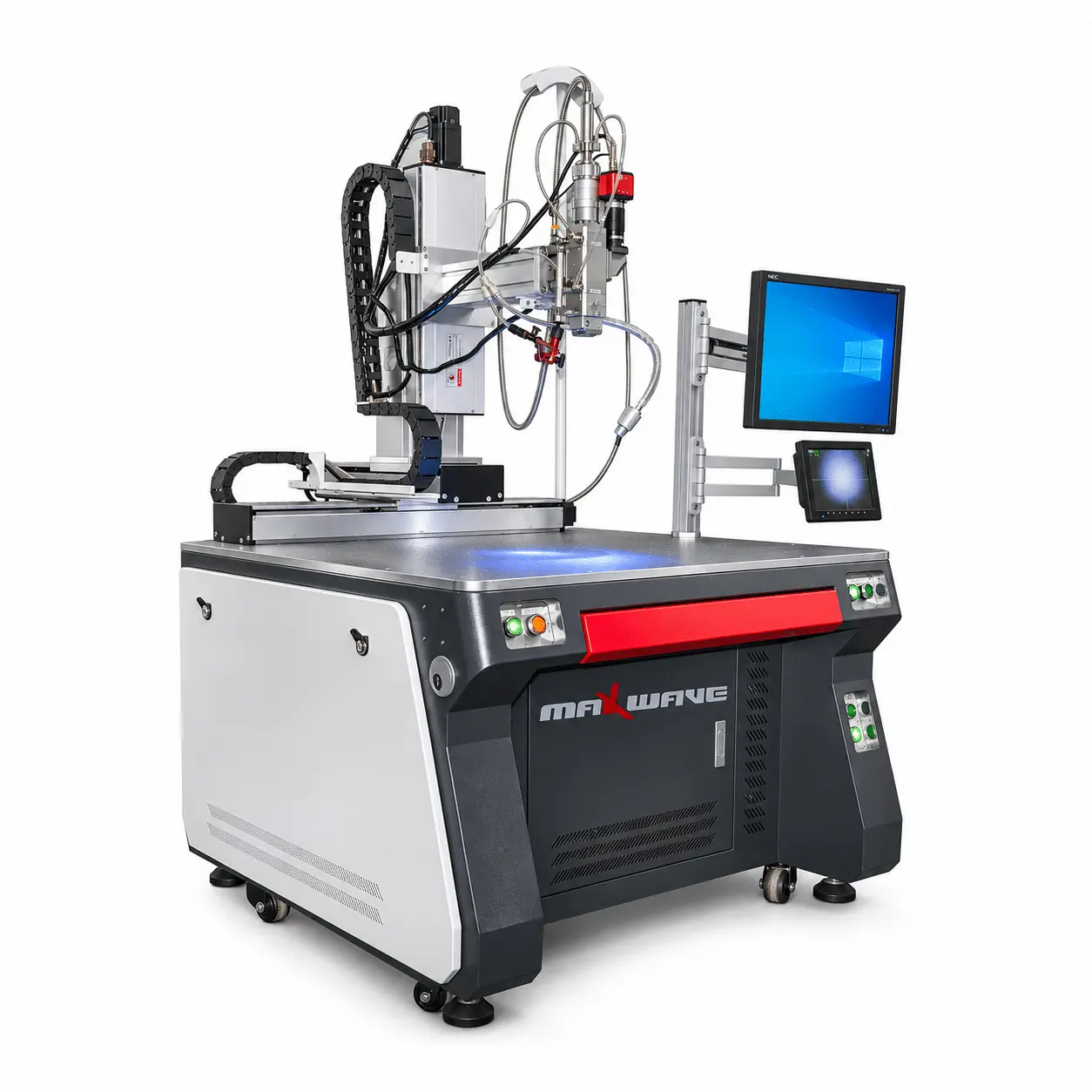
MAXWAVE MW-FR AUTOMATIC WELDING SERIES
Automatic Laser Welder for Precise, Repeatable Welds
Programmable XY Motion
Run repeatable straight, curved, and arc weld paths with less manual positioning.
CCD Weld-Zone Viewing
See the welding area clearly during setup and process checks.
Adjustable Dual-Axis Swing
Match beam movement to different seam widths and joint shapes.
1500W / 2000W Power Options
Select laser power based on material, joint thickness, and welding requirements.
Built for Repeatable, Precision Metal Welding
01
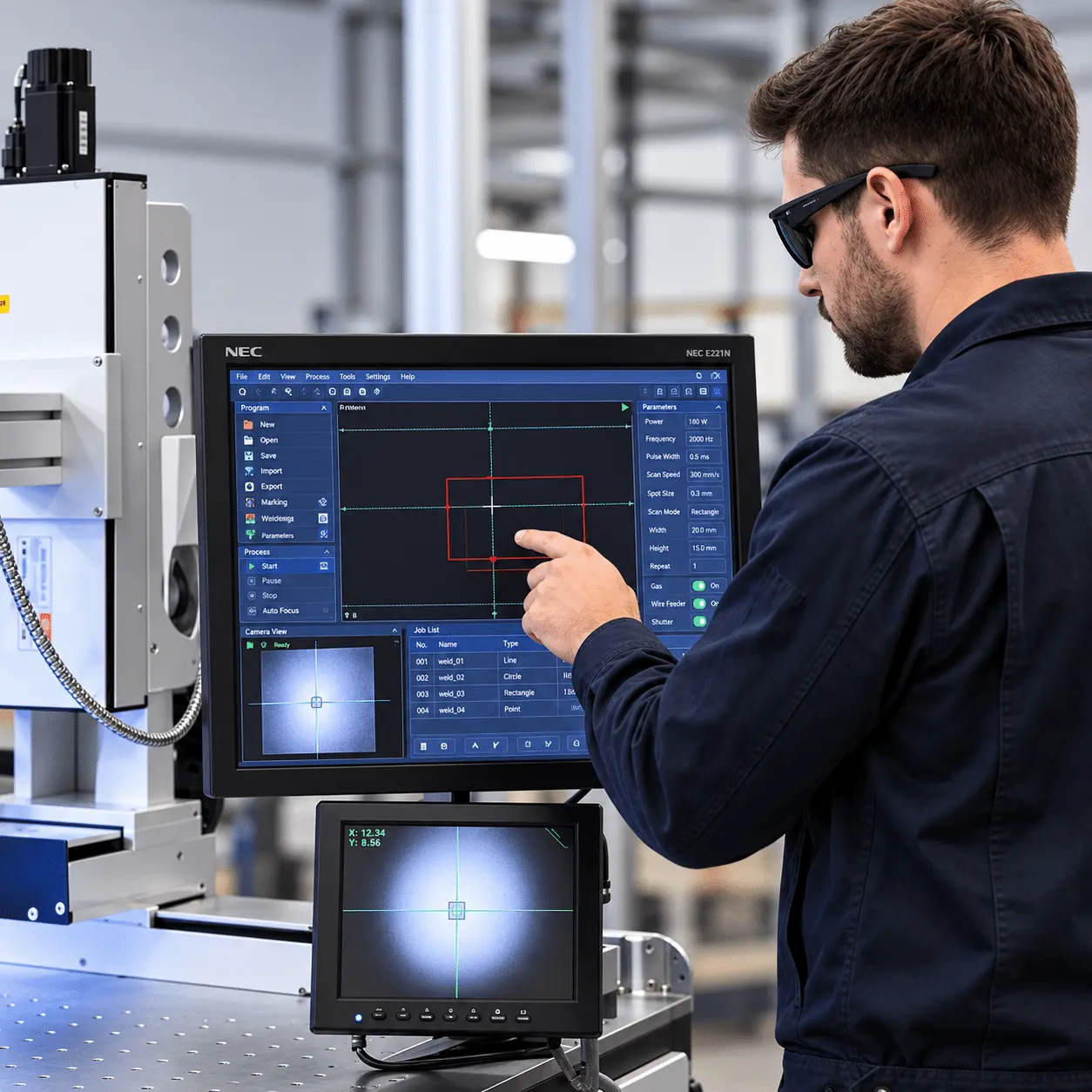
Easier Weld Positioning
Adjust welding positions easily with fewer manual adjustments.
02
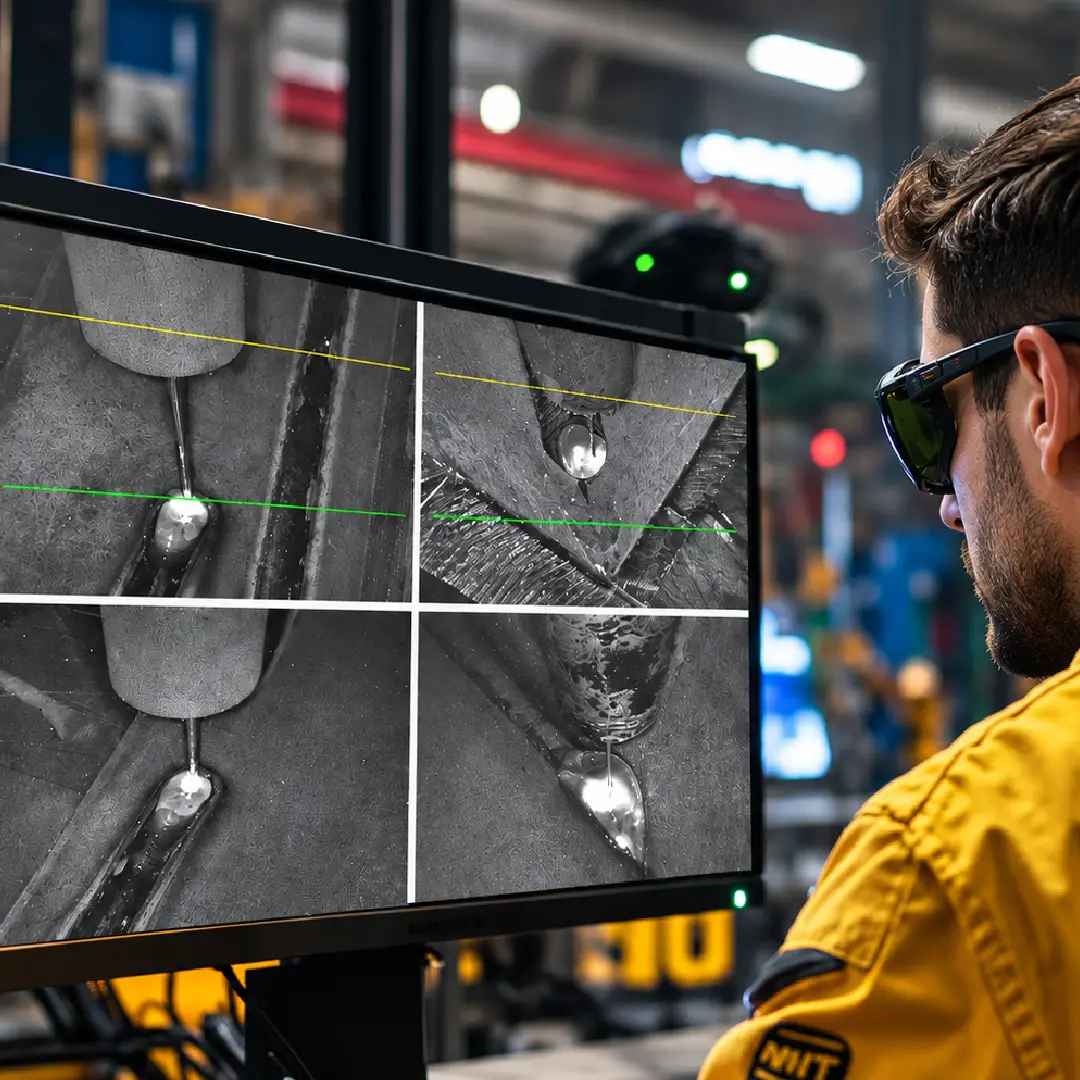
See the Weld More Clearly
Monitor weld positions and progress without leaning over the workpiece.
03
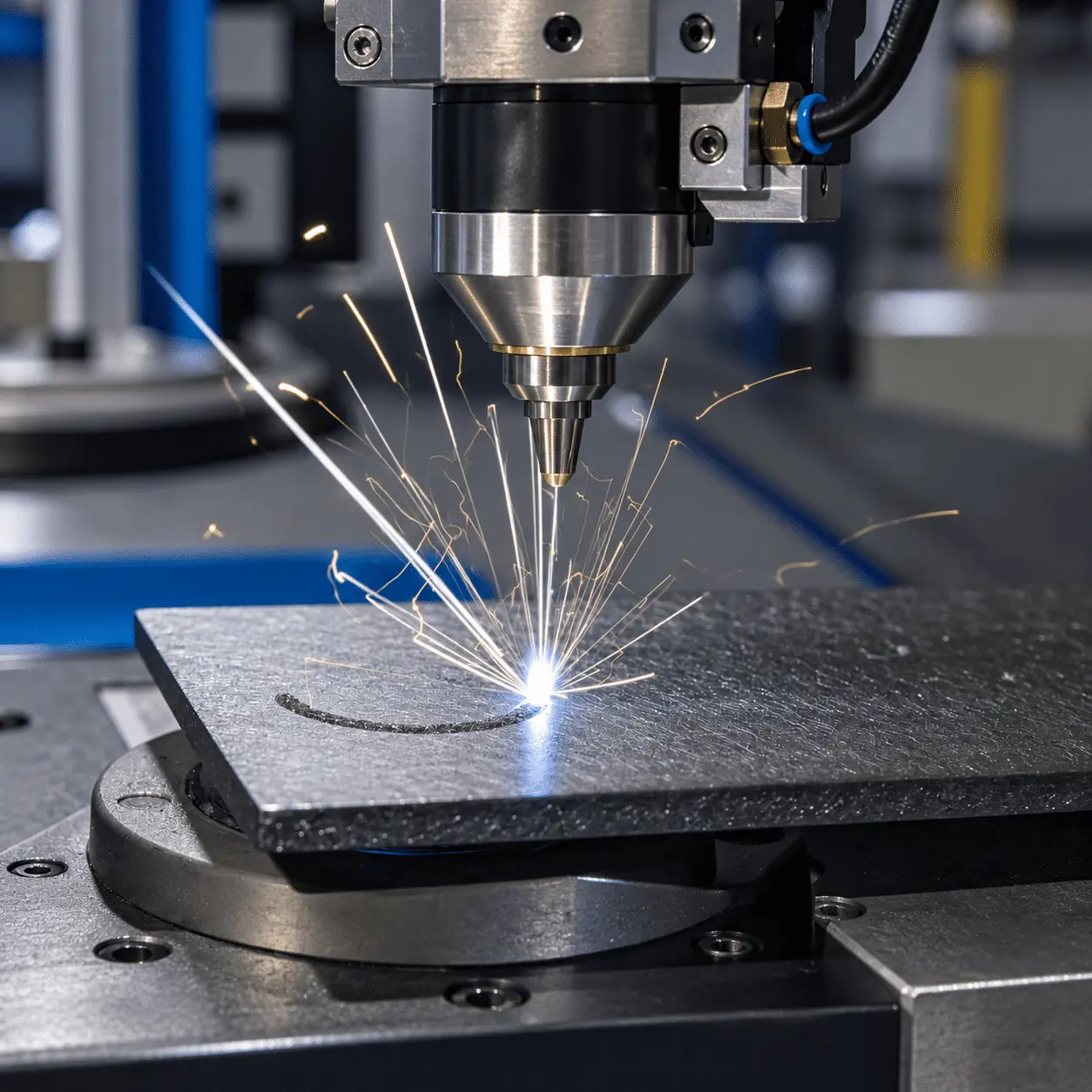
Less Hands-On Work for Repeat Jobs
Complete repeated welding tasks with less manual guidance and effort.
What Can This Automatic Laser Welder Weld?
Mold & Die Components
Joint Welding · Circular Seams
Real Laser Welding Results
See how the automatic laser welder handles stainless steel seams, aluminum alloy joints, circular connections, and edge welds. These samples illustrate different welding paths and joint shapes for precision metalworking applications.
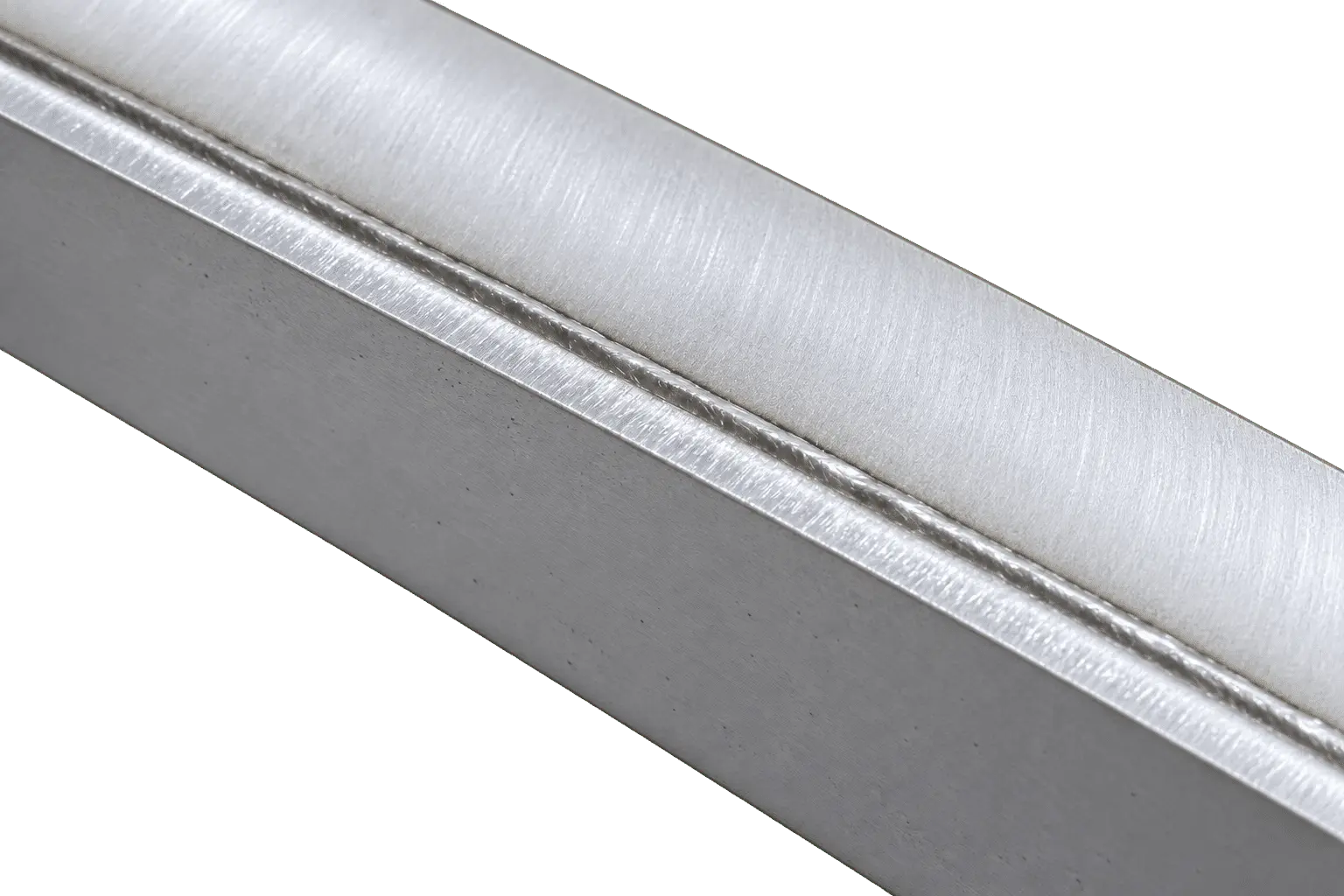
SAMPLE 01
Stainless Steel Seam Welding
STAINLESS STEEL · STRAIGHT SEAMS · METAL JOINTS
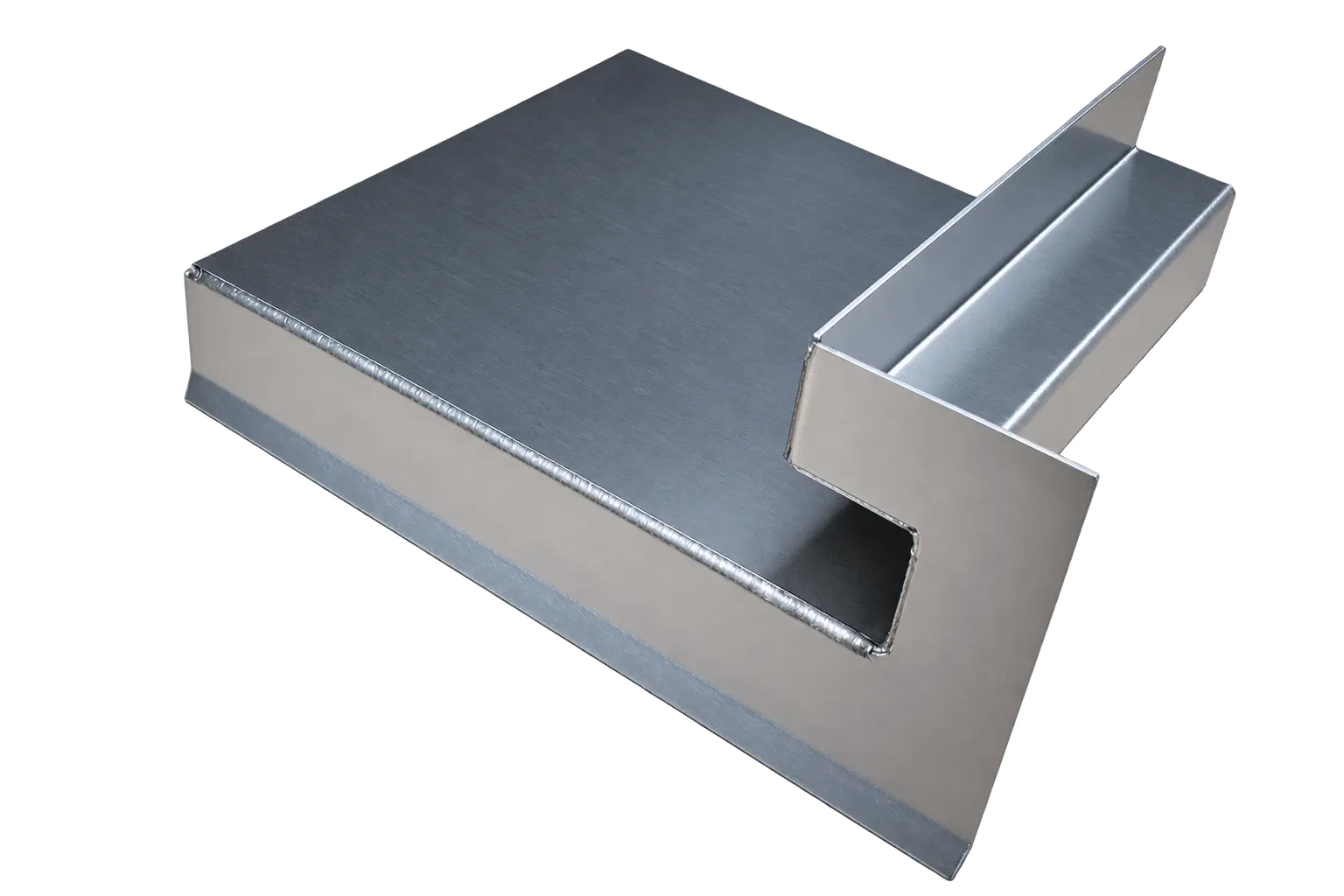
SAMPLE 02
Aluminum Alloy Joint Welding
ALUMINUM ALLOY · ANGLED JOINTS · TUBULAR PARTS
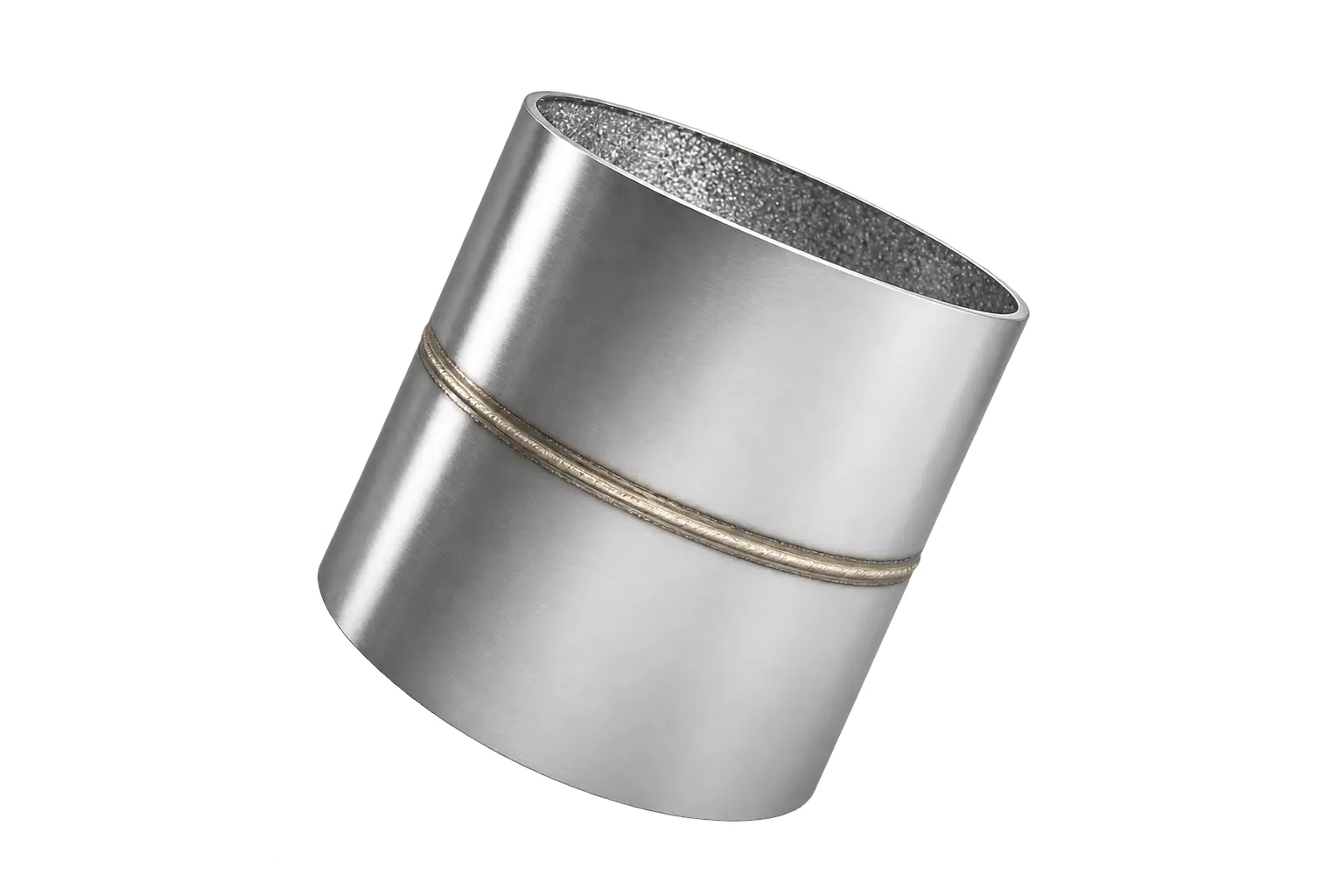
SAMPLE 03
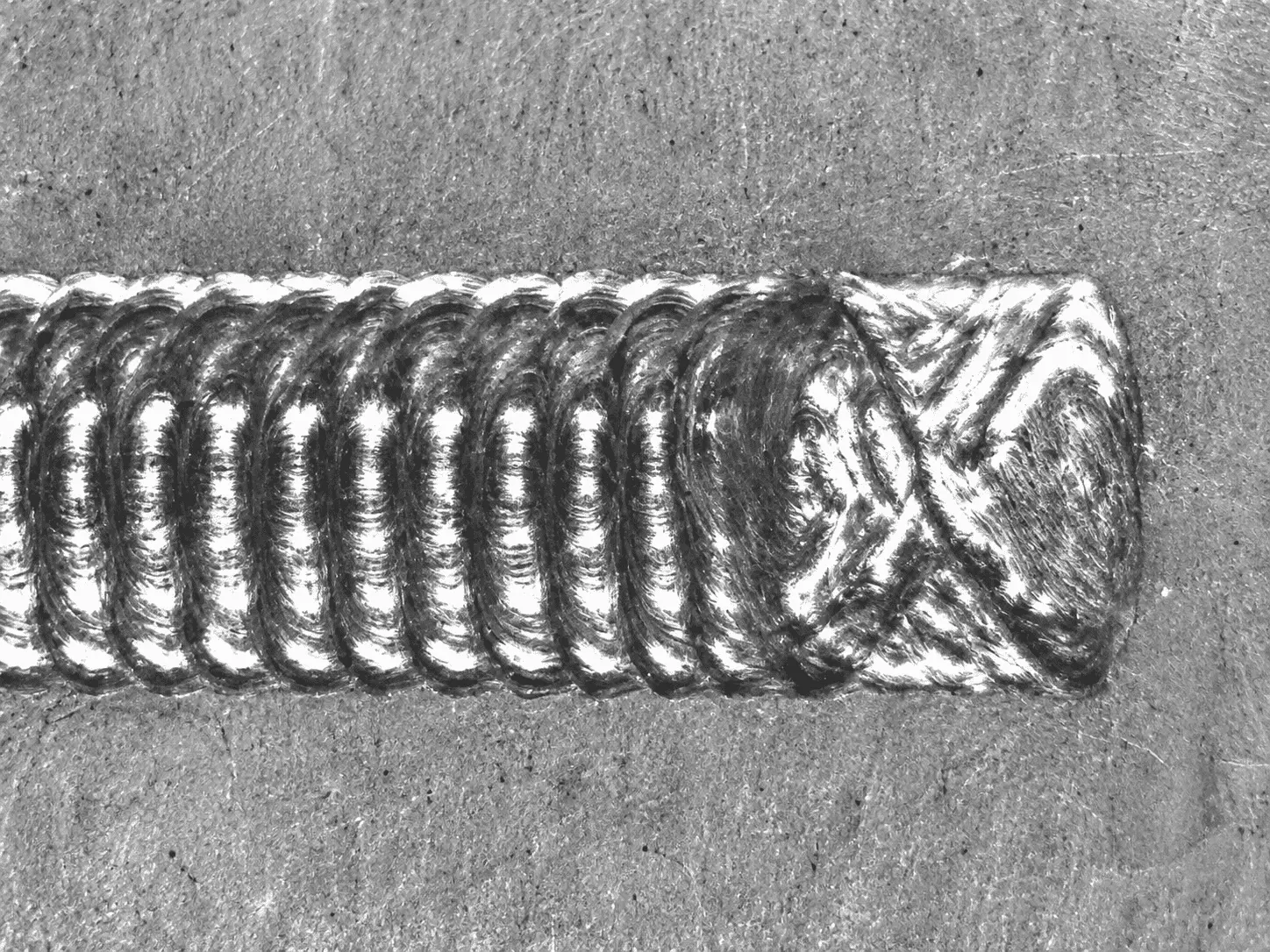
Circular & Coaxial Welding
METAL SLEEVES · CIRCULAR SEAMS · COAXIAL JOINTS
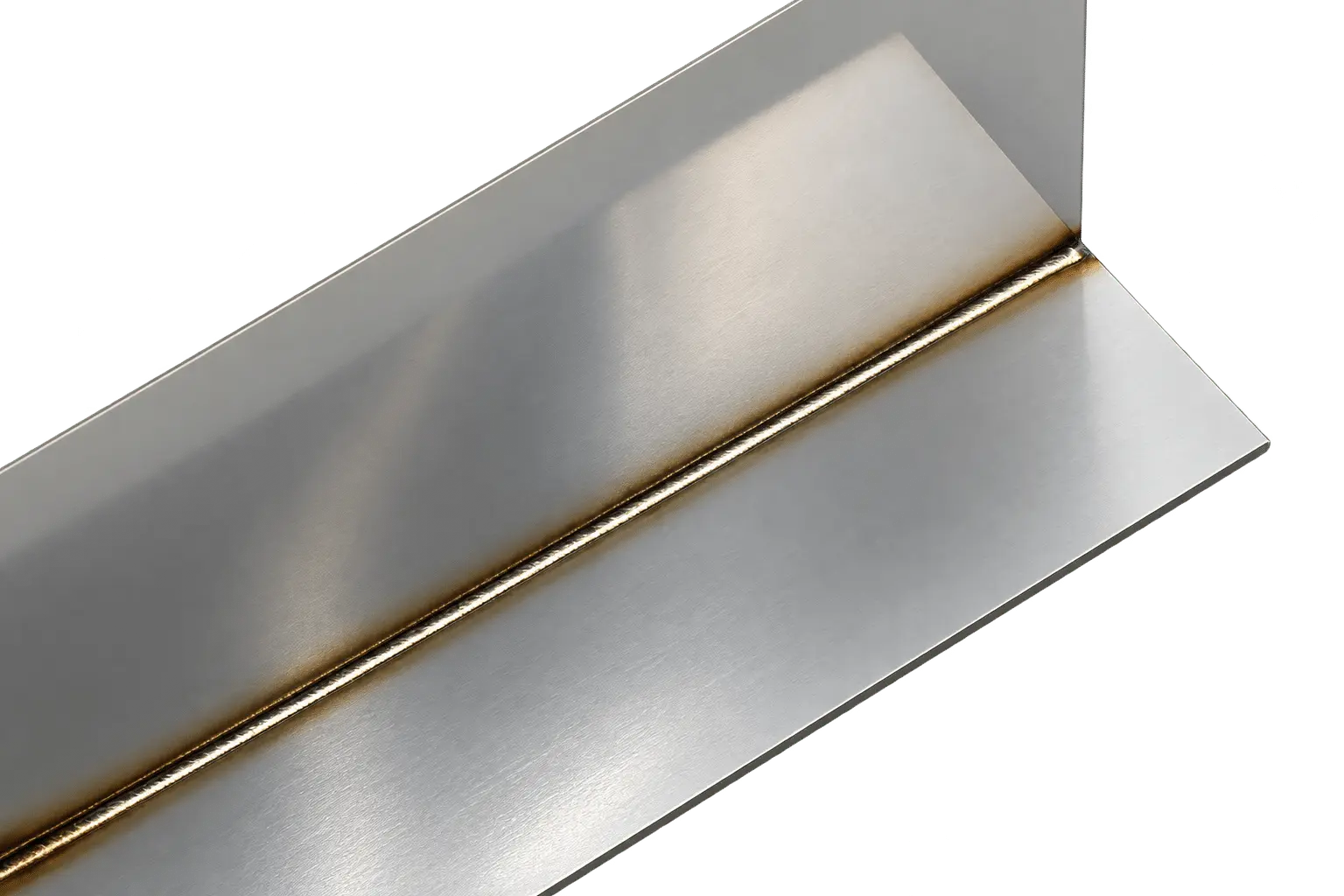
SAMPLE 04
Corner & Edge Welding
METAL PLATES · CORNER JOINTS · EDGE SEAMS
Where This Automatic Laser Welder Fits

Automotive Parts & Sensor Manufacturing
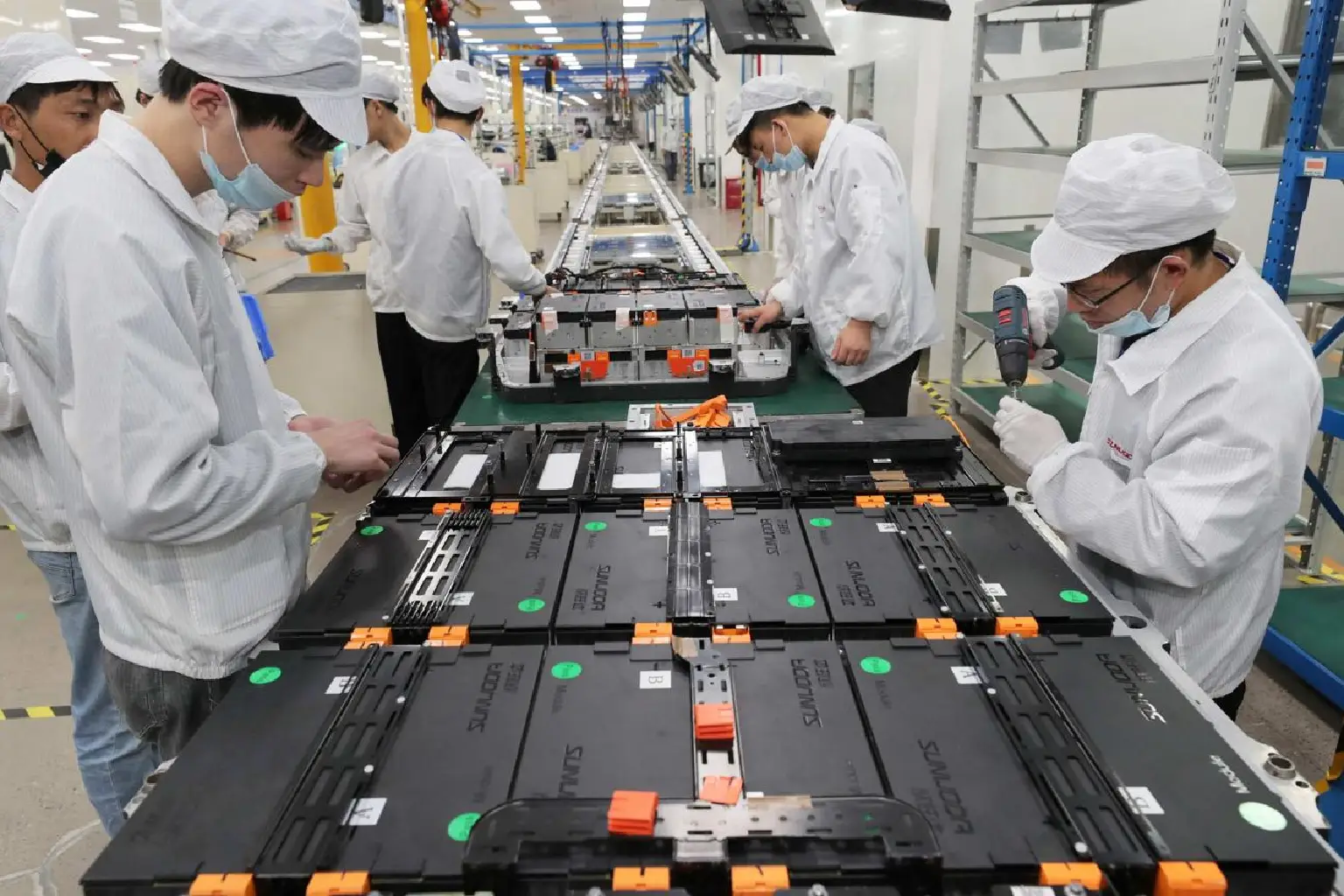
Battery & Energy Storage Manufacturing
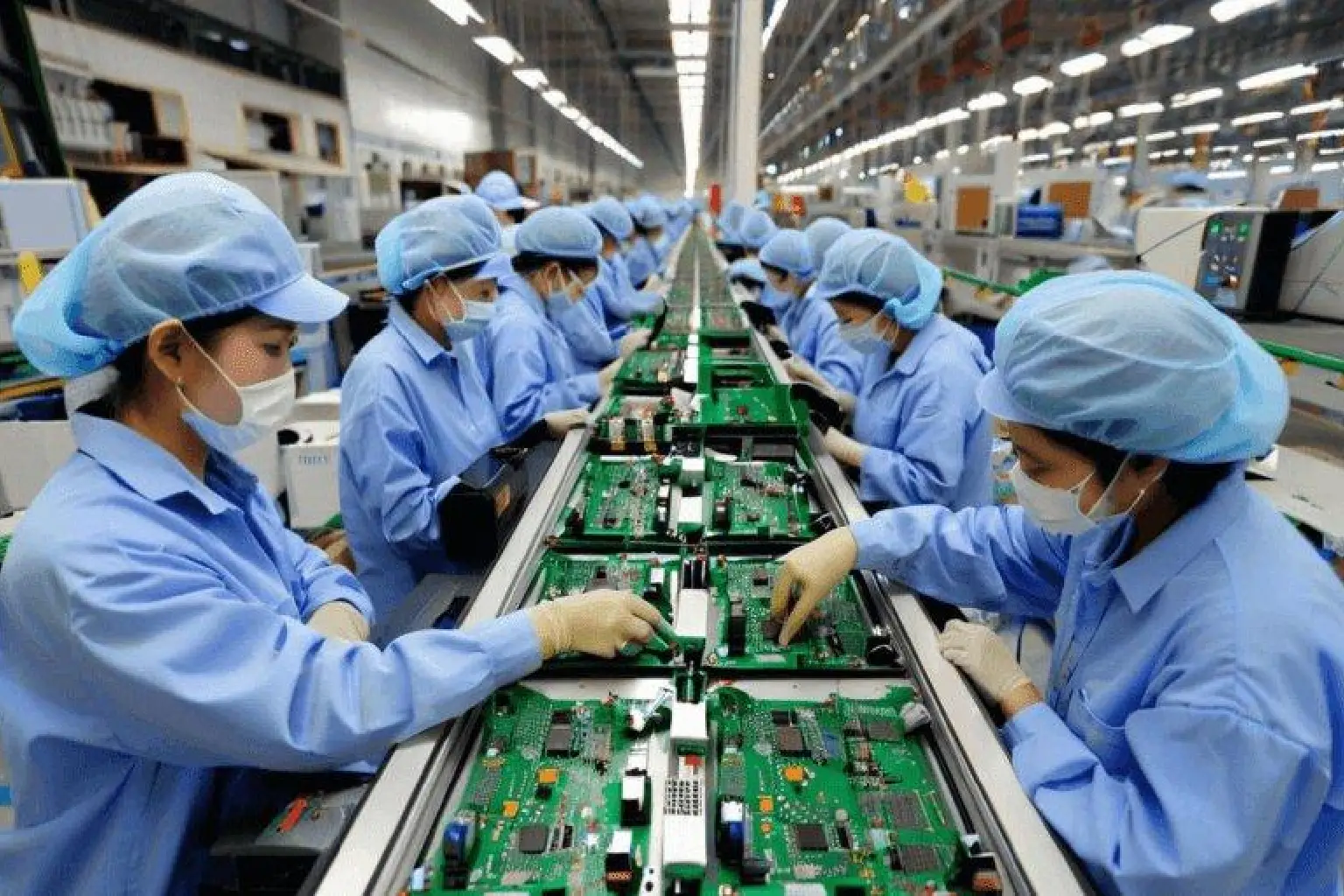
Electronics & Optical Communications
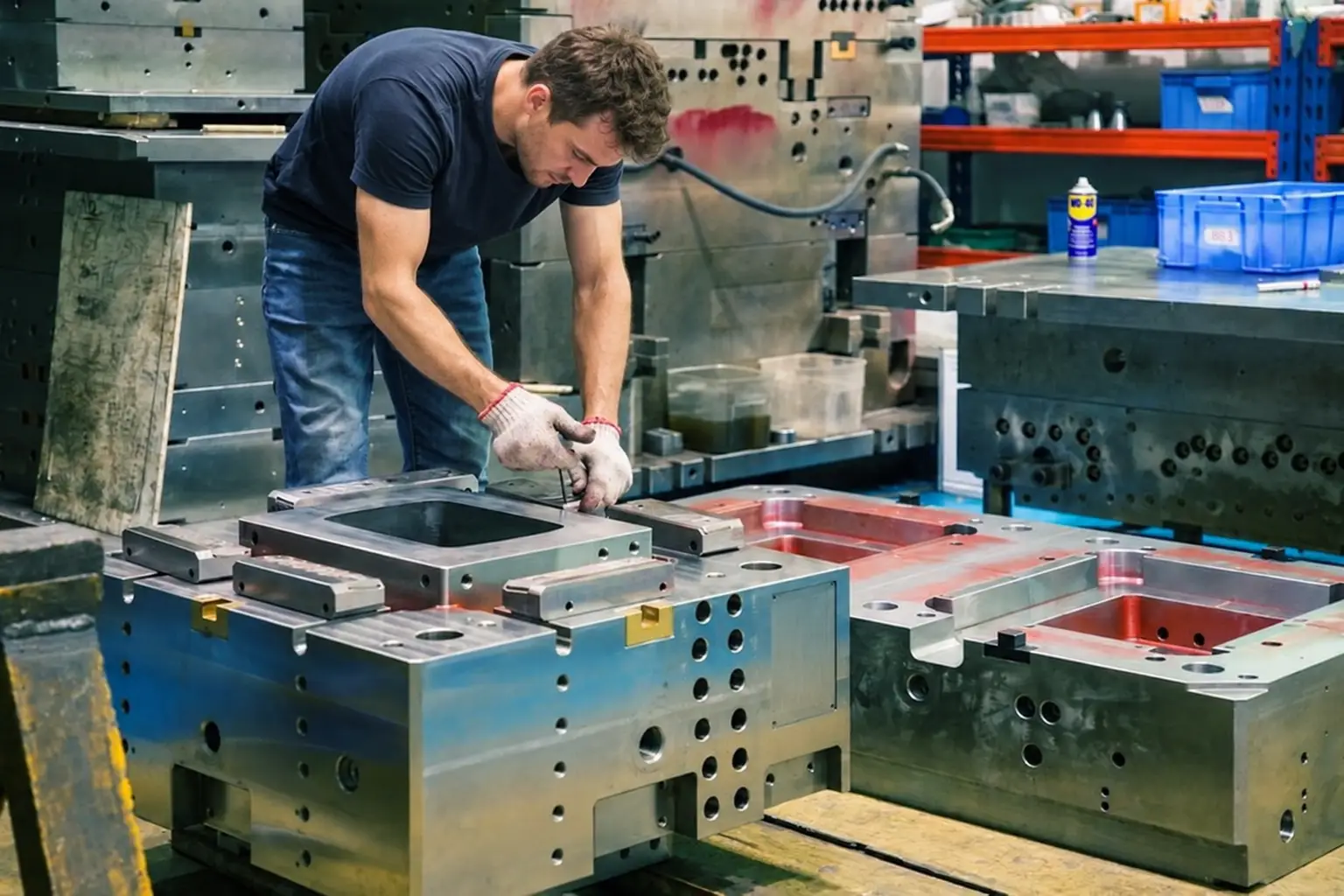
Precision Metalworking & Mold Tooling
CORE SYSTEM ADVANTAGES
What Makes This Automatic Laser Welder Different?
The MaxWave automatic laser welder combines precision XY positioning, CAD-based weld path programming, CCD monitoring, and a dual-swing welding head to support controlled welding across different part geometries.
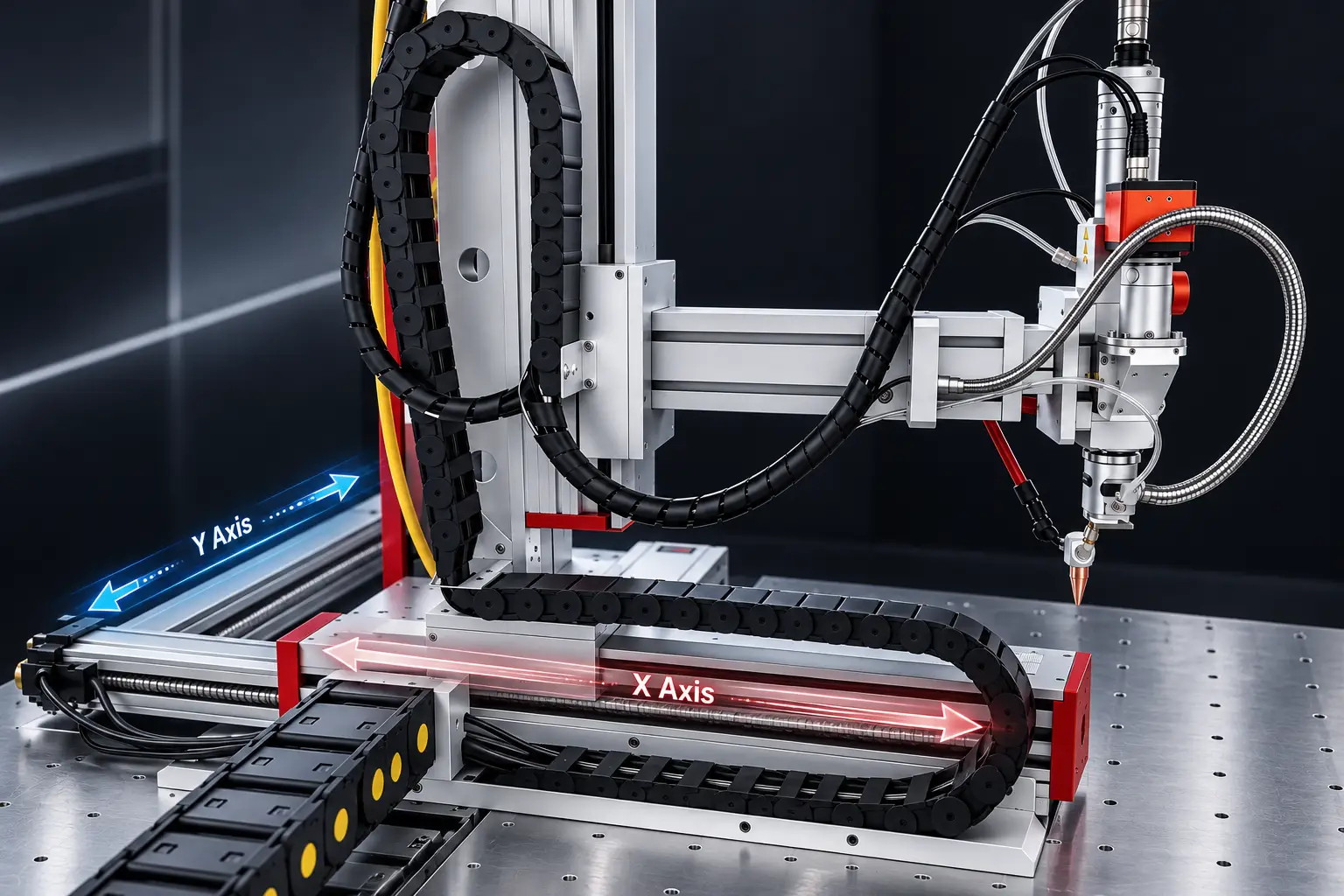
Precision XY Motion for Consistent Weld Paths
The motorized XY worktable combines dual linear guide rails and a precision ball screw for controlled positioning. It helps maintain consistent weld paths while reducing repeated manual adjustments.
PRECISION DRIVE Dual Linear Guides · Ball Screw
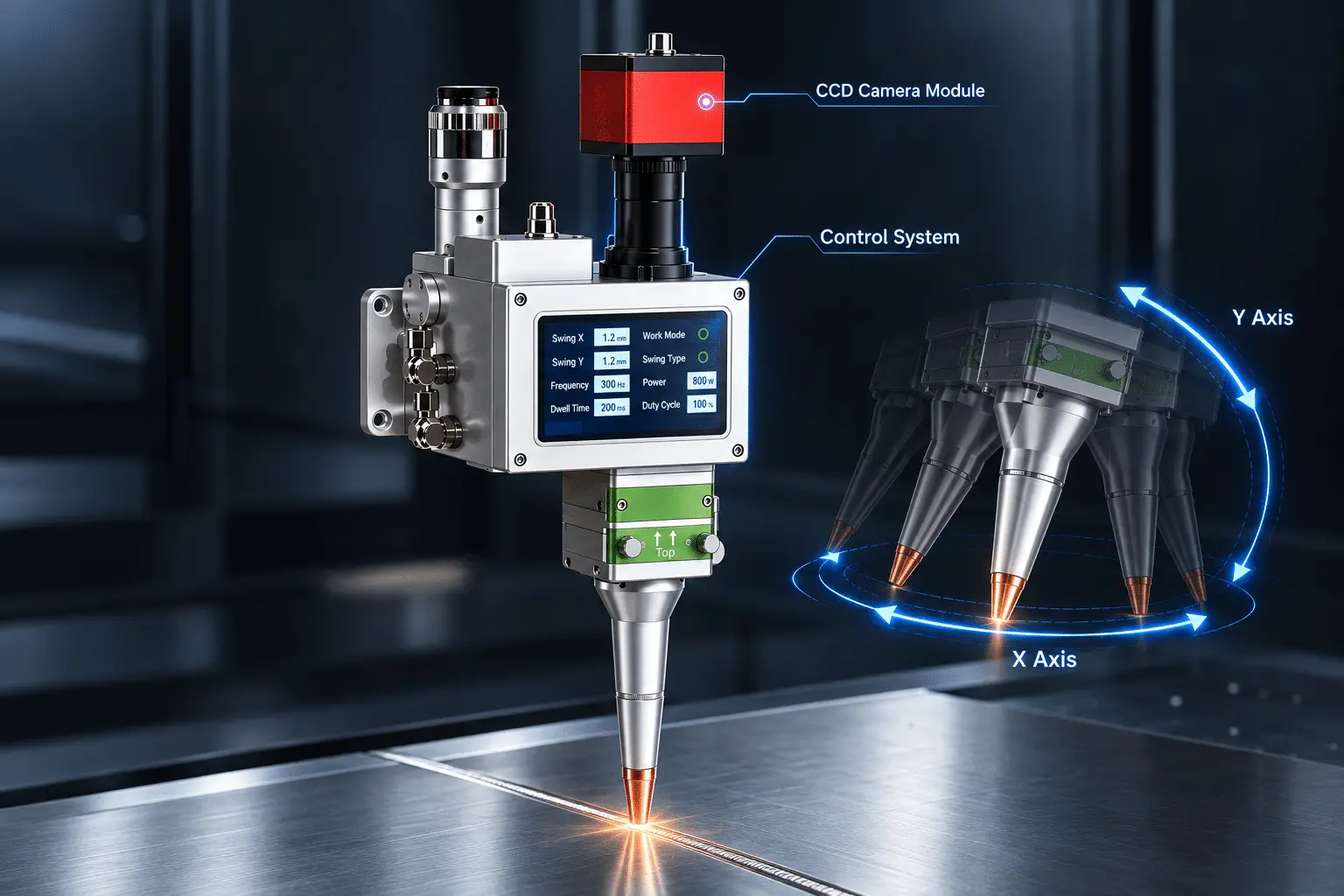
Intelligent Dual-Swing Head for Flexible Welding
WELD PATTERNS Multiple Patterns · Flexible Seam Control
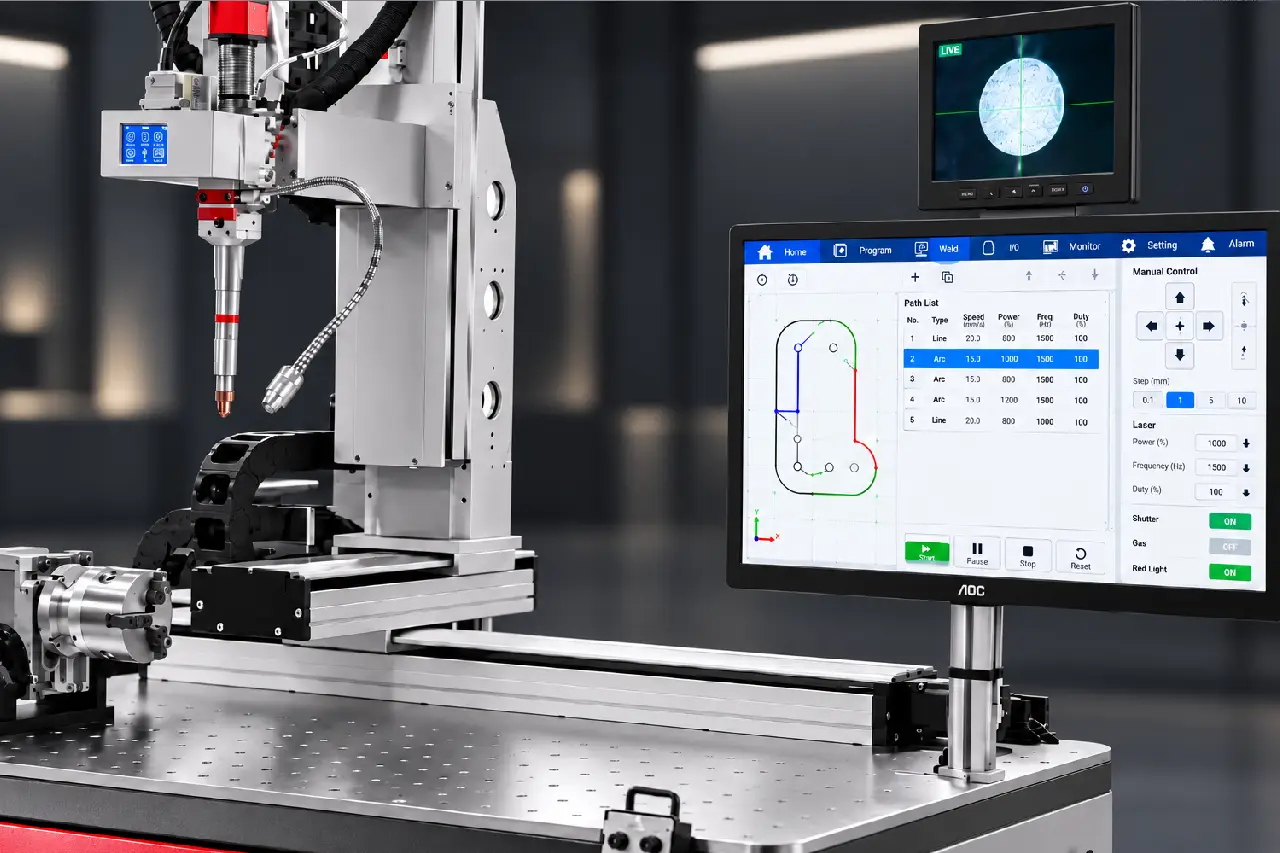
CAD-Based Weld Path Programming for Complex Seams
The automatic laser welder supports CAD drawing import and weld-point teaching for straight, curved, and arc welding paths. Coordinated XY motion and segment-based laser power control help maintain repeatable welding trajectories for similar metal parts.
WELD TRAJECTORY Straight Lines · Arcs · Curves
POWER CONTROL Segment-Based Power · Motion Synchronization
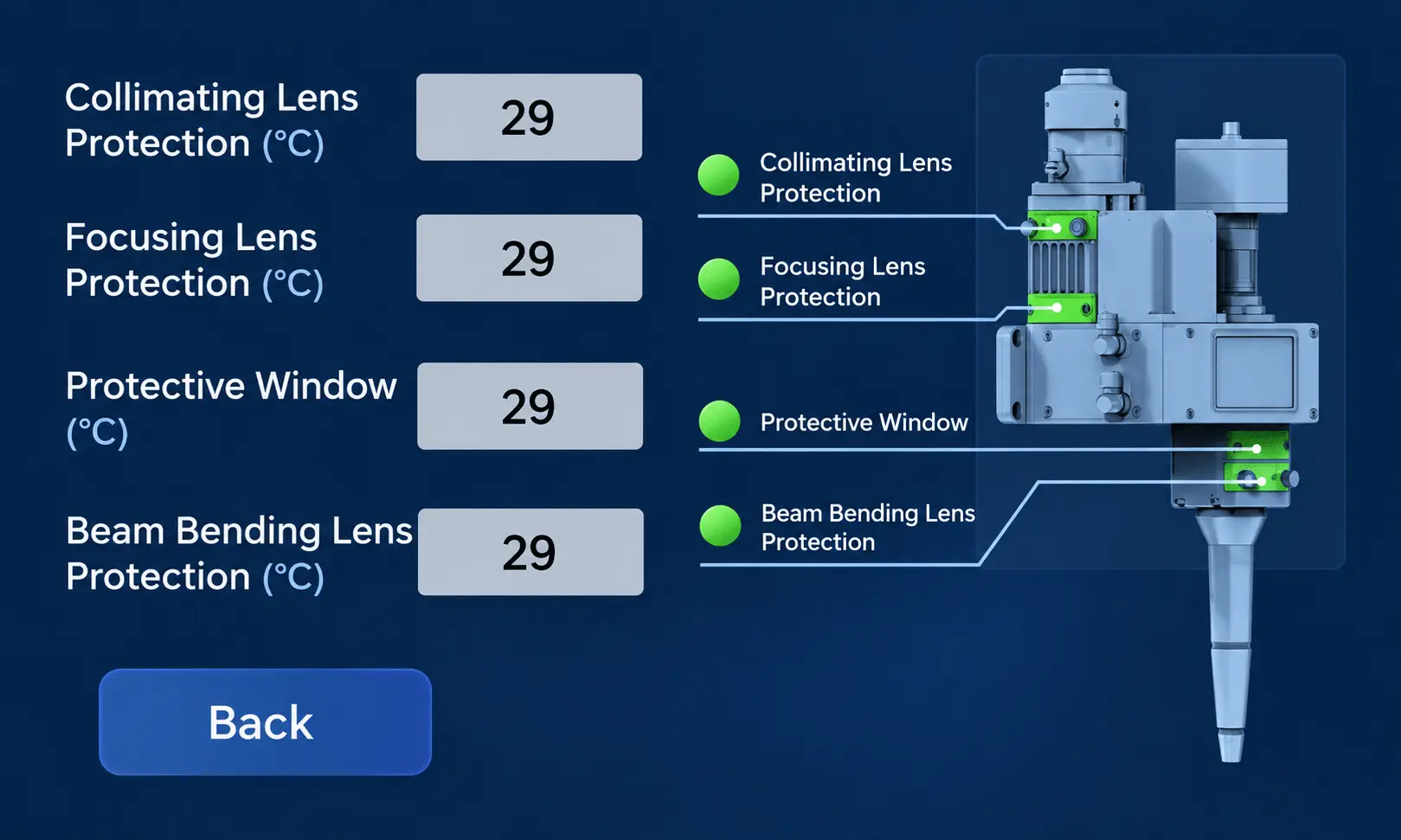
Intelligent Lens Temperature Monitoring & Protection
SYSTEM PROTECTION Temperature Alerts · Protective Shutdown
WELDING SWING MODES
Single-Axis vs Dual-Axis Swing: Which Fits Your Welding Job?
Different weld joints require different beam motion. Compare single-axis linear scanning with dual-axis swing patterns to find the right approach for your seam width, joint shape, and welding requirements.
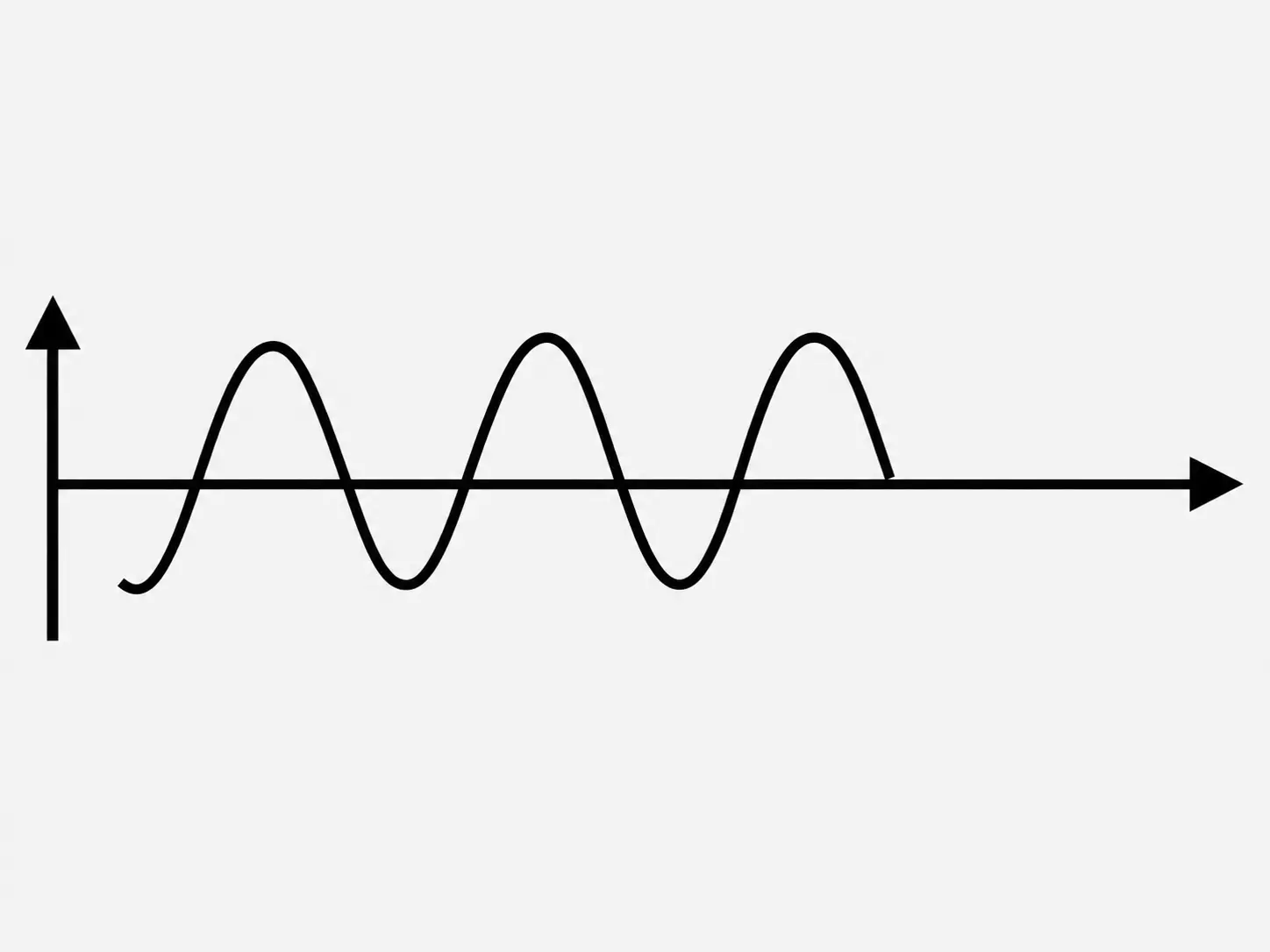
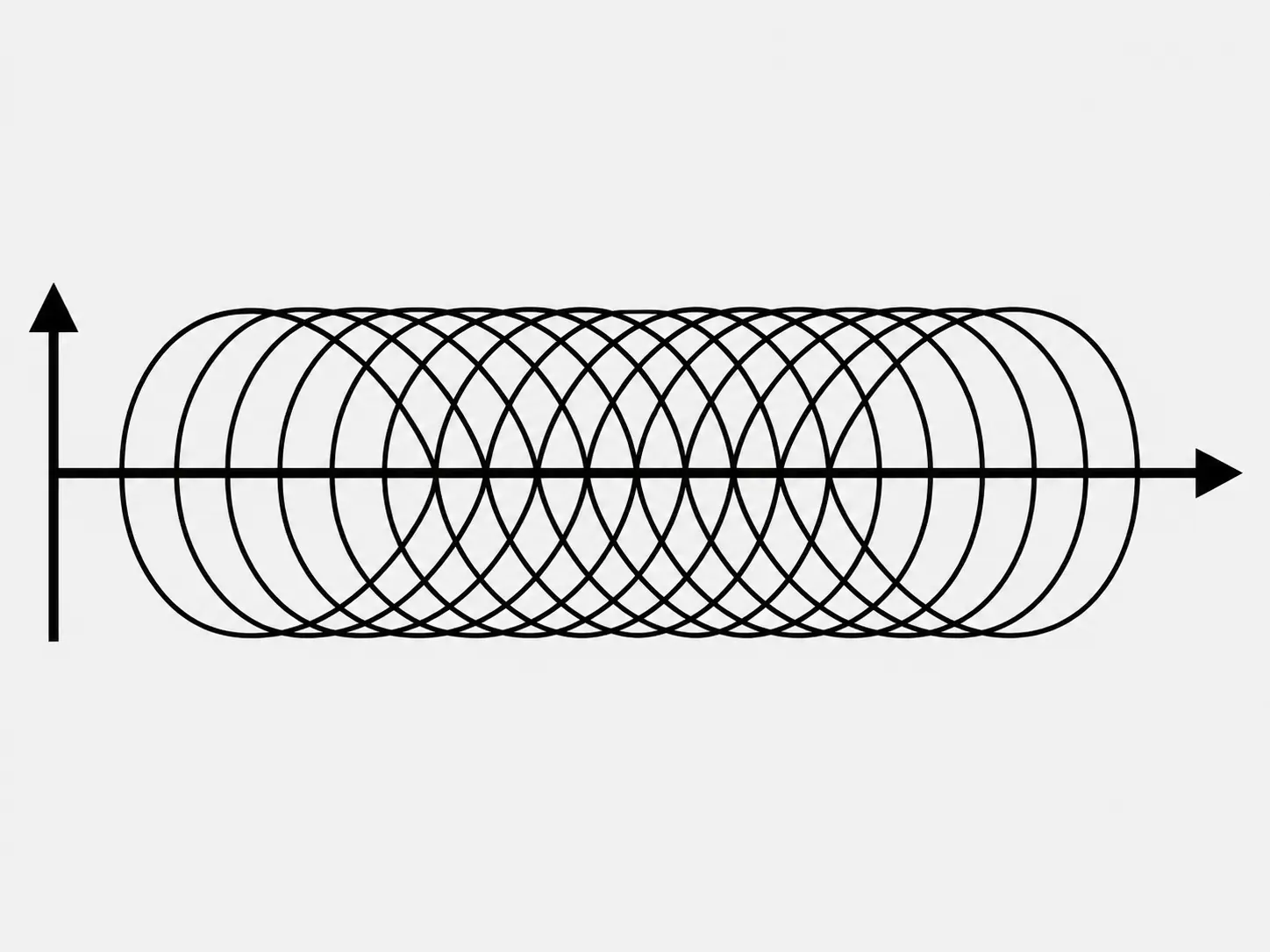
SINGLE-AXIS SWING
Single-Axis Swing
The laser beam oscillates back and forth along one axis, providing straightforward control over weld coverage. It is a practical approach for regular seams that do not require complex scanning patterns.
One-Direction Beam Scanning
The laser oscillates along a single axis.
Simple Swing Control
Adjust oscillation width and frequency for the welding task.
Best for Flexible One-Off Work
Well-Fitted Joints · Regular Seams · Repeat Welds
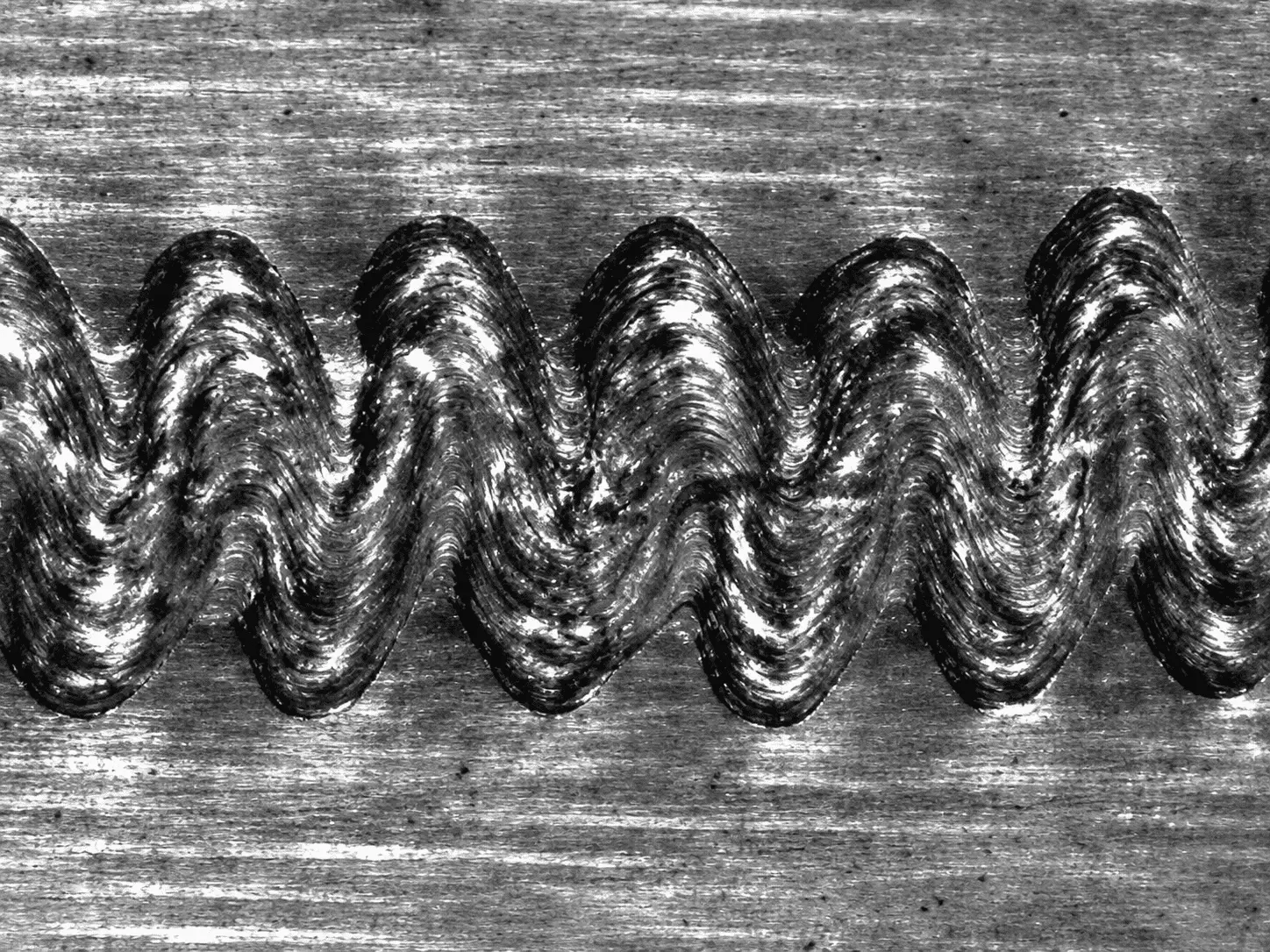
DUAL-AXIS SWING
Dual-Axis Swing
Coordinated X/Y beam scanning supports multiple swing patterns, allowing operators to adjust the laser’s coverage across different seam widths and joint profiles.
X/Y Beam Scanning
Coordinated two-axis motion enables flexible beam paths.
Multiple Swing Patterns
Line · Circle · Figure-8 · Infinity
Best for Flexible Weld Coverage
Variable Seam Widths · Different Joint Profiles · Adjustable Weld Patterns
Choose the Right Power for Your Welding Job
Choose the right automatic laser welder based on your material, joint thickness, required penetration, and production needs. Compare the MW-FR1500 and MW-FR2000 according to your actual welding requirements—not laser power alone.
POWE
BEST FOR
TYPICAL WELDING JOBS
TYPICAL CLEANING JOBS
WHY CHOOSE IT
1500W
Precision Components · Smaller Joints · Repeated Seams
Sensor Housings · Metal Connectors · Small Metal Assemblies
Material · Joint Thickness · Required Penetration
A practical choice for precision welding tasks that meet 1500W process requirements
2000W
More Demanding Joints · Thicker Sections · Higher Penetration Needs
Deeper Build-Up · Thicker Parts · Larger Repairs · Industrial Components
Material · Weld Depth · Joint Geometry · Heat Input
Greater power headroom for more demanding welding applications
FREE SAMPLE WELD TEST
See Your Part Welded Before You Buy
Send us your material, part photos or samples, and welding requirements. We’ll evaluate the joint, test a suitable MW-FR setup, and share the welding results to help you choose the right power and configuration.
01
Send Your Welding Details
Material · Thickness · Joint Type · Photos or Samples
02
We Match the Right Setup
1500W / 2000W · Weld Path · Workpiece Positioning
03
We Weld & Record the Test
Actual Welding · CCD Close-Up · Test Video
04
Review Before Ordering
Weld Result · Test Findings · Recommended Configuration
WHAT YOU’LL RECEIVE
A Clear Result Before You Order
Cleaned Sample
See close-up photos of the finished weld and joint appearance.
Test Video
Review the welding process, positioning, and weld path.
Recommended Setup
Get the suggested power, parameters and configuration.
PACKAGE & CONFIGURATION
What’s Included With Your Automatic Laser Welder?
Review the standard components of your automatic laser welder, including the MW-FR welding workstation, fiber laser source, CCD monitoring system, welding controls, and water chiller. Optional fixtures and configurations can be discussed according to your application.
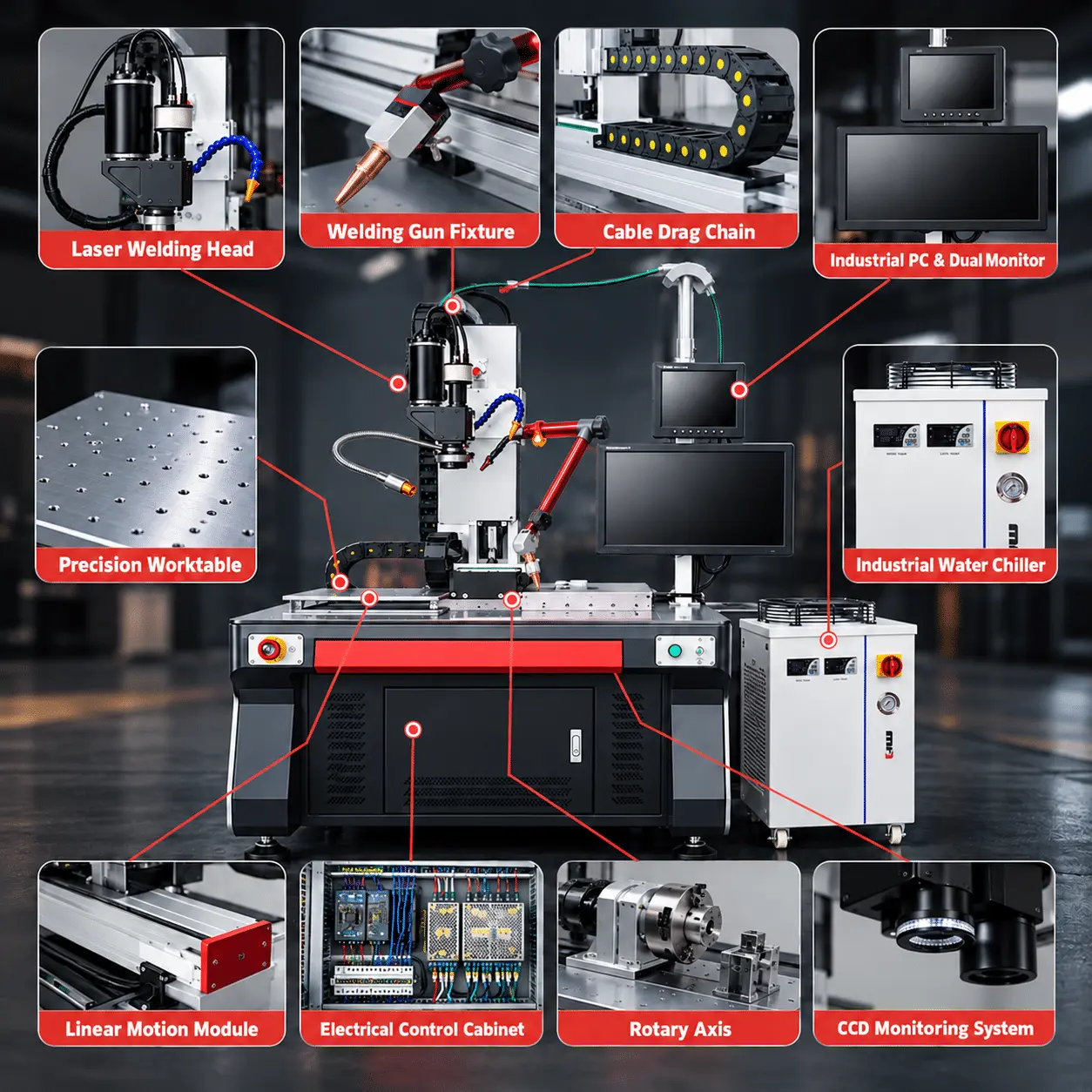
01 Included With the Machine
02 Routine Care & Spare Parts
03 Optional Configuration
MAINTENANCE & CONSUMABLES
Keep Your Fiber Laser Welder Ready for Production
Routine maintenance helps keep your automatic laser welder ready for consistent operation. For the MW-FR Series, regularly inspect protective optics, the water-cooling system, welding head, XY motion components, and cable connections to reduce unexpected downtime.
ITEM
ROUTINE CARE
PERIODIC CHECK
REPLACE WHEN
Fiber Laser Source
Keep enclosure and ventilation clear
Check laser output and system alarms
Output is unstable or a laser fault occurs
Protective Glass & Optics
Keep protective glass clean
Inspect for dust, scratches and burn marks
Glass is damaged or cannot be cleaned
External Water Chiller
Check coolant level and circulation
Inspect water quality, leaks and cooling alarms
Coolant change is due or cooling faults occur
Welding head
Keep the head exterior and camera view clean
Check image clarity, connections and warnings
Viewing or welding-head faults persist
XY Motion System
Remove debris from the worktable
Check guide rails, ball screws and movement
Abnormal noise, resistance or positioning errors
Armored Fiber Cable
Avoid sharp bends and pulling
Inspect cable cover and connectors
Cable or connectors show damage
Power & Gas Connections
Keep cables and gas lines secure
Check wear, connections and gas leaks
Damage, leakage or overheating occurs
Keep spare protective glass and suitable coolant available to reduce maintenance delays. Shielding gas may also be required depending on the welding process.
WELDING IN ACTION
See the MW-FR Automatic Fiber Laser Welder in Action
Watch the MW-FR1500 / MW-FR2000 combine precision XY motion, continuous-wave fiber laser welding, and CCD monitoring in real welding tasks—from mold components to precision metal assemblies.
SITE READINESS
Prepare Your Shop for the MW-FR Fiber Laser Welder
Prepare the power supply, water cooling, fume extraction, working space, and laser-safe area before delivery. We’ll help confirm the site requirements for your selected MW-FR configuration.
BEFORE SHIPMENT
01 Power Supply
Prepare a stable, properly grounded power supply for your selected 1500W or 2000W model. Confirm voltage, current, and circuit requirements before installation.
02 Water Chiller Setup
Position the external water chiller in a well-ventilated area with enough space for airflow, water connections, and routine maintenance.
03 Welding Fume Extraction
Install suitable local fume extraction near the welding area to remove smoke and airborne particles generated during metal welding.
04 Workstation Space & Clearance
Allow sufficient space for the welding workstation, external chiller, workpiece loading, cable routing, and maintenance access.
05 Laser-Safe Work Area
Set up a controlled Class 4 laser work area with appropriate shielding, laser-rated protective eyewear, warning signs, and restricted access.
AUTOMATIC FIBER LASER WELDER SUPPORT
Support for Your Automatic Fiber Laser Welder After Delivery
From machine installation and operator training to welding parameters, motion control, and troubleshooting, MaxWave provides technical guidance to help you operate and maintain your MW-FR1500 / MW-FR2000.
01
SETUP GUIDANCE
Get Your Fiber Laser Welder Ready
Installation & Setup Guidance
Get step-by-step guidance on workstation setup, water chiller connections, and initial system operation.
Software & Operator Training
Learn welding settings, worktable positioning, CCD observation, and basic operation through manuals and training videos.
02
ENGINEER SUPPORT
Technical Help for Your Welding Jobs
Material & Welding Parameters
Get guidance on laser power, welding speed, and process settings for different metals, thicknesses, and joints.
XY Motion & Welding Paths
Get help with worktable positioning, motion settings, and welding paths for different part shapes.
Welding Head & CCD Adjustment
Receive assistance with welding head settings, laser positioning, and CCD image observation.
Remote Troubleshooting
Share machine alarms, photos, or videos for remote fault diagnosis and technical guidance.
03
ONGOING SUPPORT
Support Beyond Your First Weld
Optics & Cooling Maintenance
Get maintenance guidance for protective lenses, welding head optics, and the water-cooling system.
Motion System Maintenance
Receive advice on guide rail care, ball screw maintenance, and worktable positioning issues.
Spare Parts Assistance
Get help identifying compatible protective glass, optical components, and other replacement parts.
Warranty & Service Support
Receive warranty assistance, repair guidance, and after-sales service according to your confirmed equipment terms.
Learn more about MaxWave’s manufacturing and technical support before choosing your automatic laser welder for precision metalworking.
Technical Specifications
Model
MW-FR(1000-1500)
Laser power
1000W-6000W optional
Laser wavelength
1080
Power stability
3%/8H
Armor cable length
10M/15M
laser
Chuangxin/Raike/Kaplin
Service life
100000H
laser frequency
50-50000HZ
Power adjustment range
10%-100%
Total power
Electricity demand
System protection level
IP54
Laser safety level
Class IV
Cooling method
water cooling
Operating environment requirements
Temperature 0-40℃, humidity 20%-80%
MaxWave Automatic Fiber Laser Welder FAQs
Before choosing the MW-FR1500 or MW-FR2000, explore common questions about repeat welding, operator involvement, and production integration to find the right setup for your manufacturing needs.
Is the MW-FR suitable for repeat or small-batch production?
Does an Automatic Laser Welder Still Require an Operator?
Yes. Operators still load and secure workpieces, set welding parameters, and monitor the process. The motorized XY system handles programmed movement, reducing the need for continuous manual weld guidance.
Can the MW-FR be integrated into an existing production line?
The MW-FR is configured as a standalone welding workstation. Automated loading, PLC connections, and production line integration require separate compatibility checks. Share your production requirements to discuss suitable configurations.
How Can the MW-FR Automatic Fiber Laser Welder Improve Your Production?
The MaxWave MW-FR1500 / MW-FR2000 helps manufacturers move from manual weld guidance to more controlled, repeatable production. With programmable welding paths, precision motion control, and CCD monitoring, operators can reduce repetitive manual work and maintain consistent welding operations across similar metal parts. Whether you’re handling custom components or small-batch orders, the MW-FR Series helps make your welding workflow more efficient and easier to manage.
Upgrade Your Welding Workflow with MaxWave
Find the Right Laser Machine for Your Needs
Tell us what you want to make — we’ll recommend the best machine for you.
- Not sure which machine to choose? We’ll help you
- Easy to use — even for beginners
- Fast reply within 12–24 hours